























Overview
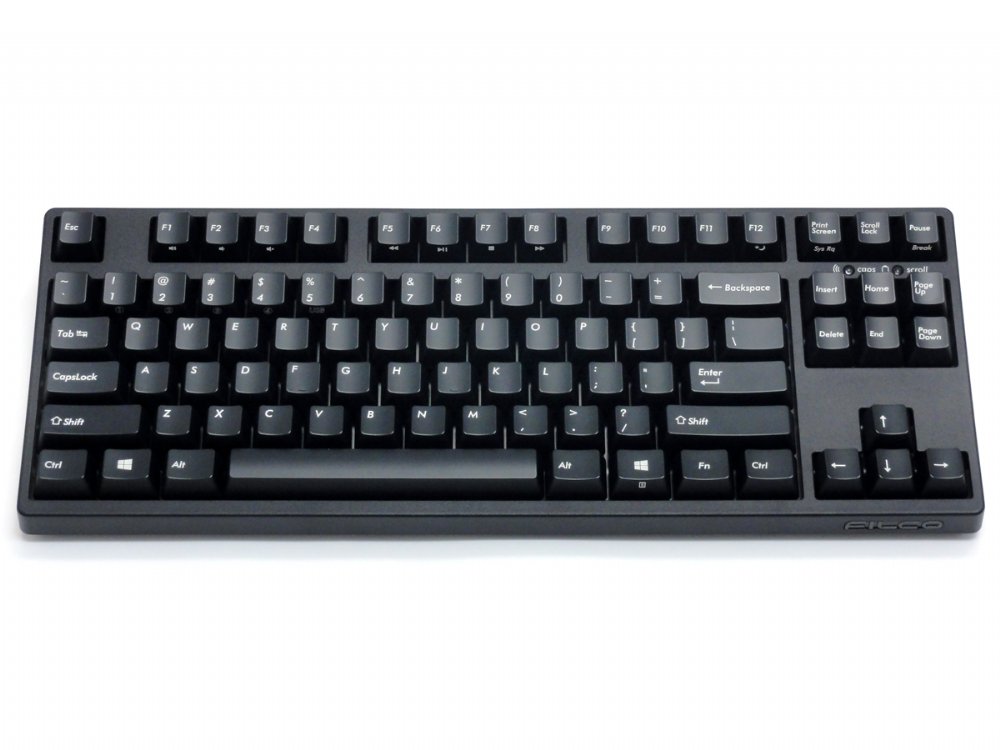
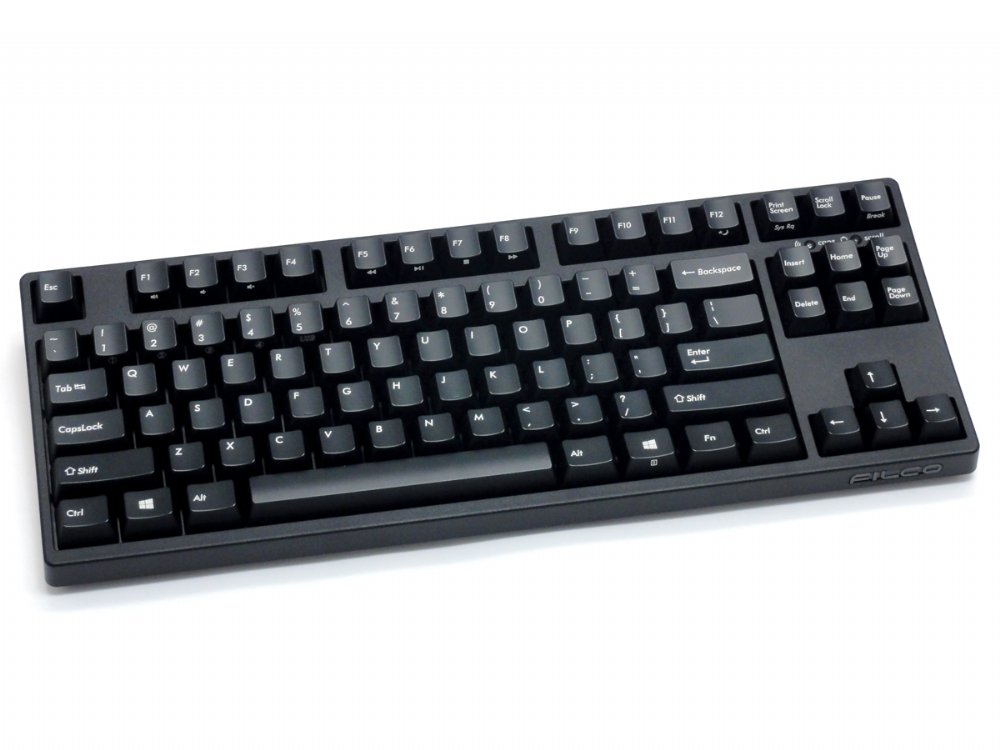
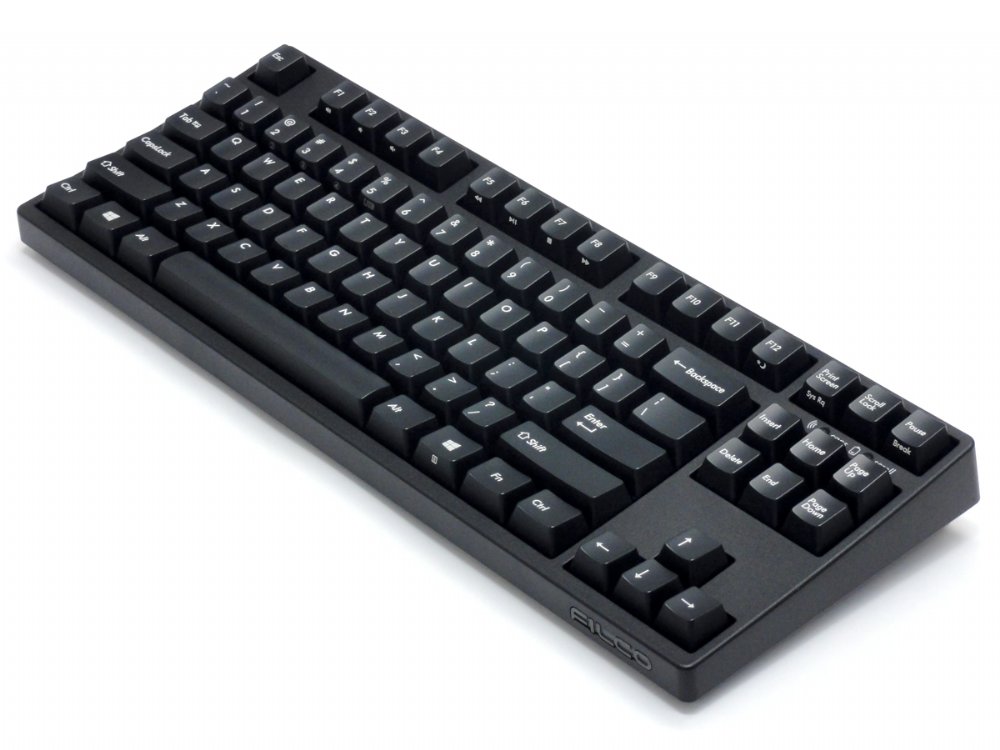
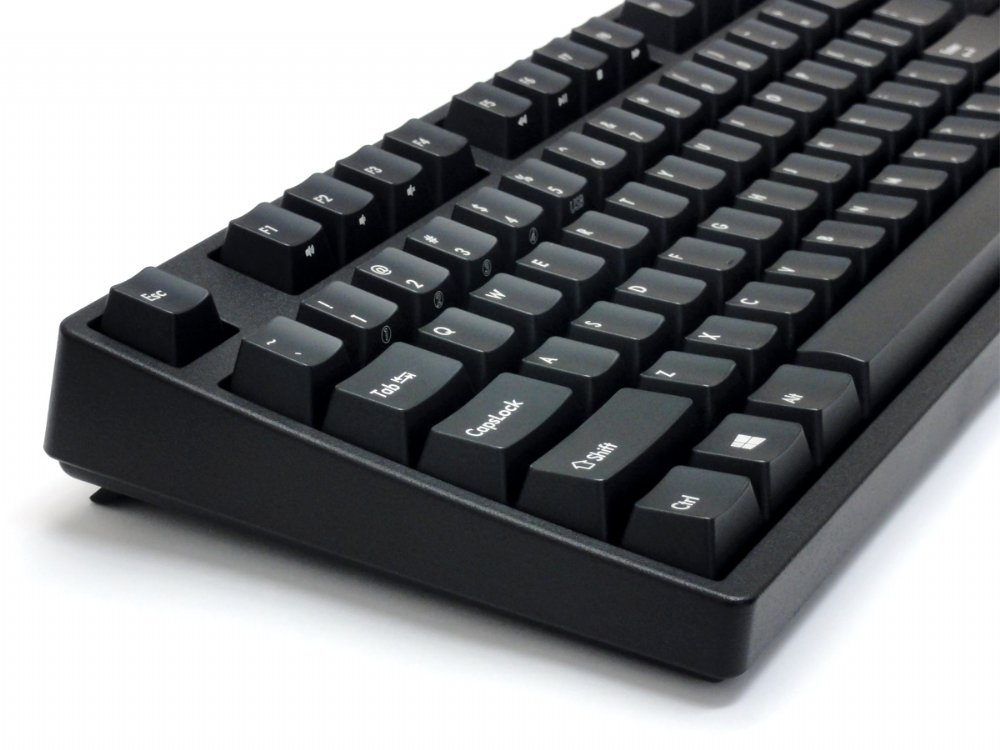
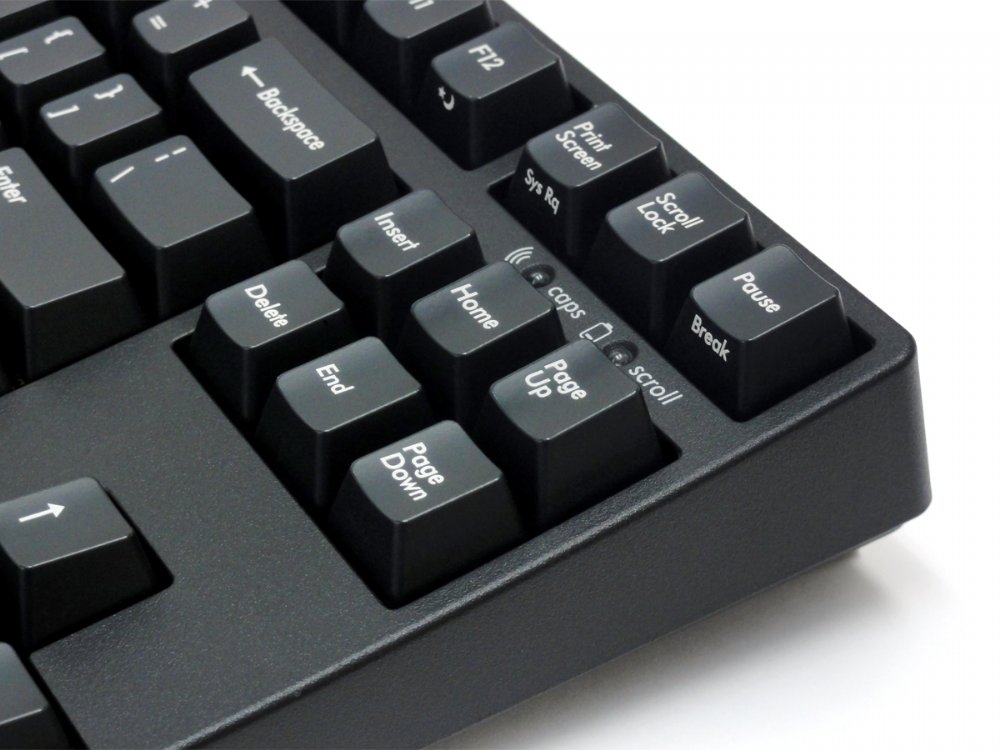
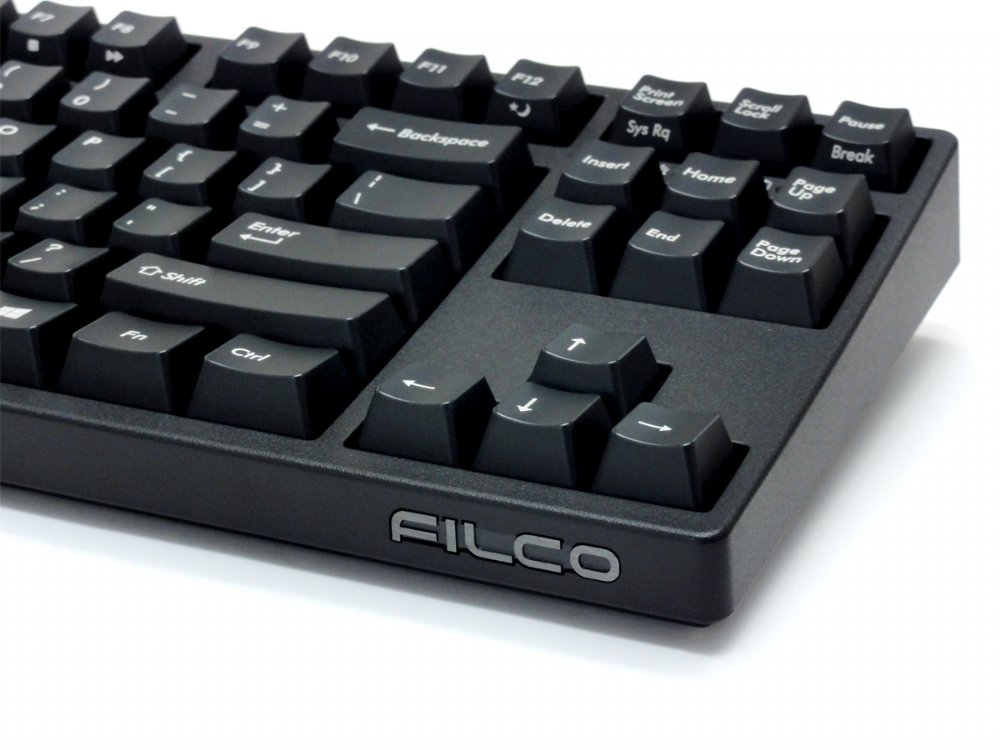
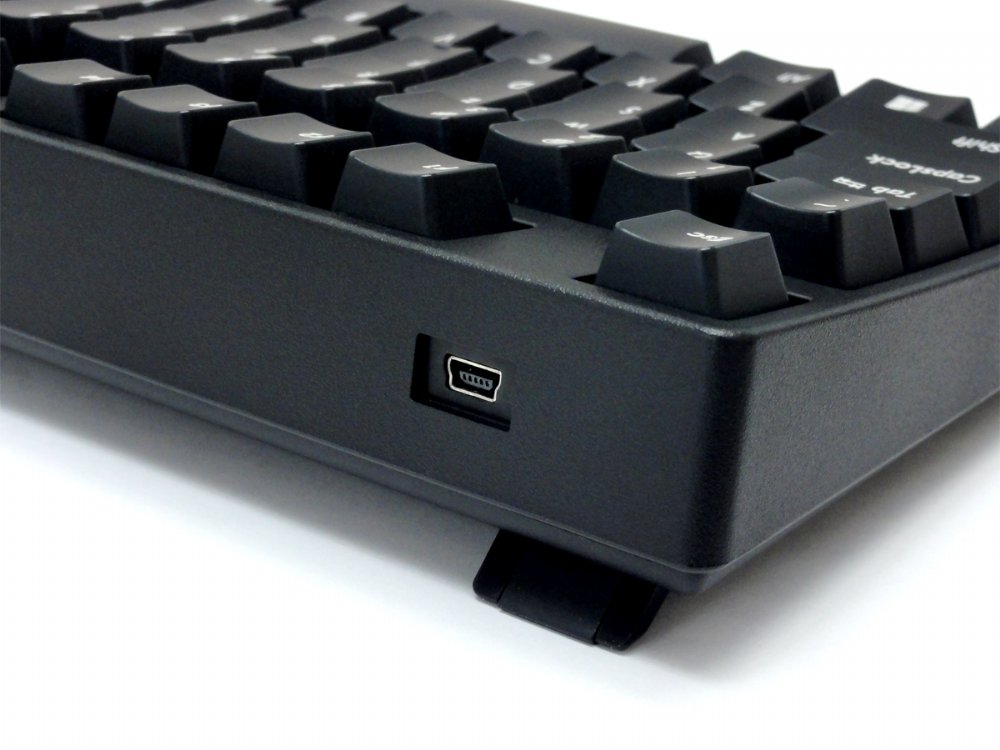
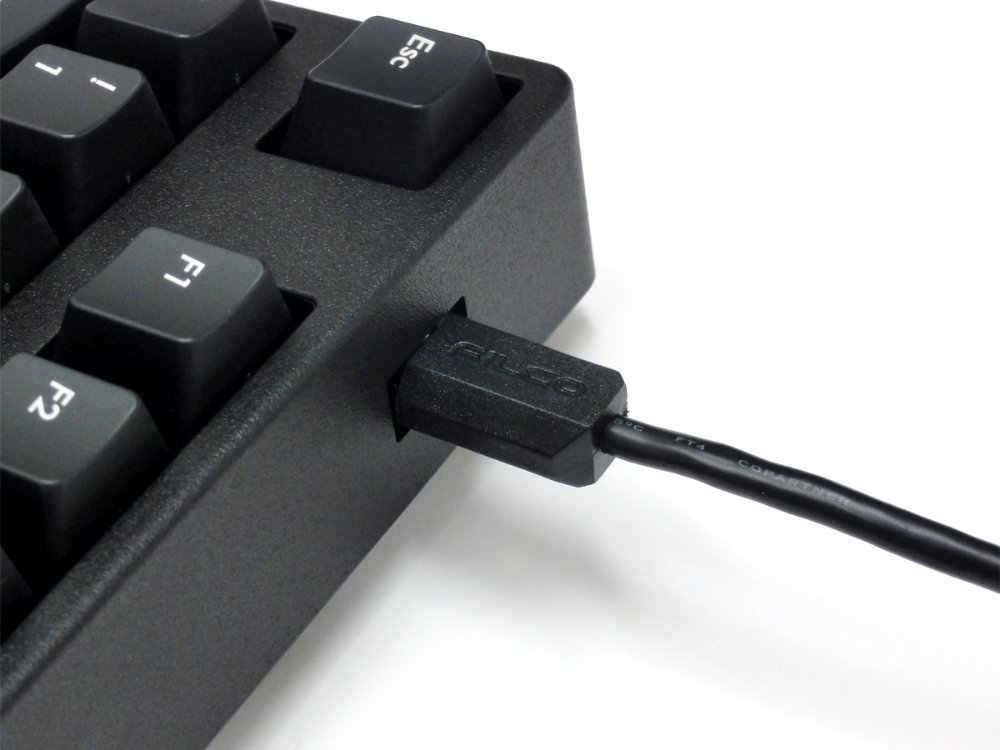
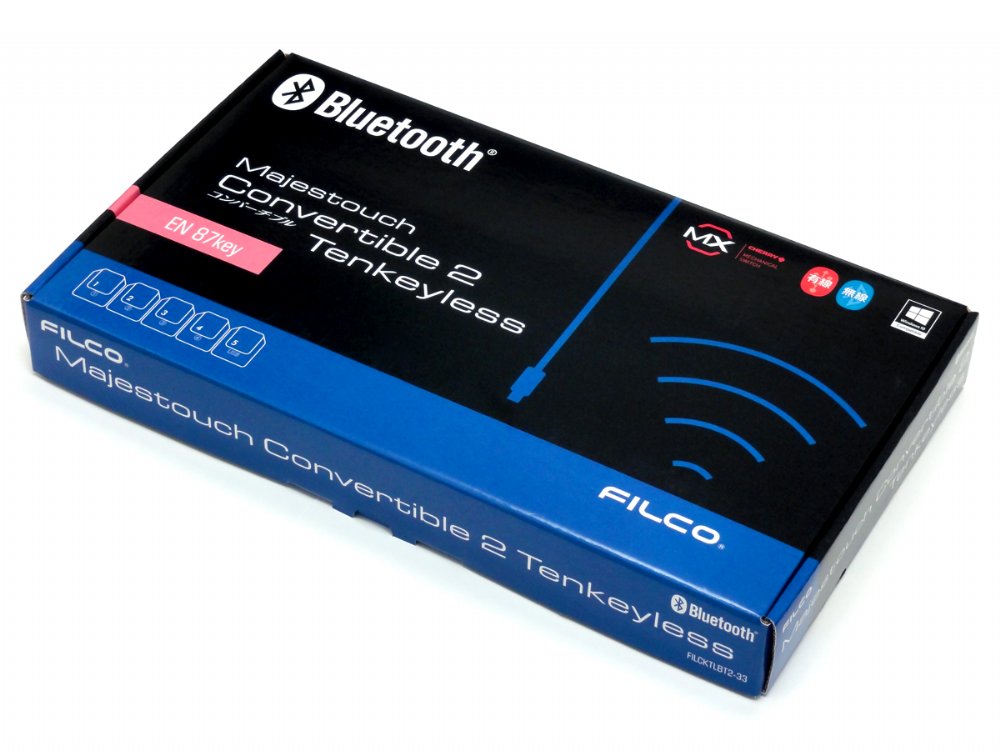
The Convertible 2 Tenkeyless keyboard from master keyboard makers – Filco. This keyboard is ‘convertible’ from a USB wired keyboard to a Bluetooth wireless keyboard, and you don’t even need to unplug it from your PC. It combines the high quality typing feel of Cherry MX switches, steel mounted in a rock solid body all put together in a very slick package. These keyboards just make you want to type, now on all of your devices.
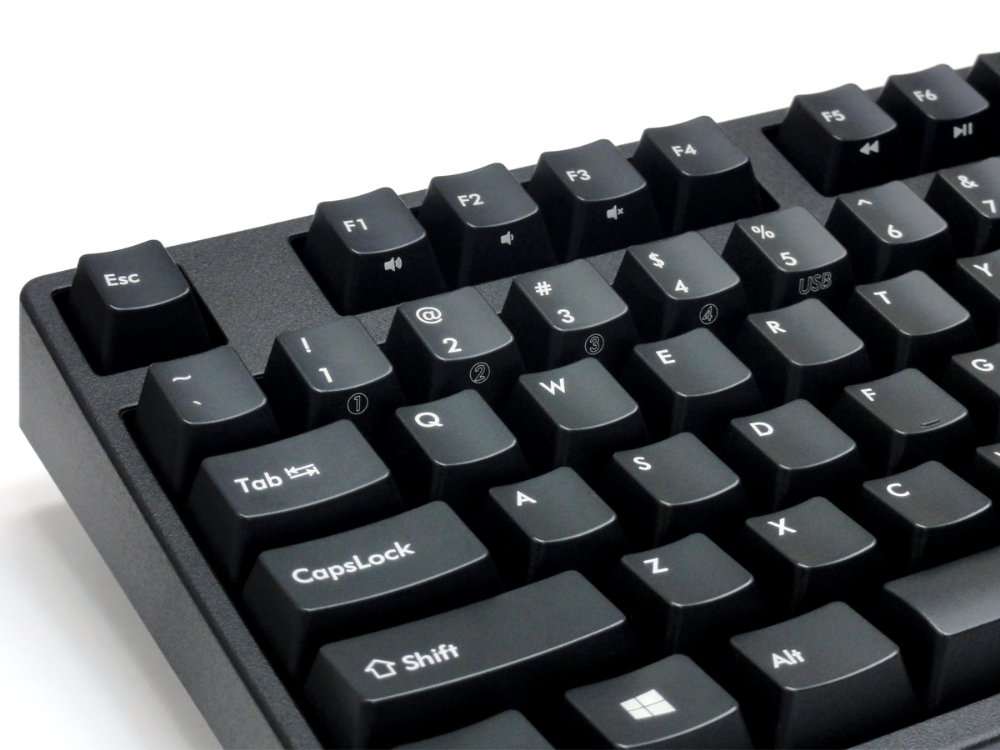
- Switch between 5 different devices, 4 Bluetooth and 1 USB
- Tactile feel, ergonomic click action (Brown switch)
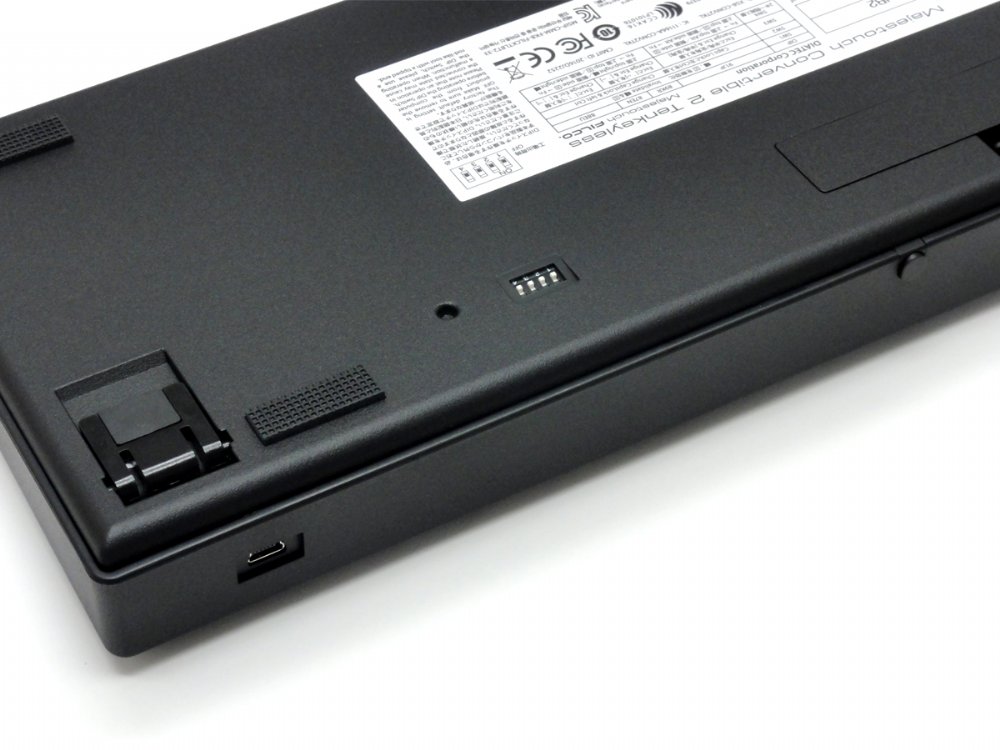
- Rear mounted DIP switch located at the base of the keyboard
- Lock Windows and Application keys
- Swap CapsLock and left Ctrl keys
- Swap Esc and [` ~] keys
- Swaps Fn with Windows/App key
- Gold contacts
- 4.0mm travel
- 2.0mm actuation point
- 55g ~ 2oz actuating force keyswitch
- Switches tested to 50 million actuations
Average battery life is about 6 months based on 5 hours use a day, the keyboard can be used without batteries, powered by a USB charger or PC.
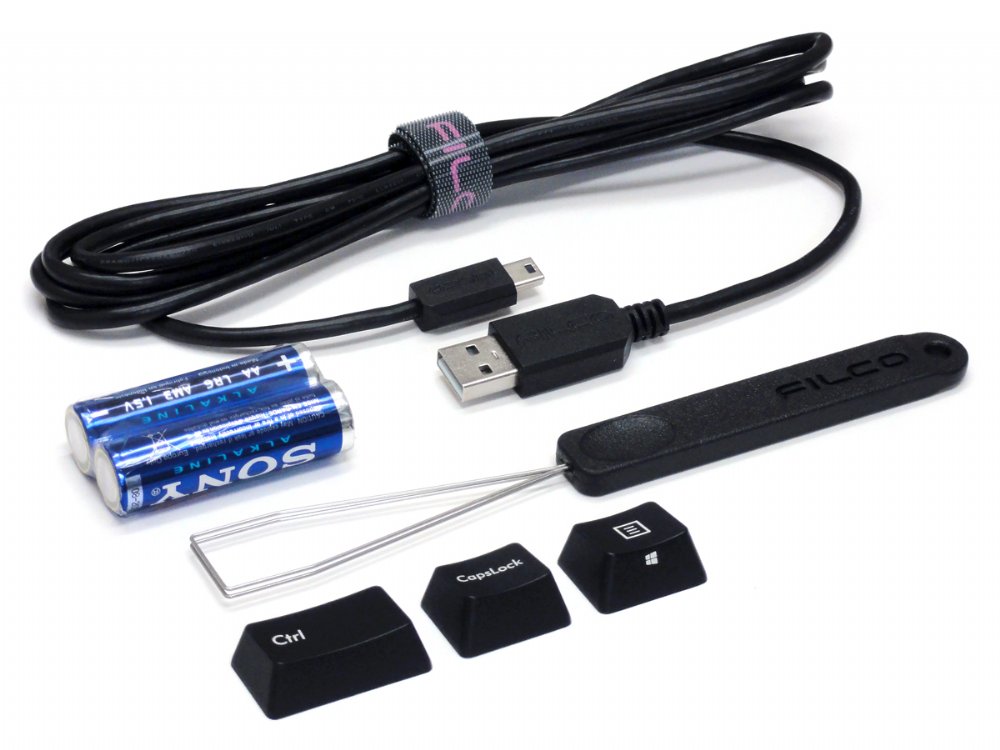
Includes: Keyboard, detachable cable, velcro cable tie, extra keys, keypuller, 2 x AA batteries, dust cover and manual
Bluetooth adaptor NOT included.
Customers also viewed these
Keychron K10 Max 2.4G Bluetooth QMK/VIA Backlit Double-shot PBT Mac/PC Keyb…
£103.00 inc. VAT
Available on back-order
Details
Select options
This product has multiple variants. The options may be chosen on the product page
Majestouch Xacro M10SP Ergonomic Split Programmable MX Switch Keyboards
£149.99 inc. VAT
in stock
Details
Select options
This product has multiple variants. The options may be chosen on the product page
Keychron Q1 V2 QMK RGB Aluminium Mac/PC Space Grey Custom Keyboards with Kn…
£199.00 inc. VAT
in stock
Details
Select options
This product has multiple variants. The options may be chosen on the product page
Keychron Q4 60% QMK/VIA RGB Aluminium Mac/PC Navy Blue Custom Keyboards
£149.00 inc. VAT
in stock
Details
Select options
This product has multiple variants. The options may be chosen on the product page
Anonymous –
Switch Type: CHERRY MX Brown Layout: German
Love this keyboard. The Brown MX switches feel amazing. I needed USB connectivity besides Bluetooth , for the office , and this keyboard fits the bill :). Would recommend any day.
Anonymous –
Switch Type: CHERRY MX Brown Layout: USA
Bought a Filco Majestouch 2 a couple of years ago (also at The Keyboard Company, great service) and was looking for a second, more portable mechanical keyboard this time to use at the office. As I was really happy with the Majestouch 2 I was pretty set on getting another Filco keyboard.
In the end I went with the Convertible 2 Tenkeyless with Cherry MX Brown switches. I really like the Bluetooth wireless functionality and the option to switch devices. I have been using the keyboard with my Macbook (wireless), iPhone and office computer (wired). It has been a solid typing experience so far (first time using the Brown switches) and I can really recommend this device.
HCL –
Switch Type: CHERRY MX Brown Layout: USA
This keyboard already has a lot of good reviews so just read those. As for me, I bought it for the reliable Bluetooth that last months and months with one set of AA batteries. According to the https:www.diatec.co.jp this keyboard will run 6 months if you use it every day for 5 hours. I have been using it for like 3 months intensively and it is still working. Guess they weren’t kidding.
Nick –
Switch Type: CHERRY MX Brown Layout: USA
I own the wired version of the keyboard and have been using it everyday for the past 4 years as developer. I wanted a Bluetooth version for my laptop and it’s absolutely brilliant. Works flawlessly with PC, Mac and Android.
Worth every penny and Ie recommended it to multiple people!
Christopher Lee –
Switch Type: CHERRY MX Brown Layout: United Kingdom
This is perfect for me. As someone who spends hours a day programming, I need a keyboard that doesn’t take up a lot of space whilst still having the essential Function and Home End PgUp PgDn keys in the places I’m used to.
Setup is a little convoluted, but this means there’s no proprietary software to deal with (looking at you, Corsair and Razer) which is a good thing. It means the keyboard will be useful for years to come. Needless to say it works perfectly on Linux.
I’ve used mechanical keyboards in the past and have loved the experience, but wires are a little dated in 2019 and make a desk feel cluttered. The beauty of this keyboard is that it can still be used in USB mode for, say, setting up a Desktop PC or a Raspberry Pi, and then switched to Bluetooth mode once you’re up and going. You also need USB keyboard for interacting with the BIOS on a Desktop PC – another reason it’s great to have a keyboard with plain old USB functionality.
Well done Filco, you’ve made the perfect non-gaming wireless mechanical keyboard. I am absolutely overjoyed by this, I really am. It is a massive improvement over my Logitech K380.
Anonymous –
Switch Type: CHERRY MX Brown Layout: USA
Long story short…
– delivered to Romania without any problems in about a week.
– compact (good for lap typing)
– bluetooth connection with 4 stored devices (1 TV, home PC, Laptop, workplace PC)
– heavy (I like heavy)
– superb action (brown switches, first time using them)
– remapping jumpers for Vim users plus replacement keys.
I’ve never owned a bad keyboard (for long), and this one really puts a big smile on my face. I did not expect to be impressed so quickly. I’m seriously considering buying a second one for work (blue switches, and white ninja keys, just to annoy everybody).
Rob –
Switch Type: CHERRY MX Silent Red Layout: United Kingdom
Great service, great keyboard.
Martin T –
Switch Type: CHERRY MX Silent Red Layout: United Kingdom
Having become used to a Majestouch 2 Silent Red as my regular keyboard, I bought the Convertible TKL Silent Red as a keyboard for travelling.
Build quality is superb as you would expect for a Filco. The pairing instructions aren’t entirely clear but you get the hang of it fairly quickly and it’s not something you do particularly often.
My only gripe, and it’s a minor one at that, is that the volume controls are not in the most obvious order — Fn-F1 is Volume Up, Fn-F2 is Volume Down and Fn-F3 is MuteUnmute. You normally see Up and Down in the other order. But if that’s the biggest complaint I have, that tells you how happy I am, and it would be churlish to dock a star solely for that reason.
Superb service from The Keyboard Company and highly recommended.
Anonymous –
Switch Type: CHERRY MX Brown Layout: Swedish/Finnish
Very nice keyboard which requires you to check the manual a bit for instructions on how to pair.
For those interested, it’s pretty sturdy and quite heavy for a keyboard. Also, it was a bit of a surprise for me to see that when used with Apple iOS (iphoneipad) it will use the keyboard layout intention of Apple, which differs a bit from your regular PC layout (like for example braces need a combination of three keys), this is Apple feature and it would happen if you plug in any keyboard. When connected with PC the keyboard layout works as intended (didn’t try Android).
Damir –
Switch Type: CHERRY MX Blue Layout: USA
This is my first mechanical keyboard, which I choose after a long research. I can’t be more than happy with my choice. I was in doubt about cherry mx blue, but it’s simple perfect the sound! This keyboard is very standard and classic in design, but with some extra cool features like bluetooth and usb cable combined, plus up to 5 device easy switchable, and is very solid construct. The price is affordable considering the other options.
Keyboard company was very kind in consultation, and I must thanks especially Martin!
I feel that I am in good hand with Keyboard company, as their experience is very strong.
And Filco is just between the best of this type of keyboard, you can’t find something more, almost not in my research.
Fabian –
Switch Type: CHERRY MX Brown Layout: German
This is definitely the best keyboard I own. DE-ISO 10-key-less with Bluetooth. What a great job Filco! I use it all day long for programming with my Linux setup and it is a pleasure.
In the beginning I had some concerns about the battery life. But until now (running for 4 12 months) I needn’t to change the batteries. The Bluetooth battery monitor still reports a bit more than 60% capacity.
Anonymous –
Switch Type: CHERRY MX Brown Layout: Swedish/Finnish
I work mostly from home and needed a single keyboard to use with a docked work laptop and my home computer.
I use the keyboard via bluetooth with my laptop and via usb cable on my home computer. Bluetooth connection is not always instant on laptop, but it doesn’t take too long either. Keyboard offers up to 4 different bluetooth targets, which could be useful some day.
Coming from a budget model mechanical keyboard and comparing it to this one, this offers a better feel and feedback when either programming or gaming, so it’s pretty much what I ihoped it would be.
The only extra feature that I can think of to improve this keyboard would be a backlight feature – it might be useful in some situations. Delivery to Finland was swift and I have no complaints whatsoever.
Matthias –
Switch Type: CHERRY MX Brown Layout: German
Great service! Ordered the keyboard in the afternoon from Germany and got it before lunch on the next day! The Filco is great and typing is a joy 🙂 works on Linux Mint without probs.
Anonymous –
Switch Type: CHERRY MX Blue Layout: USA
Amazing keyboard. This is not the first time I buy from The Keyboard Company. Already own a full-size Filco wired keyboard with red switches for almost 10 years now. It is built like a tank just like this one. I am sure the Convertible 2 will serve me for a long time also.
Matt J –
Switch Type: CHERRY MX Brown Layout: United Kingdom
Having narrowed my choice of where to get a mechanical keyboard, despite not ever having tried one before, I was then very impressed with the range that the company offered.
It took a while to choose which one would suit my purpose best, as I wanted it as a main keyboard for my work PC during the day, but then would use it on my Mac in the evening. After some very helpful emails from Bruce (thank you) I decided that this Filco Convertible would fit the bill nicely.
Delivery came within 48-hours and the keyboard is everything that I thought it would be; solidly constructed with good quality materials and most importantly it feels very nice during use.
Although I’ve had it less than a week so far I have it an absolute pleasure to use and because you don’t have to use as much pressure on these as a membrane keyboard I’ve noticed my typing speed has increased significantly. It now almost keeps up with the thoughts in my head!
Switching between the PC and Mac is very straightforward; I use a cable for the PC and Bluetooth for the Mac and the only point to note is that the keys are in a PC arrangement. I’m happy enough with that as it’s the position of them that you need to know. Maybe at a later stage I’ll swap the keys over if I start using the Mac as the primary device.
Overall, I’m very impressed with both the service from the company and the quality of the keyboard and would have no hesitation in recommending any future buyer to get one.
Anonymous –
Switch Type: CHERRY MX Brown Layout: USA
Standard 87 tkl keyboard. Solid build, cherry mx switches, pretty good Bluetooth connection. The quality you would expect from Filco.
Keyboardcos service was great. Good customer service, will definitely do business with them again.
Graham –
Switch Type: CHERRY MX Silent Red Layout: United Kingdom
These are lovely keyboards. I’ve only really used it via the USB socket so far, so can’t comment on the bluetooth support.
Before I chose what to buy I was lucky enough to be able to try a few boards with different switches in. I had expected myself to prefer MX Brown switches, but found that the tactile bump arrived a bit too soon (it confused my brain, and threw my typing off kilter). I thought this meant that I found browns too light, and that (therefore) I’d find MX Reds too light as well.
And I do; I find reds too sensitive and I get a lot of accidental key presses. Silent reds are nominally the same weight as normal reds, but for some reason I don’t produce the same accidental characters when typing on this board. So I interpret this as the silent switches feeling slightly firmer than normal reds.
When I was testing different keyboards I also got to try Topre switches, MX Blue, Brown, Black and Red, in a variety of different boards. The base that the switches are mounted on really does make a difference to how a switch feels, and the platform that Filco mount their boards on is very very solid. I think my preference for MX Silent Red switches is probably a preference for MX Silent Red on Filco; they might not feel quite so solid on a lightweight plastic chasis.
I’ve since tried a Vortex Poker 3 keyboard with MX Clear switches (which have a tactile bump, but are a bit heavier than browns). And I really like those too. Silent Reds are a lot lighter than Clear switches, but they have a certain positivity to them that I don’t experience when typing on standard reds or browns.
Since I bought my Filco I’ve spent a little too much time online reading about mechanical keyboards, and became interested in the different kinds of plastic that are used to make the keys themselves (or keycaps). ABS and PBT are two popular options. They also come in different shapes, or profiles (e.g. DSA, DCS, SA, Cherry, OEM).
Filco use ABS plastic and an OEM profile. They’re good, but I grew up typing on Cherry profile keys. While similar, they feel ever so slightly different. So I bought a set of blank keycaps in Cherry profile, made from PBT plastic. The texture of the PBT is slightly less smooth, and the board now feels very luxurious to type on. I can’t imagine a nicer board to type on.
Vladimir –
Switch Type: CHERRY MX Brown Layout: USA
Got my first TKL with brown keys 4 years ago. Have used on a daily basis at work. Superb tactile feedback, design and solid feed. Now decided to try out the wireless version. Same solid quality, but with the benefit of having no cable. Recommended!
David H –
Switch Type: CHERRY MX Brown Layout: United Kingdom
A really solid bit of kit. The MX brown keys give all the feedback you need. Feel and sound precise.
I use mine with a Mac. It was a simple matter of reassigning the Alt and Windows keys to match the Mac keyboard layout. The page up. page down, home, end and delete keys all work so an improvement on the Macpro keyboard.
Great service from The Keyboard Co.
I will be ordering a set of Mac keycaps as soon as they are back in stock, although I have had no issues using the keys as they are.
Dag B –
Switch Type: CHERRY MX Brown Layout: United Kingdom
Ordered a Filco Convertible TKL ISO and a set of blank keycaps. Ordering experience and service from Keyboardco was 10/10.
The keyboard looks and feels great. My touch-typing ability is improving already. Now also getting to learn the keyboard shortcuts of all my favorite applications. Hardware is 10/10.
I am primarily using the keyboard with bluetooth under Linux, where it works as well as any other keyboard. I expect the majorshiny distros just make it work out of the box. For anyone rolling with something esoteric (or a custom kernel), I suggest googling ‘gentoo bluetooth keyboard’ and ‘arch linux bluetooh keyboard’. Not difficult at all.
In addition, I found that having two keyboards connected to my PC (for instance a built-in laptop keyboard and a bluetooth keyboard) works well, but that the input layer got really confused when I hit ‘Caps Lock’ on either keyboard. I worked around this in X11 by disabling Caps Lock in my keyboard map. Apply this with xmodmap:
remove Lock = Caps_Lock
keysym Caps_Lock = 0x0000
Switching the keyboard input to be directed at my android phone works perfectly.
Functionality is 10/10.