


























Overview
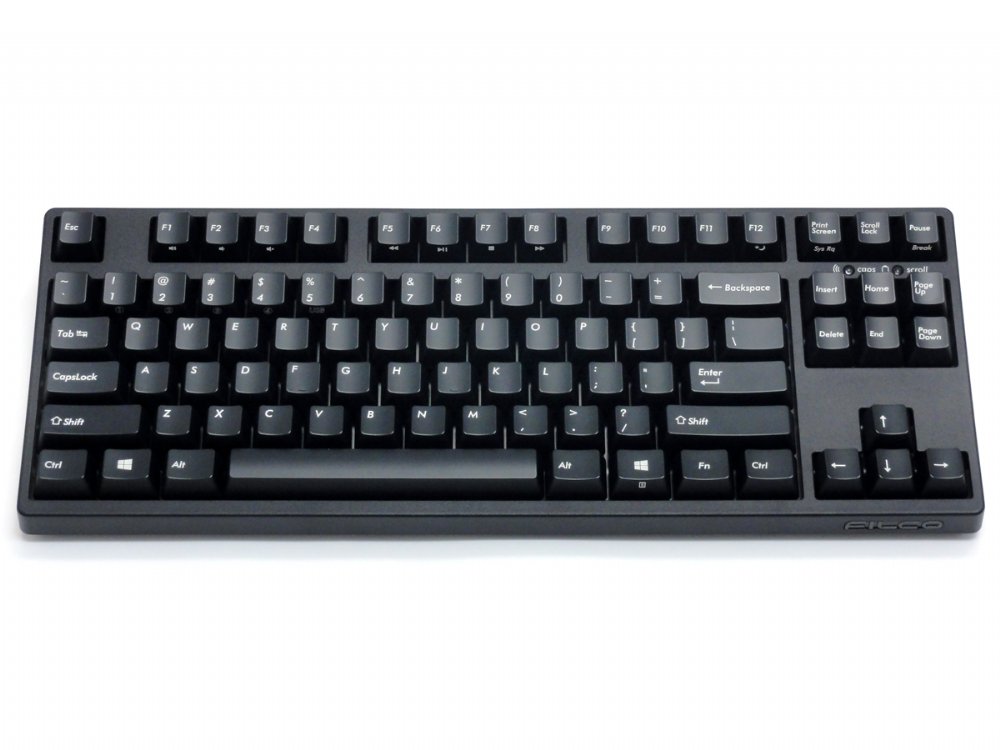
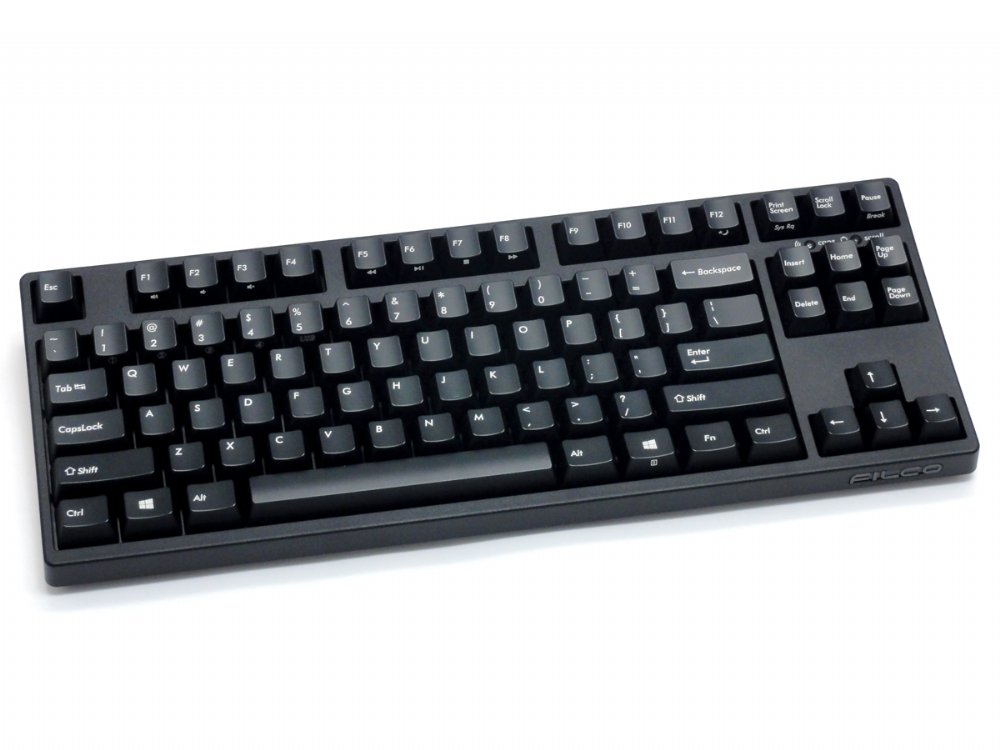
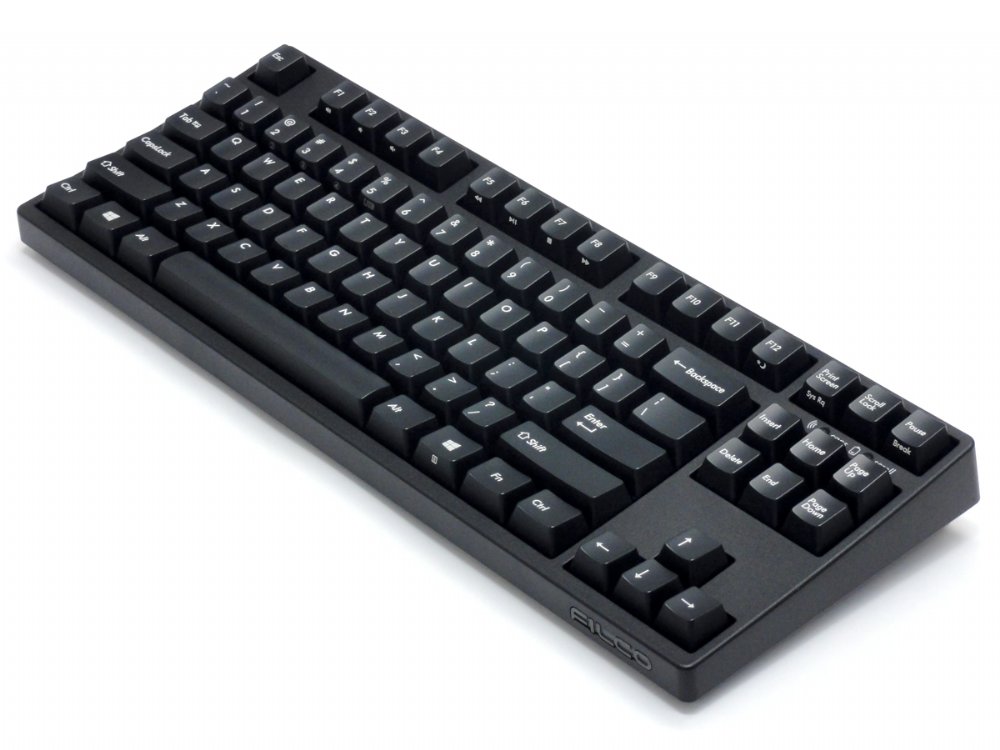
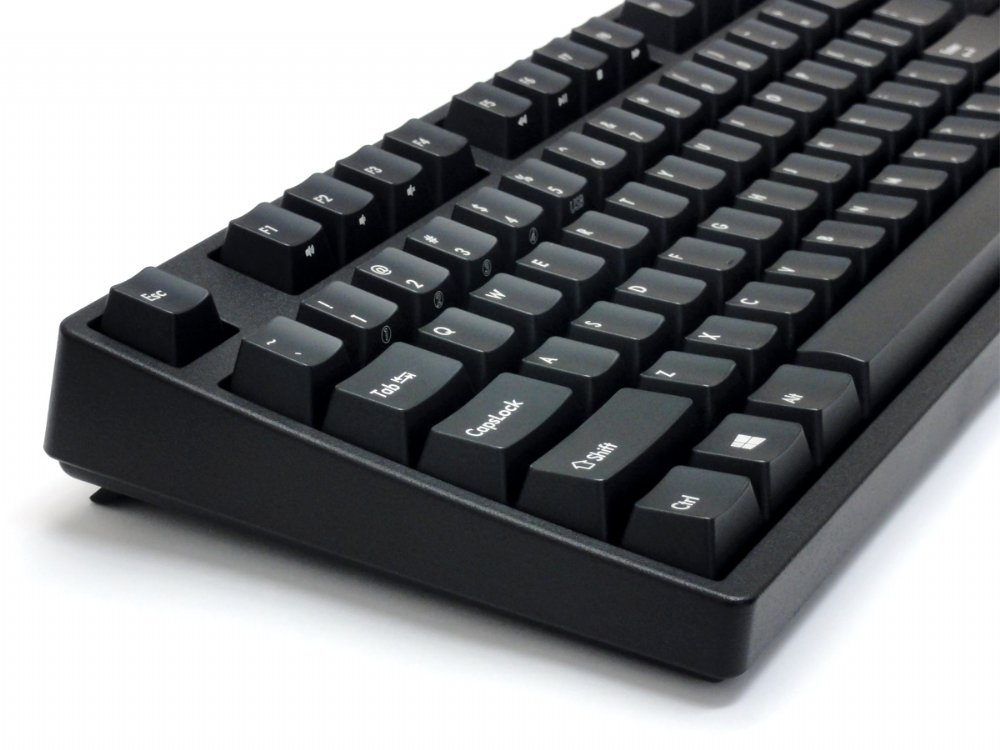
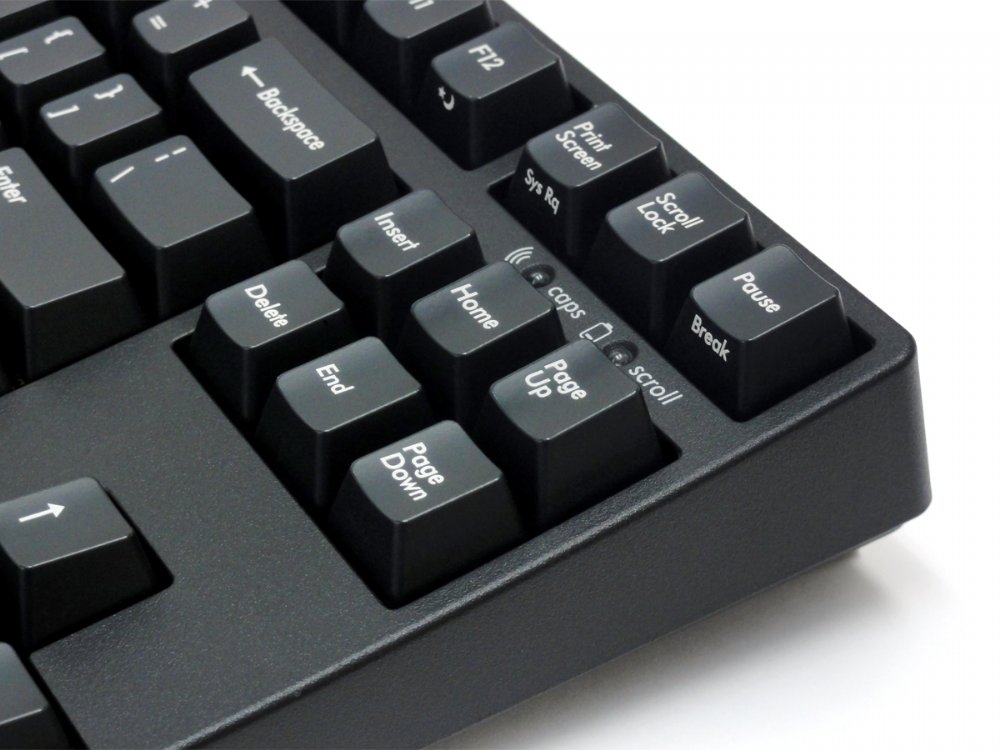
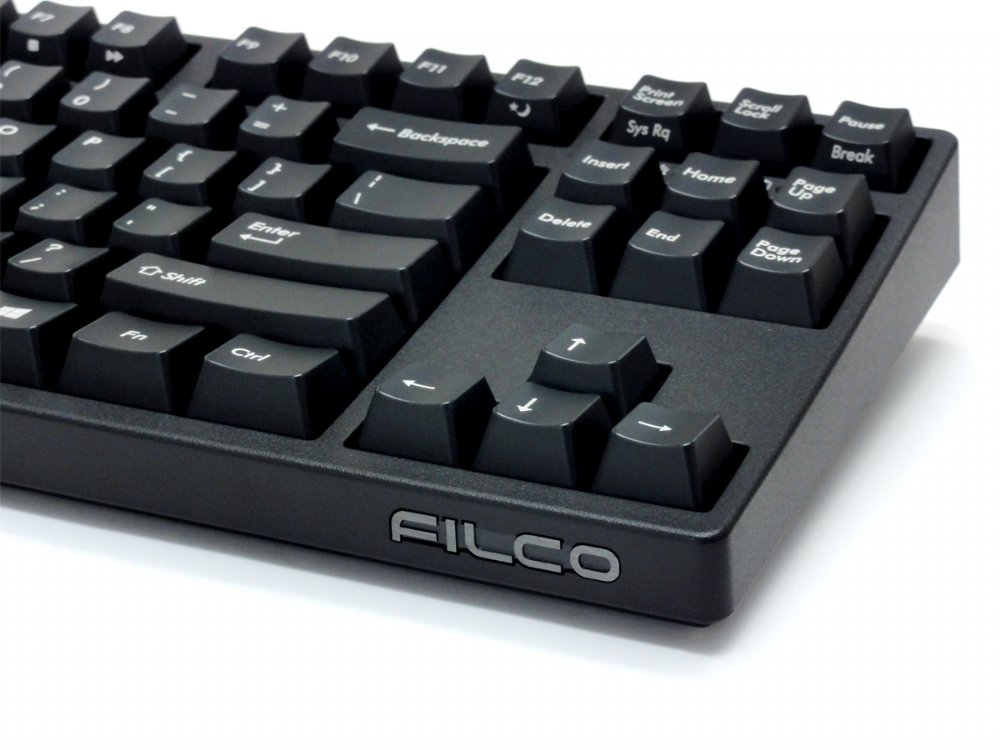
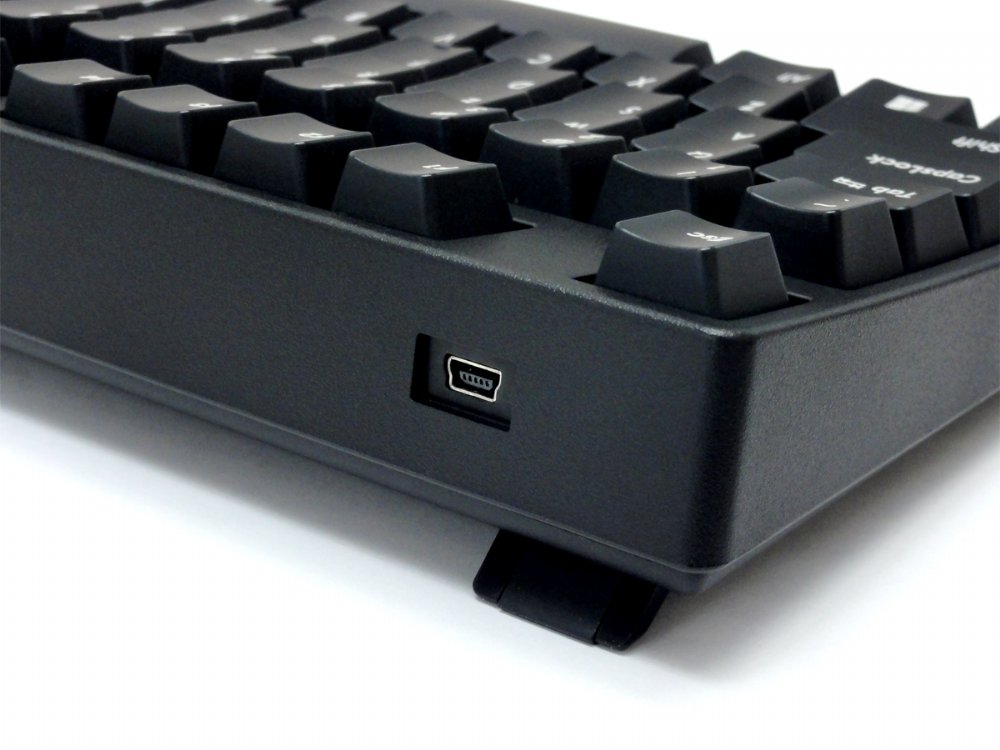
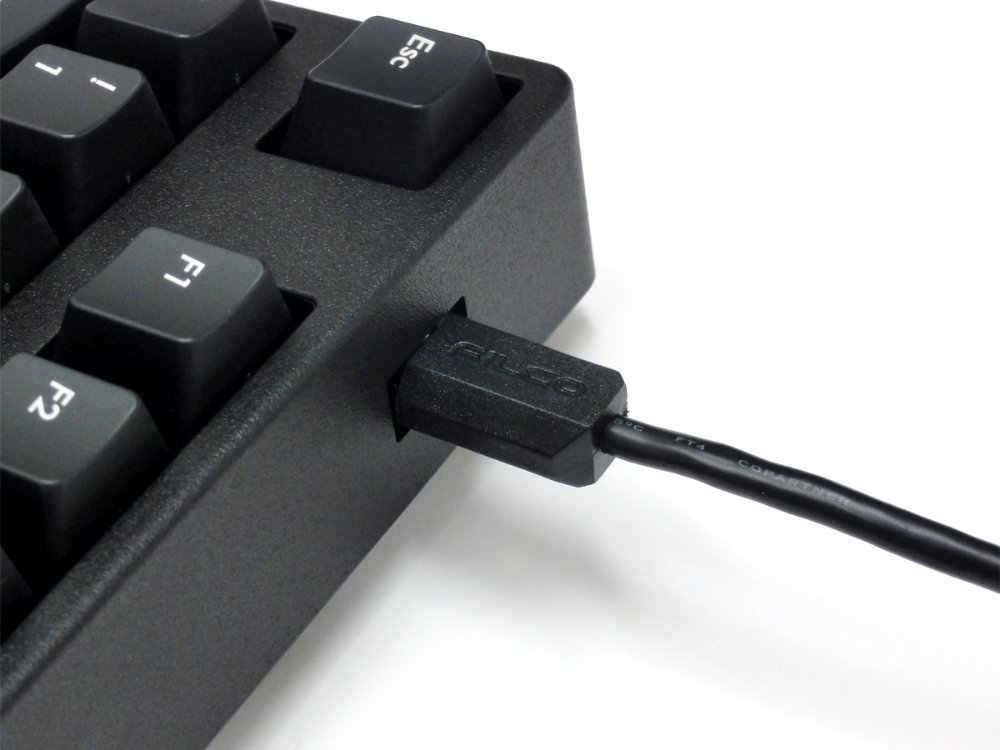
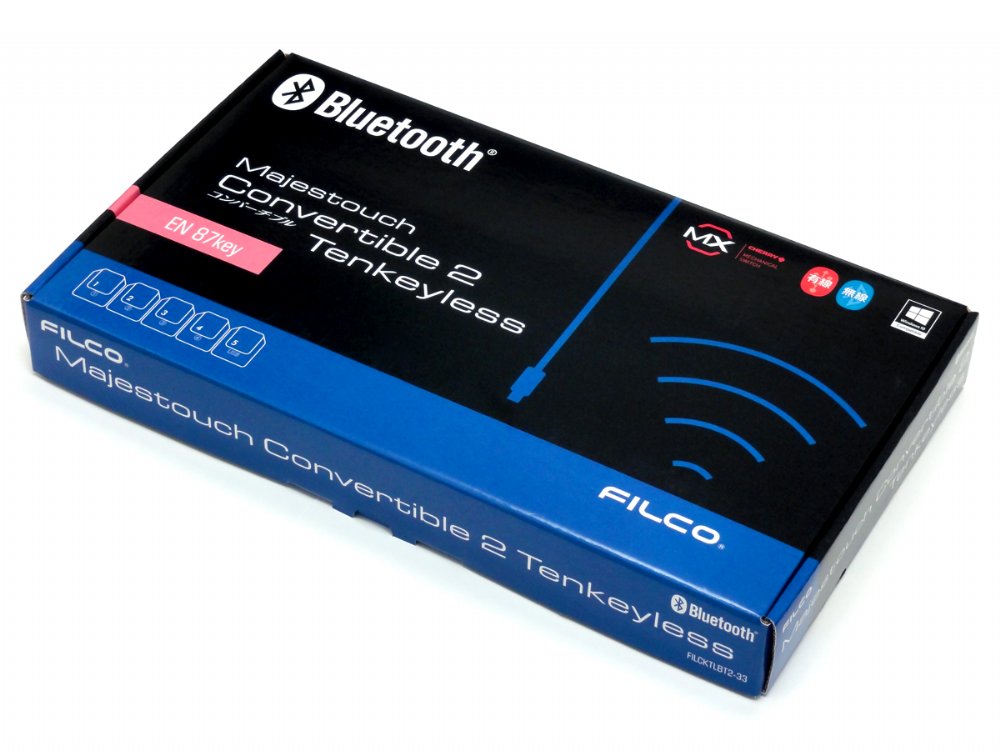
The Convertible 2 Tenkeyless keyboard from master keyboard makers – Filco. This keyboard is ‘convertible’ from a USB wired keyboard to a Bluetooth wireless keyboard, and you don’t even need to unplug it from your PC. It combines the high quality typing feel of Cherry MX switches, steel mounted in a rock solid body all put together in a very slick package. These keyboards just make you want to type, now on all of your devices.
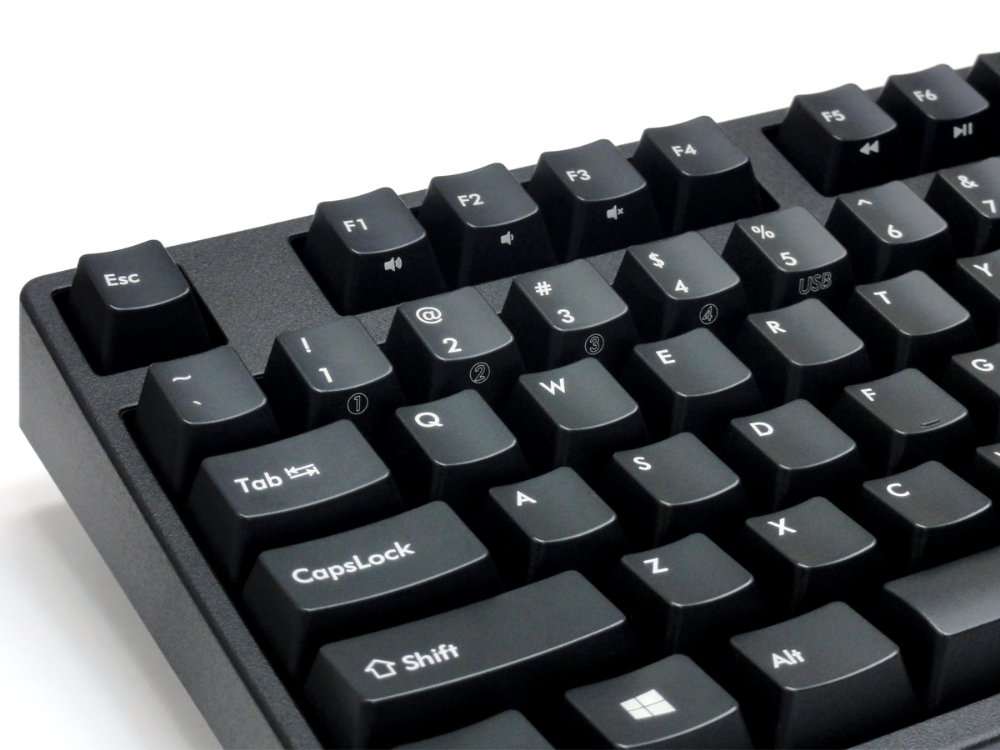
- Switch between 5 different devices, 4 Bluetooth and 1 USB
- Tactile feel, ergonomic click action (Brown switch)
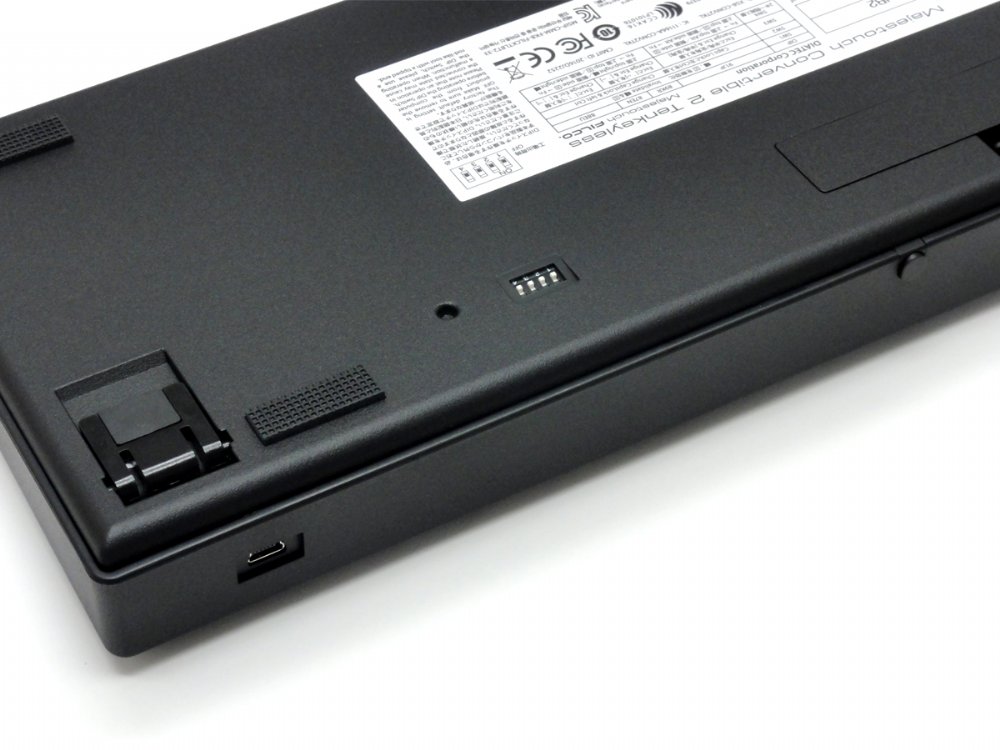
- Rear mounted DIP switch located at the base of the keyboard
- Lock Windows and Application keys
- Swap CapsLock and left Ctrl keys
- Swap Esc and [` ~] keys
- Swaps Fn with Windows/App key
- Gold contacts
- 4.0mm travel
- 2.0mm actuation point
- 55g ~ 2oz actuating force keyswitch
- Switches tested to 50 million actuations
Average battery life is about 6 months based on 5 hours use a day, the keyboard can be used without batteries, powered by a USB charger or PC.
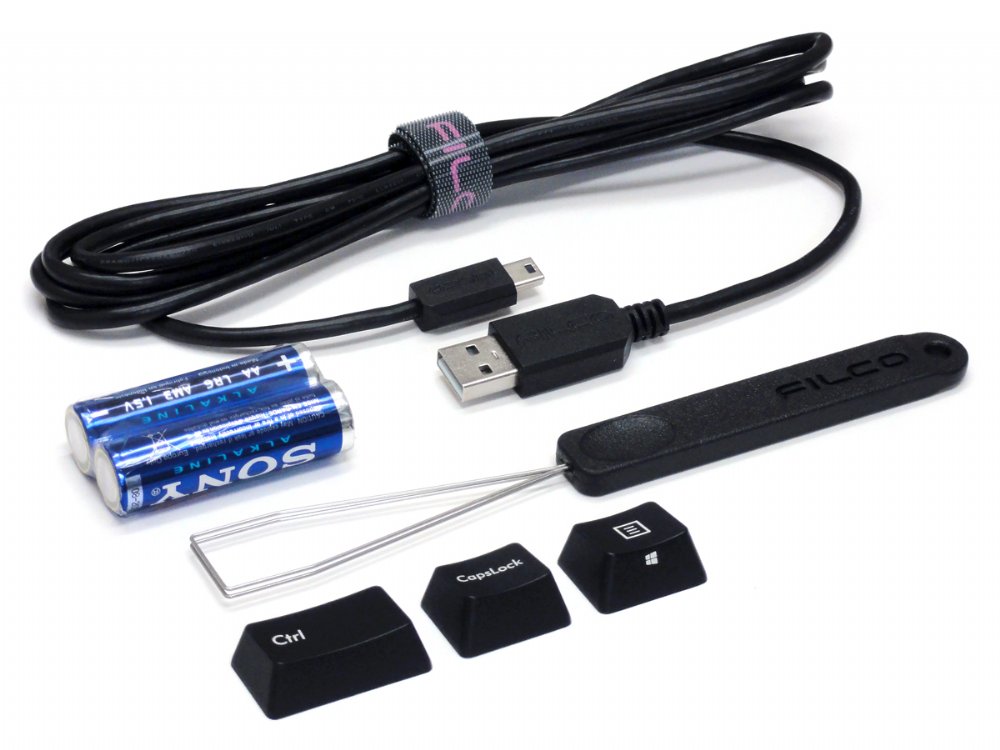
Includes: Keyboard, detachable cable, velcro cable tie, extra keys, keypuller, 2 x AA batteries, dust cover and manual
Bluetooth adaptor NOT included.
Customers also viewed these
Matias Wireless BT Aluminum Mac Keyboards Silver
£99.98 inc. VAT
in stock
Details
Select options
This product has multiple variants. The options may be chosen on the product page
Keychron C1 Pro QMK PBT Double-Shot RGB Hot-Swap Mac/PC Keyboards
£75.00 inc. VAT
in stock
Details
Select options
This product has multiple variants. The options may be chosen on the product page
UK VA88M V2 Moonlight PBT Backlit Keyboards
From £130.00 inc. VAT
in stock
Details
Select options
This product has multiple variants. The options may be chosen on the product page
Shura 60% Bluetooth Programmable Trackpoint Keyboards
From £189.00 inc. VAT
in stock
Details
Select options
This product has multiple variants. The options may be chosen on the product page
ADP –
Switch Type: CHERRY MX Brown Layout: USA
Got this beauty with brown keys and wooden palm rest.
Currently using it to connect to a macbook, a linux laptop, an android tablet and even a phone!
Wondering how much the batteries will last, but there’s always the possibility to leverage USB for power while still using bluetooth for communications.
Adrian –
Switch Type: CHERRY MX Brown Layout: German
This Keyboard is made for Windows users and for those this is perfect. But I’m a Mac User and I still bought it. It would be nice to have some better Mac compatibility in terms of Keybindings and Mac keycaps – first is possible to fix with the tool Karabiner but second is a pain there are no such keycaps in the same design in Mac-Style – I’m already happy to have a DE-ISO one ^^. But at the end it’s a nice keyboard and I will definitely keep it.
Max F. –
Switch Type: CHERRY MX Brown Layout: USA
I am very happy with the keyboard.
I had many doubt before to buy this keyboard, mostly because I have been happily using apple chiclet keyboards for probably 15 years and I was worried I would have not felt comfortable typing on a mechanical keyboard again.
I bought this keyboard for a secondary desktop I use when working from a home holiday.
When I was back from holiday I brought the keyboard with me and replaced my apple chiclet keyboard with this one.
It’s much much more precise, typing is faster, it’s better point. Way better.
Keyboardco service was good, no problem, no issue.
Everything was good with his purchase.
Steve carter –
Switch Type: CHERRY MX Silent Red Layout: United Kingdom
Very happy with keyboard and service! First pairing of each of the 4 slots easy.
Instructions not immediately clear on how to re-pair individual slots (I think the reset button applies to the currently selected slot)
Switch to usb is automatic on plug in. Layout (ISO) and key travel are great.
I got silent red switches which are noticeably quieter in both directions of travel than Brown, and noticeably heavier. Very pleased.
Vivan –
Switch Type: CHERRY MX Brown Layout: United Kingdom
I have been using a Filco Majestouch 2 as my main keyboard for 6 years. It is a wonderful keyboard and just as good now as it was when I bought it 6 years ago.
As always happens with these things, I wanted an upgrade. But how do you upgrade something that is perfect? The main things I was looking for with a new keyboard was to be wireless and tenkeyless. Given how amazing the Majestouch 2 is, I hoped for a wireless, tenkeyless Majestouch 2.
After much nagging, Filco have finally produced it, in the form of the Convertible 2 TKL.
It feels exactly like the Majestouch 2 – heavy and solid with great build quality. It is a pleasure to type on, and Bluetooth pairing is very easy. I use it on my PC (wired), laptop (BT) and phone (BT) and it works perfectly. There is no noticeable input lag when using it via Bluetooth, which was my one worry about going the wireless route.
My only qualms about the board are:
1. For some bizarre reason, the function key to increase volume is on the left of the decrease volume key. This is the opposite of the established standard. Fortunately this doesn’t really affect me as I don’t plan on using those keys anyway.
2. The keycaps are the standard Filco keycaps. While they’re not bad, they’re not perfect. I will be swapping them out very soon for some nice PBT engraved caps.
Neither of these is a dealbreaker, and so if you are looking for a tenkeyless wireless keyboard, the Filco Convertible 2 is probably the best on the market.
If you are looking at getting a wired Majestouch 2, I would actually just recommend getting the Convertible 2 (full-size or tenkeyless, depending on your needs). It is basically the same keyboard, but with the added benefit of wireless as an option. Even if you don’t want to use the wireless functionality, the fact that the cable is detachable on the Convertible 2 is a massive upgrade. The cable for the Majestouch 2 is fixed to the board which means that if you happen to need a longer or shorter USB cable you have no real choices.
DreadDave –
Switch Type: CHERRY MX Brown Layout: German
This is a classic mechanical 10-keyless keyboard from Filco.. but…
with BLUETOOTH! So awesome!
Waited forever for a DE-ISO version in tenkeyless…
The Keyboard Company came through. A premium service on everything here. And for this Filco beauty, the only game going in Europe for this model.
Bogdan-Marius –
Switch Type: CHERRY MX Brown Layout: USA
I am very satisfied with the product and the services provided by Keyboard Company.
The keyboard is eaxctly how is described, I wanted a mechanical keyboard but no wires so this one is perfect for me.
There were no problems with the order or package, everything went smooth and delivery was fast.
I highly recommend both the keyboard and website.
stefan –
Switch Type: CHERRY MX Brown Layout: USA
Best services. I recommand!
Andy The Mechanical Keyboard Addict –
Switch Type: CHERRY MX Blue Layout: USA
I love this keyboard.
Very sturdy and build with high quality materials.
The ABS caps are actually very good quality and after a week of using this I don’t see any oil stains. Keycaps are not slippery at all.
It’s pretty heavy, something like ~1kg.
When sitting on a desk it is completely rooted in place and does not bulge or bend even when hard pressed.
Bluetooth works perfectly with my Fedora and my iPad. And you can switch between devices on the fly.
I would recommend to buy a wrist pad as the keyboard is pretty tall and a wrist pad improves the experience a lot.
Anonymous –
Switch Type: CHERRY MX Brown Layout: USA
Клавиатура отличная, работает даже тише, чем ожидал. Дополнительно заказывал силиконовые кольца, но пока не ставил.
Доставка быстрая, в Киев за 7 дней
————————————————————————-
The keyboard is excellent, it works even quieter than expected. In addition, I ordered silicone rings, but I have not yet put them.
Delivery fast, to Kiev for 7 days
Sunny –
Switch Type: CHERRY MX Brown Layout: USA
I’ve been using the keyboard for about 3 weeks, and I have to say, it might be the single best keyboard purchase I’ve ever made (and I’ve made lots!).
I own a Filco Majestouch 2, the full-sized, USB version, so I knew generally what I was getting into. It’s a quality, no-frills, professional keyboard. If you used any of their keyboards, you’ll know what to expect; all their products are of the same caliber. This tenkeyless version is great for having the mouse closer to your body, and I’ve purchased a separate number pad for when I need to input numbers extensively. It’s great to have the number pad when you need it, and can be removed when you don’t.
The bluetooth connection is typical, in that it has the flaws of every single bluetooth keyboard I’ve used. It takes about a second to connect, and it’ll enter sleep mode if you haven’t used it for a bit. Again, this is expected and I don’t discount this keyboard for it. It’s a solid tradeoff for extended battery life. Otherwise, connection is excellent, and I’m able to use it at a normal distance (though I haven’t tried across the room, as I haven’t had a need for it).
The most important feature in my opinion is the multiple connections, up to 5 if you’re including USB. This lets me type on my iPad, my iPhone, and my PC with a quick keyboard combo press while I’m at the desk, or move it to my couch and use it with my PS4 and Raspberry Pi on the TV. It’s absolutely fantastic. Originally, my search was for a normal bluetooth keyboard without this feature, but having this has changed my view of regular bluetooth keyboards. It makes it so much more useful.
One very minor thing that bothers me is the placement of the volume keys. Why it’s reversed from every other keyboard, I’ll never know. Every other keyboard has, from left to right, the mute, volume down, and volume up; on this keyboard, it’s volume up, volume down, and mute. I’ll often find myself muting by accident when I try to increase the volume, or increase the volume when I try to mute! But that’s a minor detail from an otherwise perfect keyboard.
All in all, a fantastic purchase. And Keyboard Company shipped it in a time I didn’t think was possible from the UK to Canada. It’s always a pleasant surprise when buying from a reputable dealer and recieving the item at a break-neck speed.
Adrien –
Switch Type: CHERRY MX Brown Layout: USA
9 month critical review:
MOST SOLID WIRELESS MECHANICAL KEYBOARD OUT THERE!
Awesome keyboard! My first and only mechanical keyboard, so I can’t really tell for the mechanical keyboard part, but I believe this is the same quality as the other Majestouch 2 keyboards, so you can read about these elsewhere. It does however add some build in media keys through a function layer, and detachable cable, compared to the basic wired version.
About the connectivity part: the Bluetooth connectivity is perfect, almost! Connecting is very easy under Windows. Linux will require the latest drivers to be running, I personally had to upgrade and fix some stuff, but it now works as well as in Windows. I didn’t encounter any problem with my Android devices either, old or recent.
Very rarely you may encounter some bugs like it keeps sending the same character over and over again even though the key is not pressed, until you eventually turn it off and on again, but it’s so rare that it doesn’t spoil the user experience IMO. (once in two weeks, or in a month? I can’t tell.) This will also happen with the wired connection as well, in which case you’ll have to plug it off and on again. But absolutely no problem with typing at my speed (90 wpm) and not a single missed keystroke: you simply won’t tell the difference between this and a wired keyboard. Apparently this is not the case with all wireless mech boards available, hence the title.
The multi-device mode is flawless and very convenient. It allows me to switch OS in my dual-boot system without having to configure anything, have my android TV box saved as well, and an extra fourth slot for occasionally my tablet or my phone. The corded connections lets me use it with older PC’s that don’t have a Bluetooth module, or under Linux when it is having a bad day. It fulfills all my needs, and more!
One reproach I could make is that switching between devices isn’t as sharp as in, say a Logitech multi-device product. You’ll have to wait a few seconds with the blinking lights before it works. Again, strangely, this is also true for the wired connection: when using the keyboard with a Desktop PC, and powering it on for instance, the keyboard will not connect automatically, and you have to press one key and wait a few seconds with the lights blinking for the USB connection to be established. This takes a little off from the premium, and I hope that this will be improved in further iterations, make’s it look less sharp, but still very solid. I know it’s possible to improve, since I see this for instance at Logitech’s, but they don’t have a multi-device mechanical keyboard, yet.
Finally the battery-life: simply, I can’t tell, since I didn’t have to change the batteries once since I bought it last November (9 month ago) ! I must say I have a moderate use, so that’s like mostly 4 hours per day, sometimes more, like when I have to write a paper work, sometimes letting it rest for a week, and occasionally switching with the wired connection. Still an amazing performance compared to other wireless keyboards that don’t offer this multi-device feature (though they have back-lighting, but I am not into this) and have their battery-lives counted in weeks only.
Portability: upon using it I realized that the tenkeyless form-factor is not the best choice for portability. At nearly 1kg (2.2 pounds), you might prefer a wired 60% keyboard to this one (or the minila air from filco, which is moreless the same product in term of connectivity and battery life (mind, there is no usb), but I don’t approve it’s unusual layout). It does fit in the bag, but I wouldn’t take it back and forth between two places on a daily, or weekly basis. It’s best laying on you desk, and moved around in the house.
The only thing I could wish to make it perfect is a programmable feature, but I guess you just can’t have everything at once in life!
Conclusion: I’ll rate it 4 stars because of the little improvements that can be made (and also the high price), but that’s more like 4.5 stars and I highly recommend this product as a first choice to anyone who is looking for a wireless mechanical keyboard solution.
PS: this review was happily typed from my couch on my majestouch convertible via bluetooth!
David –
Switch Type: CHERRY MX Blue Layout: USA
Very impressed. The materials are way nicer than my old majestouch 2 wired version. I’ve only paired with one PC so far, but that is working brilliantly. It takes a couple of seconds of waking up after a reboot but after that it has been flawless – not a single missed, messed up or delayed keystroke. Seems very usable for gaming too – I really can’t tell the difference between this and a wired kb.
Anonymous –
Switch Type: CHERRY MX Brown Layout: USA
As stated in other reviews this is a great product. Bought this product particularly for Bluetooth, I have had no issues. Excellent delivery from the Keyboard Co to Canada (less than one week to arrive). Customer service is very friendly.
Daniel –
Switch Type: CHERRY MX Blue Layout: USA
A great, well-constructed keyboard.
The wireless functionality using Bluetooth functionality works superbly, with no problems.
Michael –
Switch Type: CHERRY MX Blue Layout: USA
This filco keyboard is superb it is even better than my old majetouch 1. Perfect for programming and general typing. It feels solid and precise. No problems pairing with windows 10 and mac computers using Bluetooth. The Bluetooth connection is stable and there is no perceivable lag when typing. Only drawback is the price.
Keyboard Company shipped the item fast and staff is very helpful.
Anonymous –
Switch Type: CHERRY MX Brown Layout: USA
I am really impressed by this keyboard. The build quality is outstanding and I can not stop typing on it. The bluetooth connection works very well as well and the USB mode is a nice alternative in case you run out of batteries.
The ability to pair up to 4 devices makes it very convenient to switch between them, something that is usually a hassle with bluetooth.
Perfect!
Anonymous –
Switch Type: CHERRY MX Brown Layout: USA
This is a great keyboard. Good standard layout, confortable to type on (you probably will also need a wrist pad). Bluetooth connection works very well.
I am very happy with it.
Bob –
Switch Type: CHERRY MX Brown Layout: USA
Having the keyboard in use now for about one week, I am very satisfied. Setting up the bluetooth connection (pairing) worked flawless, and so does the switching between the paired devices (computerphone in my case).
The overall quality of the keyboard is very good, as expected from my past experience with Filco; typing is a joy on this keyboard. For me a killer feature in comparison to the (standard) Majestouch 2 TKL, which I had been using for the last couple of years, are the four DIP switches that allow for hardwired exchange of caps lockctrl and esctilda. The dual functioning of the F-key row as media keys is also a welcome addition.
In case you run out of battery, the keyboard can be powered from a standard USB cable (included in the box), while the actual keyboard connection can be of any type (bluetoothUSB). The only tiny detail that could be improved upon, is that the USB power cannot not charge the keyboard’s batteries, so you have to replacerecharge the batteries manually.
Werner S. –
Switch Type: CHERRY MX Brown Layout: USA
For about a week I have been using the Filco Convertible 2 Tenkeyless Tactile Action USA ASCII Keyboard.
One word: awesome.
This is the ultimate keyboard for those who need wireless connections and connect to multiple devices.
Filco as usual delivers top notch quality.
Yeah it is expensive, but it will probably be the last keyboard you own (well maybe next to a wired Majestouch 🙂