
Product Specifications
| Part Number | MICE-S-XPRS |
|---|---|
| Connection | USB |
| Cable Length | 1.8 Metre |
| Number of Keys / Buttons | 15 |
| Compatible | PC & Mac |
| SKU | MICE-S-XPRS |
| Country of Origin | China |
| Weight | 0.23 kg |
| Dimensions | 10.9 x 10.9 x 3 cm |
Brand Contour design
£67.20 inc. VAT
Contour Multimedia Controller Xpress
| Part Number | MICE-S-XPRS |
|---|---|
| Connection | USB |
| Cable Length | 1.8 Metre |
| Number of Keys / Buttons | 15 |
| Compatible | PC & Mac |
| SKU | MICE-S-XPRS |
| Country of Origin | China |
| Weight | 0.23 kg |
| Dimensions | 10.9 x 10.9 x 3 cm |
Only logged in customers who have purchased this product may leave a review.
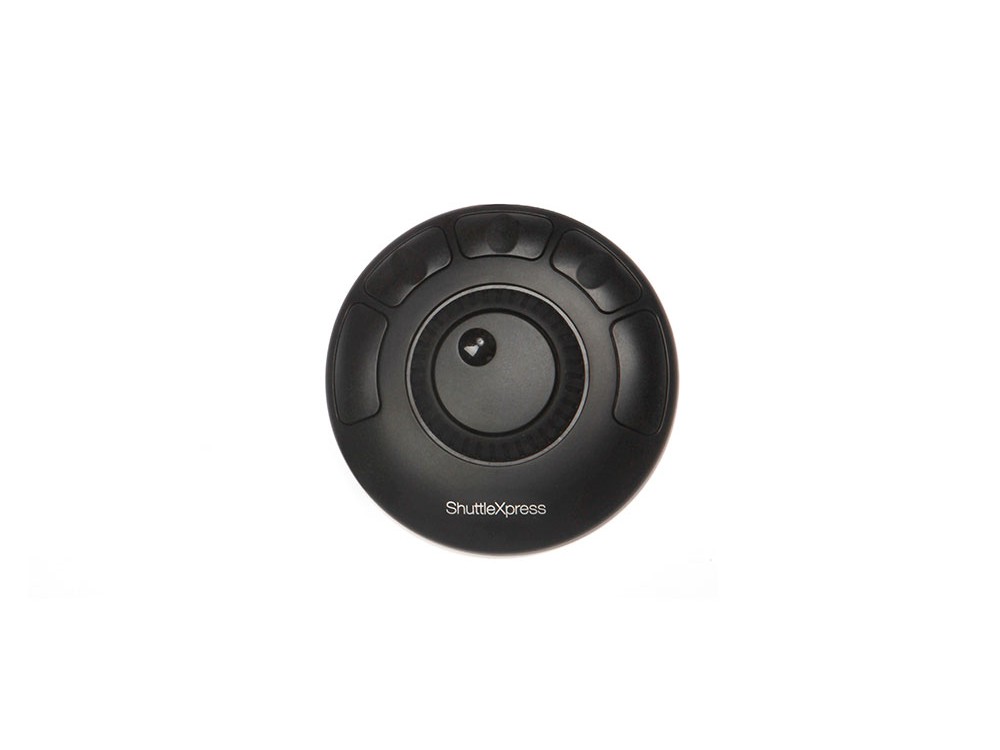
Contour Multimedia Controller Xpress is the compact version of the Multimedia Controller PRO v2. Portable, lightweight and cost effective, Contour Multimedia Controller Xpress allows precision editing for your digital timeline based projects, or improved workflow in popular office based applications, whilst on the move. With five programmable buttons, a jog dial and shuttle wheel, Contour Multimedia Controller Xpress can be used for a number of applications ranging from photo editing and medical imaging to word processing and data entry.
Contour Contour Multimedia Controller Xpress helps improve productivity in the office, studio, home and more.
Contour Multimedia Controller Xpress is a compact multi-media controller, based on the award-winning ShuttlePROv2 and gives you programmability and control over most of today’s popular multi-media and office based programs. Designed for the traveller or light user, well established design ergonomics make sure that Contour Multimedia Controller Xpress fits comfortably under one hand. Connecting to your computer via USB, Contour Multimedia Controller Xpress will allow you greater control over a whole range of Mac & PC based applications.
For creative digital timeline based apps, the fully responsive rotating dial and outer jog shuttle control give you analogue style feedback, making it perfect for reviewing video clips and editing audio tracks. Simply use the inner dial to scan your media frame by frame, or use the outer ring to allow multi-speed scanning backwards and forwards on your timeline. Even better, with other apps, the jog wheel can be used to preview and edit photos, scroll up and down websites, navigate spreadsheets making it so much more than a timeline focussed tool.
In addition, 5 fully programmable buttons can be assigned custom tasks in just about any multimedia or office application, or even assigned a series of automated tasks with the click of a button. There is no need to look for on screen icons, or clumsy keyboard shortcuts once you have set Contour Multimedia Controller Xpress up to your liking, meaning that you can work more quickly and comfortably on your projects.
For added ease, the accompanying software drivers for Mac & PC also come pre-assigned for over 100 popular applications including such great names as Adobe CC, Apple Final Cut Pro, Autodesk Autocad, Microsoft Office and Apple iWork apps. Simply open the app that you want to use, and Contour Multimedia Controller Xpress will adapt automatically to give you the functionality that you need, especially helpful if you regularly switch between different programs.
Working with any application that incorporates keyboard shortcuts, Contour Multimedia Controller Xpress is the controller where less is more!
Adobe Creative Suite, Apple Final Cut Pro, Apple Logic Pro, Autodesk Autocad, Avid Media Composer, Avid Pro Tools, Boris FX, Sony Vegas Pro, Sternberg Cubase, Web Browsers, Apple iWork and moreナ
The Contour Multimedia Controller Xpress is compatible with Apple computers running OS 8.6 and higher and PCs running Windows 2000 and higher.
From £47.00 inc. VAT
£44.99 inc. VAT
From £155.00 inc. VAT
Reviews
There are no reviews yet.