










Wireless Sculpted Ergonomic Keyboards for Mac
From £108.18 inc. VAT
in stock
Details
Select options
This product has multiple variants. The options may be chosen on the product page
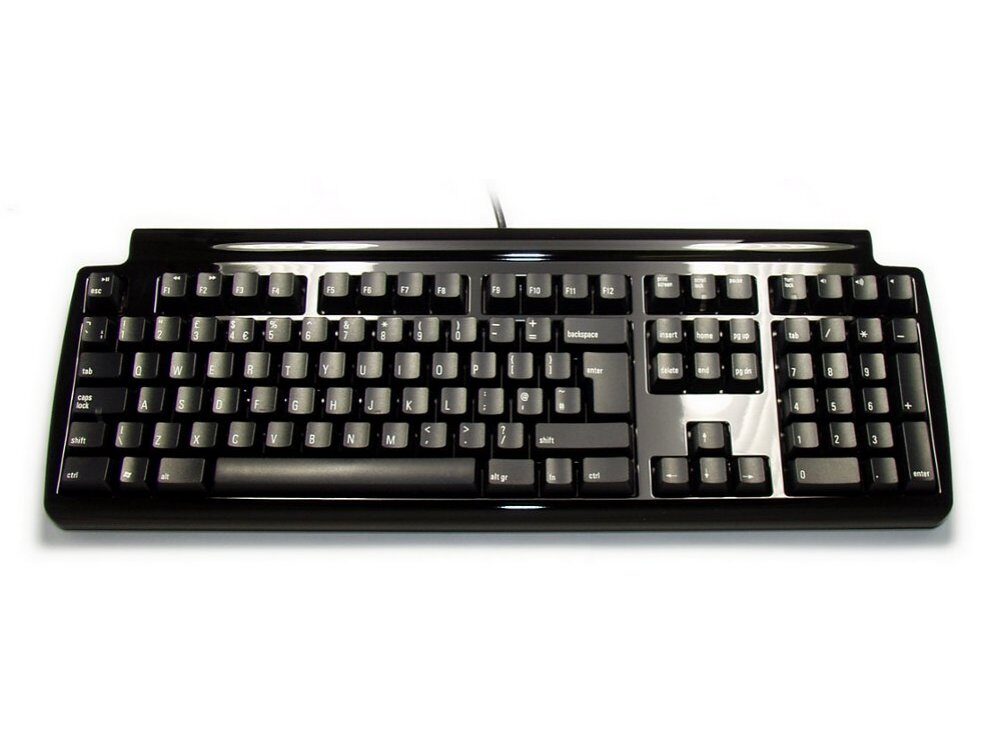
The Quiet Pro for PC in UK layout, uses Matias’ new Quiet Click mechanical keyswitches. They deliver a feel that’s unmatched for comfort – without sacrificing the tactile feedback you need to type really fast.
Mechanical keyboards offer the best performance, but they’re noisy – too noisy to use in most offices, or around other people. This is the first one that’s quiet. Over two years in the making, it’s the only mechanical keyboard that keeps both your fingers and your co-workers happy.
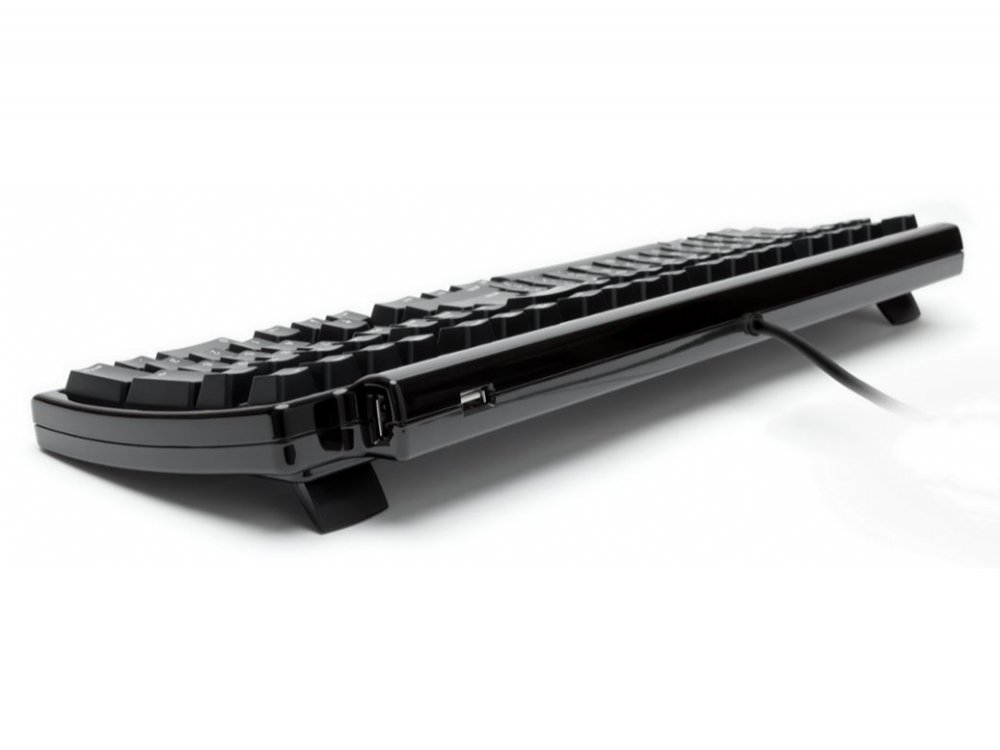
Some keyboards have 2 USB ports – most have none. We’re giving you three! You can plug in flash drives, digital cameras, your mouse, and more.
All those symbols are handy, but what happens when they wear off? They won’t. They’re laser etched – burned into the keys with a laser – so they’ll never wear off.
The latest trend in keyboards is to have very flat & wide keys, with little or no space between them. You see this a lot on laptops and netbooks. While they look great, they can also be a little tricky to type on. The flatness makes it very easy to slide out of home row and lose your bearings.The Quiet Pro bucks this trend. It has traditional sculpted keytops, curved to fit your fingertips, and keep you from sliding out of home position.
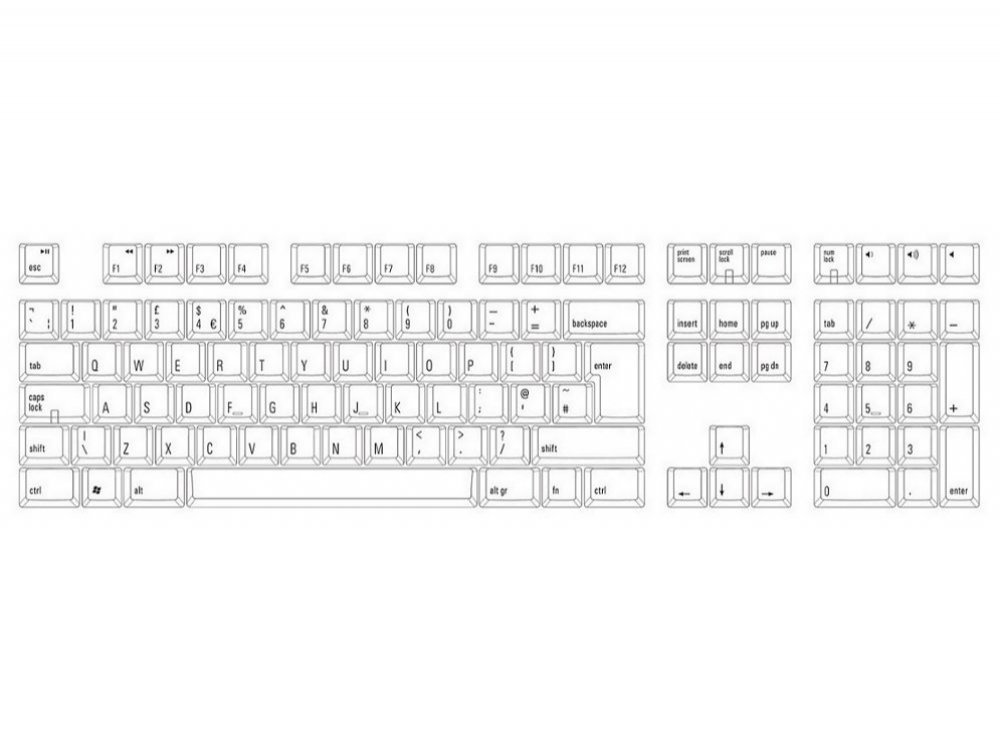
Dedicated keys let you control Volume Up / Down / Mute. Plus, by holding down the Fn key you gain access to strategically located Pause / Play, Next Track, and Previous Track keys.
For users who do a lot of spreadsheet work or accounting entries, we’ve added a Tab key to the number pad. It streamlines your data entry, and saves you time.
Most keyboards allow only a few keys to be pressed at once, so they can’t keep up with very fast typists. The result is called ghosting – letters missing from what you actually typed, or additional letters that you didn’t type. The Quiet Pro has special Anti-Ghosting Circuitry to eliminate these problems. You can type as fast as you’re able; the Quiet Pro will keep up.
From £108.18 inc. VAT
£109.99 inc. VAT
£169.00 inc. VAT
T –
Switch Type: Matias Click Layout: United Kingdom
I’ve been a big fan of Matias keyboards ever since I got a Mini Quiet Pro more than a year ago. In fact I was pondering between a Filco with brown switches and a full-size Matias for my second office, but was a bit tentative towards trying out the louder Matias Click switches. Luckily, right around the time I was thinking of making a purchase, the Matias went on sale, and that solved my dilemma. The Matias Click switches are fun to type on – compared to the Quiet Clicks, these feel sharper and are a fair bit louder of course, but not as loud as a bucking spring. The keyboard itself is solidly built, the stabilizers are top-notch, and there are some handy multimedia keys and a Tab key on the number pad. This thing also survived unscathed in my checked luggage, so bonus points for that! The USB ports are also very handy to have and a great way to free up USB ports on your computer. I do wish there was a UK version available with Quiet Click switches as that would’ve been an even more versatile option, but I’ve no regrets in going for the original Matias Click switch either – any Matias switch is superior to alternatives from Cherry in terms of action, tactility, in my opinion.
Anonymous –
Switch Type: Matias Click Layout: Nordic
Excellent
Anonymous –
Switch Type: Matias Click Layout: Nordic
Excellent
Chris –
Switch Type: Matias Click Layout: United Kingdom
I overall like this keyboard and it became my daily driver at my workplace.
I always wanted to try out Matias switches, and since the Apple Pro Keyboard (M7803) is one of my favourite keyboards this one was an obvious choice.
The Matias Pro has almost the same layout, and the extra USB ports.
The only thing i would change is that a would add an extra Fn key, so Fn + Right Ctrl would be the missing Menu Key.
Compared to vintage keyboards it is more lighter and feels more hollow, probably because it’s made from modern plastics.
I hope that the shiny black finish won’t end up to be a scratch magnet.
I think that typing feeling could improve from double shot keycaps, which i’ll try out in the near future.
Kiki –
Switch Type: Matias Click Layout: USA
What an interesting keyboard. It was recommended by a VERY FUSSY keyboard enthusiast, on YouTube, and being a VERY FUSSY keyboard enthusiast, myself, I thought I would give it a try. After three minutes I asked to return it. OMG, loud! After ten minutes I changed my mind and refused to part from it. YAY, LOUD! You need to use it a bit to appreciate its strengths. The switches are Alps, with a pleasant, slightly vintage feel. Some of the best keyboards were the first keyboards. They have a very distinctive, crisp sound. It looks very grown up – all in black. Like the keyboard version of a grand piano! I chose the tactile version, and it does clatter, but when you are typing at speed it sounds magical – like rain drumming on a dry pavement. Really quite lovely. I have my own studio, so noise is not a problem, but in a big, shared office it might get a bit noisy. Some have commented on the shininess. I really like it – it’s elegant and attractive. Very well made. I have to write some long things, and often sad things. Good keyboards are essential to make the work bearable. This keyboard is quite uplifting. Sharp. Professional. Easy on the fingers. When you sit down you feel like you are about to play a sonata. If you are a bit tired of the usual, this would be a nice change. It has been for me. PS did I mention it has a USB port?! (No more tangled mouse cable.)
Mo –
Switch Type: Matias Click Layout: United Kingdom
Having used tactile and clicky switches from a number of manufacturers e.g. Logitech, Ducky (MX Blues), Razor, Keychron, Unicomp, etc. all of which are very nice to type on, the Martias ones are somewhat different to those.
It’s hard to explain, but it’s a cross between the normal MX-type switches and the Unicomp clicky switches.
Initially, I didn’t like them because they felt a little scratchy to me. But as I got used to it, I started appreciate a strange ‘softness’ to the switches that I did not experience on other clicky switches, which was very satisfying. Also, the scratchiness seems to go away after a few weeks, leaving a deep clicky sound every time a key was pressed.
This is a no-nonsense keyboard for typists. It doesn’t have fancy RGB lighting, and doesn’t exactly look sleek, but it focuses on the purpose. I like that.
I wouldn’t say that this is the ultimate typing keyboard (I have yet to find that), but this keyboard is certainly one I will be using time and time again. That’s more than I can say for many keyboards.
Buy it – just for the experience. I am sure it will grow on you.
Anonymous –
Switch Type: Matias Click Layout: United Kingdom
Fantastic keyboard:
– Great sound and typing feel – Very tactile.
– Useful media controls
– 3 Extra USB Ports
It’s a bit expensive but from the perspective of someone who writes code for a living it’s well worth it.
Would I buy again? Yes.
Martin –
Switch Type: Matias Click Layout: United Kingdom
I”m a 60 year old computer programmer with fairly large hands. I’m not a proper touch typist nevertheless with this solid and not unattractive shiny black keyboard rejuvenating my hands I believe I could easily become one. This is the tool for the job.
MR –
Switch Type: Matias Quiet Click Layout: German
A great Keyboard for fast writers and software developers, as well as for casual gamers! Using the German AT 102 Layout since more then 30 years, I was really pi**** off, when my until then beloved Cherry G80-3000 series for the USB-versions moved the AltGr Key one position to the left and reduced the space bar. They obviously did it because of a (useless) additional Context Menu key for Windows. This change has not been a smart decision by my former favourite manufacturer. As a Software developer, I need the AltGr key exactly where it used to be since 1990! So I had to find another one and here it is: Matias from Canada. Only Matias is still manufacturing such layout, combined with equal-or-even-better switches, compared to what Cherry offered so far. And only keyboardco.com is shipping such with German layout.
All of the keys are well shaped and do not suffer from the occasional sleeve blockage that some other mechanical keyboards are notorious for.
The keys have super stable imprints, all letters still readable since years of heavy usage. One of my keyboards is up to 8 hours in use, 5 days a week, since over 5 or 6 years now.
And the Quiet Pro keys are more silent, even compared to the MX brown or black my colleague is using in the same room.
Not to talk about the smart idea of the integrated USB hub with well engineered socket positions. I like it!
And pricing? All times I planned to buy a PC full size keyboard with real MX brown switches and without Ghosting, I found the price is almost far beyound the Matias Quiet Pro!
So, regardless if I need the classic AT-102 layout, or not: Matias Quiet Pro was and still is the best choice!
Another John –
Switch Type: Matias Click Layout: United Kingdom
A solid, well-made keyboard, nice to type on, and the USB ports are a useful feature. One strange thing – the decimal point key on the numeric keypad also acts as a delete key when Num Lock is off, which is normal, and which I find is convenient, but it isn’t labelled as such.
Jordan Allen –
Switch Type: Matias Click Layout: USA
4 Week review of my Black, Matias Tactile Pro-4 PC ANSI keyboard:
Seems like I may have gotten one of the last units available from PC-Byte in Sydney for the great price of $99-shipped (says Pro-3 but a Pro-4 was delivered.) As they now say theyve sold out. Additionally, the PC variant of the Tactile Pro seems to be getting ever thinner on the ground. Not just in Australia, but everywhere, and my $99AUD price seems to be very good vs. other prices around.
The tactile Pro-4 is really a WSIWG product. Modern ALPS clone switch (bespoke to Matias,) Laser etched ABS textured keycaps, Clickeytactile key switch, Costar style stabs and a Full sized 107 key ANSI layout (including media keys.)
Unfortunately Matias use a 7 key (vs 8-key 104-standard) bottom row with a 7U-spacebar, which means you cannot use a generic Taihao Alps replacement keycap set in full, which is a little irritating. Taihao should rectify this as the Matias is the most common ALPS mount keyboard currently available. I believe this is a carryover from the Apple board on which this is based.
Personal use case:
I use this board at work as a design engineer in a open office and Ive not been hassled by my co-workers. As it is about the least gamery commercially available mechanical keyboard (save Topre or Unicomp) it doesnt look out of place on the desk.
Key Feel:
Smooth, non-binding (maybe a little scratchy? When compared to a lubed or optical linear switch,) and distinctly different from a click jacket clickey switch. The tactility of the switch is more classic like a buckling or plate spring, where the tactile event is defined by a reduction in switch force. This is on contrast to Cherrys + clones where the tactile event is defined be a rise in switch force that needs to be overcome. Here the switch force rises gently then sharply drops off.
If you press the switch really carefully you can feel the second bump at the end of the key travel just. But in daily use, its a null point. Once past the tactile event the key easily bottoms out. There is no mush to speak of, whether on stabilised or standard keys.
The key switch registers after right after the tactile event. On some switches if youre really careful you can cause the click leaf to click without registering a key switch. But in practice this never occurs while typing.
The springs are pretty light (~55g) and Id like to put some 70g springs in them like was in the original ALPS switches. I like stiffer springs. So this is just personal preference.
Sound:
This is an open plastic case (switches are mounted on a metal plate.) As such the board does echo a little, and there is a little spring ping to speak of. The Costar stabilisers also rattle a little; Ill be adding some axle grease when I get the time.
In contrast to my HP OMEN-1100 that I use at home with Greetech Blues, this keyboard is much quitter. And does not give a thock when keys are struck hard.
I suspect once I dampen the case the classic ALPS sound will become more pronounced. The click leaf clicker gives a clean click unlike the crunch often associated with click-jacket switches.
Key Caps
As stated earlier, these are a thin lasered ABS with laser etched legends. On the black board, the laser etching is white. The font is fine. Not gamery, but nothing special. Just clear and easy to see.
Despite being ABS, the textured finish has proven resilient over the first 100,000 words or so. Thus key shine as yet has not been a problem. This is in very stark contrast to the Roccat Vulcan line of keyboards, where the mat keys shined after only a day or 2 of office use.
The key are somewhat sculpted (not sure of the specific profile,) and in conjunction with the curved mounting plate, give a good shape.
TLDR: Theyre fine, but nothing special.
Case:
Made glossy black polycarbonate plastic. Unlike the textured keys, the case does show finger prints, dust and surface scratches. I suspect that on the white version, this is less of an issue. The case is well built and does not rattle, but does echo a little on key press. A fact Ill be looking to dampen in the future.
With the kick feet closed, the key deck is inclined at 1. With them extended it rises to 9. For me anywhere between 7-10 is a good number.
The case also features a 3-Port USB Hub a nice-to-have feature that I with more wired keyboards had. It would be even better if it were a USB 3.X hub. But its miles better than nothing. Great to plug your phone into, or a flash drive to grab a few small files.
Problems:
None experienced so far. No jitter, no switch-chatter, no dead-switches, no key-binding
Key wobble:
Is more pronounced than on the greetechs (which are honestly really good in this regard,) but nowhere near as bad as gen-1 LK-Optical switches (Bloody HP Sequencer) or other switches Ive tried recently. Kind of middle of the road in line with Roccat Titan browns.
Back-lighting:
Only on the CapsNumScroll lock keys. There is a small green LED that illuminates when the lock is active, as opposed to a led mounted somewhere else on the board. Generally speaking, there is no key back lighting of the key legend.
Typing:
As stated, this is my work daily driver and Im much happier with it than my Roccat Vulcan 80. Layout is identical but the Titan Browns on the Roccat actuated before the tactile event, which was really irritating. This is a proper typing board. And it feels and sounds like it.
USB cable:
Take your hipster Aviator Cable elsewhere. Its a standard black USB cable that comes out of the centre at the rear.
Gaming:
No idea. I had it delivered to work, and thats where it still is.
Programming special functions Macros:
Not sure, havent tried.
Conclusion:
Is it as good as an O.G. Acer KP101A with Blue SKCM ALPS? NO.
Is it a good modern alternative that you can buy new? YES.
If you can get one for at or around $100AUD as I did, its a great deal (and Im glad I bought it.) However, availability in Australia and of the PC version especially seems to be drying up. With the PC version not even being listed on the Matias website?. It feels better than most current click-jacket clickey switches (though I have developed a soft spot for the Greetechs it must be said,) with no crunch and a definite tactile event (not a rounded event like cherry.)
It can be used in a modern office, but they also do a dampened tactile (non-clikey) and linear version of the board as well if thats more your style.
If youre made it this far, thanks for reading and I hope you found it useful or helpful.
Regards
Jordan
Anssi –
Switch Type: Matias Quiet Click Layout: German
While the clicks are somewhat more silent that other switches its not that noticeable. The keyboard also came with two buttons giving double-presses from a single press around 10-15% time.