







Filco
SKU: FKBC104M*/EB2

Filco Convertible 2 Bluetooth Keyboards

£145.00 inc. VAT

Filco Convertible 2 Bluetooth Keyboards

Platform PC
Brand Filco

55 reviews for Filco Convertible 2 Bluetooth Keyboards

  1. Shawn –

    Switch Type: CHERRY MX Silent Red   Layout: United Kingdom

    Great keyboard + customer service, very pleased with the purchase.

  2. xenos –

    Switch Type: CHERRY MX Silent Red   Layout: USA

    US

    I’ve been previously using a Rosewill rk9000v2 with Mx Red switches. The change to Silent Reds was instantly noticeable. The way the silent switches work, has made typing much more enjoyable and the more quiet sounds while gaming has been greatly helpful in focusing instead of being distracted by the key switches.

    As for the keyboard itself, it is not too heavy, and switches seemlessly between many bluetooth devices. The only caveit is switching from bluetooth to wired, you sometimes have to replug the wire connection to the keyboard to get it working properly.

  3. Millet –

    Switch Type: CHERRY MX Brown   Layout: Swedish/Finnish

    SE

    2021-08-27:
    Hi, small follow-up on my previous review. If the admins want to add this to my review 2017-07-25 then go ahead.

    I’ve had this keyboard for 4 years now, loved it so much that I got one for work about 3 years ago. Both of the keyboards still have the original batteries and are staying strong! Seriously this keyboard is no joke, it has bluetooth connectivity and no battery change for 4 years of 4-8 hours a day of use. That is amazing! I did not expect the batteries to last this long.

    A small calculation of the keyboard I’ve used the most, my work keyboard: It’s 3 years old, I work an administrative job of say 2 000 hours per year. This means most of my work is done from that keyboard. Lets say that the keyboard is active about 6 hours per work-day, or roughly 75% of the worktime. That makes 2 000 * 3 * 0,75 = 4 500 hours of battery time (thus far). And I haven’t changed the batteries yet.

    I still stay by my previous review. The only cons of this keyboard is the printed letter, which has started to slightly wear off, and occationally (very rare) one button-press yields multiple letters. But this does not matter to me in the slightest.

    Dispite the cons, this is -by far- the best keyboard I’ve ever owned.

    Written with the best keyboard ever,
    Millet

  4. Finn –

    Switch Type: CHERRY MX Brown   Layout: United Kingdom

    GB

    Nothing to fault with the product and service. Little surprised by the nail file!

  5. techwrangler –

    Switch Type: CHERRY MX Brown   Layout: United Kingdom

    GB

    All the feel of the Blue MX switches without the noise.

    Well worth the money, as near to the old IBM mechanical keyboards as I’ve been able to find.

  6. Ale Roz –

    Switch Type: CHERRY MX Blue   Layout: USA

    NL

    This is an amazing keyboard. Its my first mechanical and I am fully in love with it. The construction is extremely solid and the feel is perfect. I am also very happy with the performance of the wireless connection. Very happy with my purchase

    As other comments suggest, I would not take my version of the keyboard (blue switches) to an office environment.

  7. James –

    Switch Type: CHERRY MX Brown   Layout: United Kingdom

    GB

    A lovely bit of kit! I’m a programmer and finally got sick of my normal keyboard. The Filco is very solid and has a lovely key press which is very reliable, it’s very easy to feel when it’s registered so you can really let it flow once you’re used to it.

    It took me a while to get the bluetooth connectivity working, but this was down to it being the first bluetooth device I’d used on my computer and I hadn’t ever connected the aerial to the back of the motherboard. So very much a user error! Once I did that the connection is solid and keeps up with my fastest typing no problem. There is a very short delay to wake the keyboard on the first press, which if you forget can miss the first half dozen strokes. But it wakes quicker than my monitor and I’m already used to it…

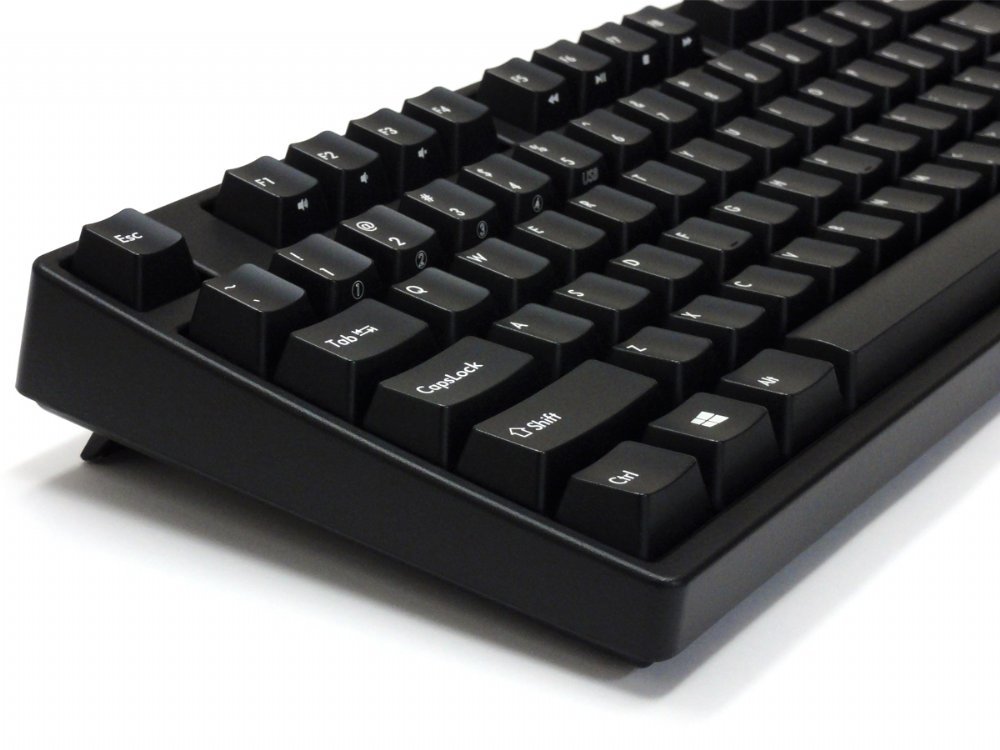
    If I could have things entirely my own way I would like the keyboard to be a little thinner. The case itself is about a key’s height thick at the front edge. However, this is a personal thing and largely down to the fact that my desk at home isn’t a proper desk and is actually a bit too high.

    It would be nice if there were additional lights for the bluetooth and connection functions so the num and caps lock lights still worked when using bluetooth. But then I never turn caps lock on or num lock off so I am maybe being unduly picky.

    Overall I think the keyboard is great and well worth the money for someone who sits at it all day long. In fact, I am going to have to buy another to keep at work as my one there feels like I’m typing on treacle in comparison!

  8. TOXI –

    Switch Type: CHERRY MX Blue   Layout: United Kingdom

    GB

    I have had a UK Filco Majestouch-2, MX Blue Click Keyboard FKBN105MCUKB2 for over 10 years and it is excellent. But the cable had become damaged so I repaired it, whilst waiting for the UK Filco Convertible 2 MX Blue Click Keyboard FKBC105MCUKB2 to be back in stock. My new keyboard is also excellent due to being largely the same as my old one, but weighs a bit more and comes with the added capabilities of a removable USB wire and a Bluetooth wireless connection.

  9. Michael Simpson –

    Switch Type: CHERRY MX Brown   Layout: USA

    GB

    Excellent keyboard, and would highly recommend the Keyboard Co in future, will definitely use again.

  10. Chris F –

    Switch Type: CHERRY MX Blue   Layout: USA

    GB

    Overall seems great in terms of both quality and function. At work I have a DAS keyboard 4 also with cherry blues. The build quality seems about the same. The FILCO is more compact though which is nice.

    Being able to switch between devices is great. It’s not super fast though – you have to type Ctrl-Alt-Fn then hit a number. It would be good to have some small dedicated buttons for switching devices.

    Also agree with the other reviewer suggesing USB-C connectivity with extra USB ports on the back would make this awesome.

  11. Petar Ćaćić –

    Switch Type: CHERRY MX Blue   Layout: United Kingdom

    HR

    First good things: great build quality, minimalist design and insane battery life – third week of intensive use, still haven’t recharged it. And haven’t felt any problems with bluetooth connection. This all makes it great board.

    Not so good: No cable routing and would love to have USB passthrough and headphone jack – but primary use mode is wireless, so no big complaint there. Filco should also let LEDs be active when on battery. Switching them off prolonged battery life, but sometimes I miss Caps Lock indicator.

    Horrible: keycaps. Never saw keycaps this bad on brand mechanical keyboard. It almost took two stars out of rating. They feel bad and they cheapen the feel of not so cheap keyboard – tiniest ABS plastic, wobbly and bit slippery. Even Das Keyboard keycaps feel better. Cheap Chinese PBT sets are also much better, and Leopold thick doubleshot PBT keycaps (borrowed from my other keyboard) are in another league – they make this board so much more responsive, sharp, and typing really feels premium, like it should.

    Conclusion: Good keyboards in ISO layout are rare, and it limited my choice. Wireless functionality limited it even further – more or less Filco only. This is still good keyboard, and I’m happy with purchase – especially with delivery time in these troubled times. As for value – in recent years there is a lot of competition in mechanical keyboard world. Varmillo and Leopold are great alternatives, with similar build quality, vastly better keycaps and more modern design.

  12. Christian T –

    Switch Type: CHERRY MX Brown   Layout: Swedish/Finnish

    NO

    Have used this keyboard for about 3 months now for work.

    They keyboard is of excellent build quality, I have no complaints there. I had originally considered to bring the keyboard with me whenever I needed to bring my work computer somewhere, as I loathe to write on laptop keyboards, but the weight and size is too much to make int convenient. Maybe the TKL version could have suited better?

    The keyboard is great to type on, and Cherry MX Brown is my preferred keys. A bit noisy of course if you are in close proximity to collegues. I see no wear on the keys yet. Changing between up to five different devices is painless, though I actually had to read the manual quite slowly to set it up. It’s not really intuitive, but after it’s been set up, you switch easily between the devices. I use it connected to my work laptop, my private laptop and my mobile phone. The switch in itself takes a few seconds.

    The only error I’ve found with the keyboard is that a very few times on wireless connection a key will get stuck, and will type itself a few times in a row very fast. So a word suddenly as 4-5 of one letter. It’s annoying, but not a deal breaker for me. But just be aware of it. Oh, and that the usb cable is Mini USB, I believe. Does it matter? Not really, but feels dated.

    I have no problem recommending this keyboard. Maybe in the future if there are more options for wireless mechanical keyboards I will try something else, but as of now I’m happy to have found this device from Filco.

  13. Anonymous –

    Switch Type: CHERRY MX Brown   Layout: German

    This keyboard is really awesome. It has the very best Cherry-Switches and it can connect with 4 Bluetooth devices and with one 1 device vie USB.
    The keyboard is build really tough and it seems undestroyable. It is build very compact and you can choose one of 4 different keyboard layoutssettings.
    AMAZING! Never got such a good keyboard!

  14. Andy Pagin –

    Switch Type: CHERRY MX Blue   Layout: United Kingdom

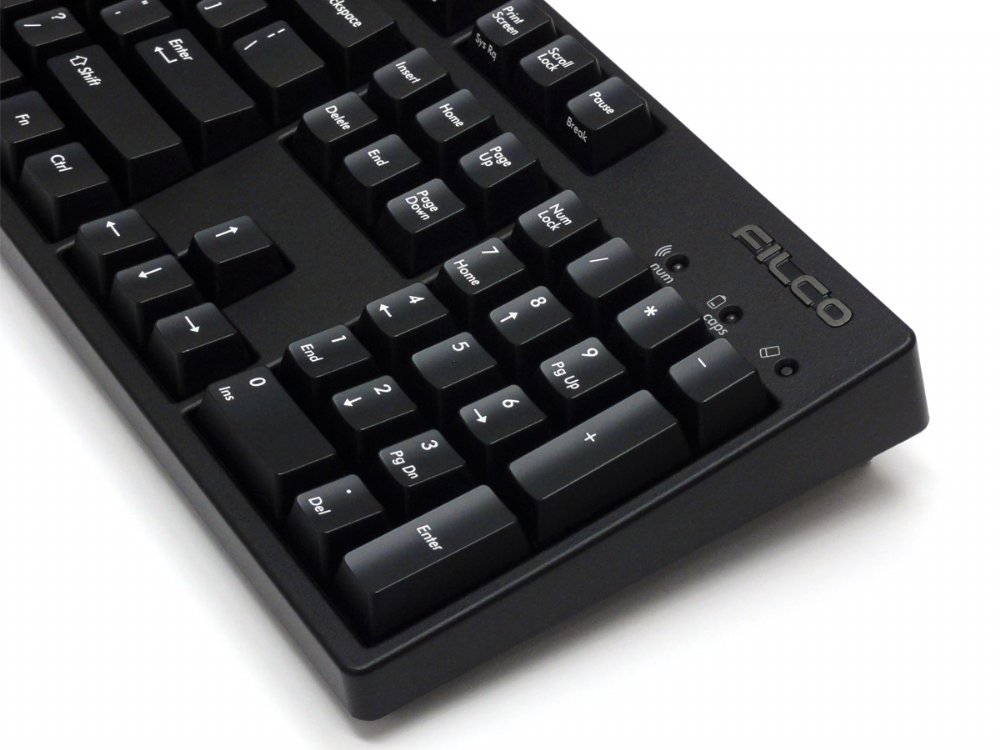
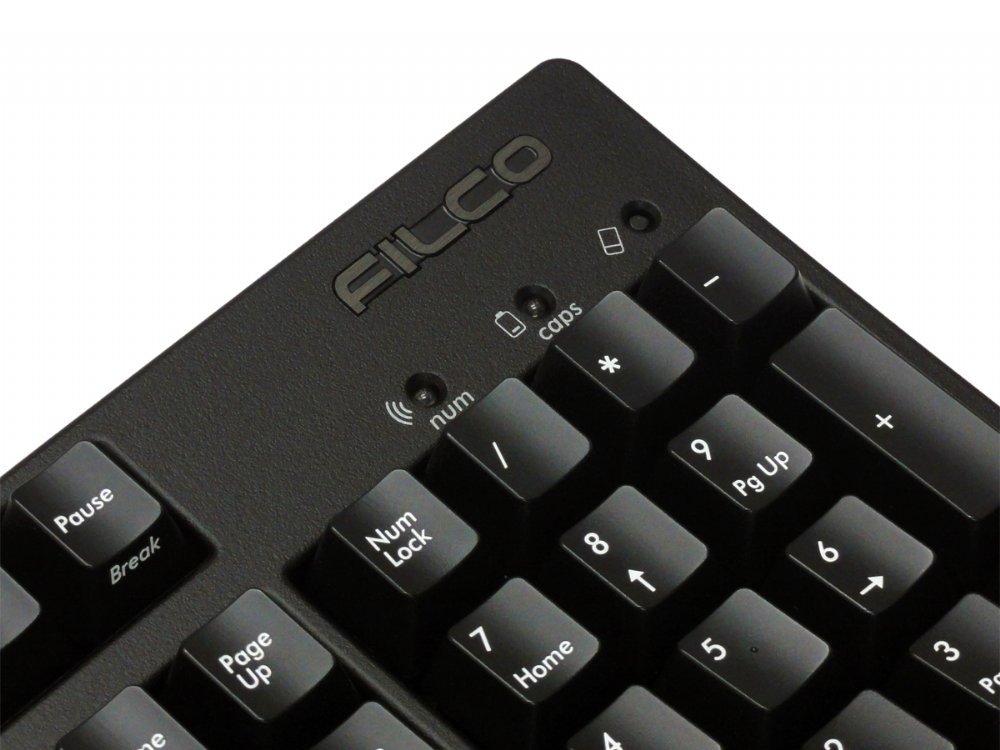
    Easily the best keyboard I’ve ever owned in thirty five years of programming. Very solid with rubberised feet that stick to a desk like a limpet. Keys are needless to say a joy to use. One really nice little feature is that the caps lock LED is red and the num lock is blue which is really helpful when working in a case sensitive language like c++. If Rolls-Royce made kayboards…

  15. Alex –

    Switch Type: CHERRY MX Brown   Layout: United Kingdom

    GB

    I bought this as my first mechanical keyboard and I’m very satisfied so far. The keyboard itself feels very solid, the MX Brown switches are tactile and comfortable without being too noisy and the flexibility of wireless via Bluetooth with the option to plug in the USB cable as a fallback is great.

    I also bought the corresponding blank keycaps (FKCS105BB) to give the keyboard a sleek, minimalist look.

    There were a couple of small improvements that Filco could look at for a new version:
    1. Include a USB wireless receiver (like the Logitech Unifying receiver) as an alternative to Bluetooth, so you don’t have to plug in the USB cable to use your keyboard before your OS has booted up and started the Bluetooth.
    2. Option to have the Numlock and Capslock lights work in Bluetooth mode (they are disabled, presumably to avoid clashing as the lights are used to indicate Bluetooth connectionpairing).

    However, these are really minor things and overall I have found this keyboard to be excellent.

    Finally, the customer service from The Keyboard Company was great – there was initially an issue with my order but on raising it they were extremely fast to respond and it was fully resolved very promptly. I will certainly be looking here first the next time I need a keyboard.

  16. Anonymous –

    Switch Type: CHERRY MX Silent Red   Layout: USA

    CZ

    I have it only few days, so far, loving it.

    Multiple bluetooth connectivity is, for me, some advanced stuff and the fact that it works flawlessly on the first try is mind boggling.

    The keyboard itself indeed feels very premium, yet nothing so flashy I would have to be embarrassed in front of my colleagues for (Since I bought it for my workplace).

    Another thing that immediately stood up for me was how natural the layout is. I have ducky shine 7 at home and it took me few days to get adjusted to it. Don’t get me wrong I like what I have at home, it just came as a surprise, when I started using Filco’s one at work, it was soo natural, no adjustment time, no miss-clicks, no frustration about laptop layout, very well thought through.

    MX silent red switches, no complains there, no squeaking, they are pretty much as silent as membrane and you know that you are not using membrane.

  17. Derek M –

    Switch Type: CHERRY MX Blue   Layout: United Kingdom

    GB

    Exceptional keyboard. Wonderful switches and build quality. Seamlessly switches between 4 Bluetooth devices and wired USB, hugely convenient. Amazing! 👌👌👌

  18. Kieren Connell –

    Switch Type: CHERRY MX Blue   Layout: USA

    GB

    Sensational clicky keyboard!

    What’s else is there to say about this keyboard?
    It’s brilliant!
    Heavy as a brick, so sits solid on the desk
    Super solid construction
    Key’s are wonderfully clicky!

    The only two things I will say about this keyboard are:
    -If this keyboard came in USB-C with a couple of USB 3 ports on the rear, it would be absolutely perfect.
    Having the BluetoothWired option make it so versatile, but with USB-C and a few USB 3 ports on the rear acting as a dock would make it just that much better

    -MX Blue’s are quite clicky, the bottoming out ‘clack’ is quite loud, if you’re using this in an office environment, I’d recommend getting o-rings to reduce the noise – You still get a wonderful click with each keystroke, but you remove the louder clack sound at the end

  19. Peter –

    Switch Type: CHERRY MX Brown   Layout: United Kingdom

    GB

    To be honest, I went with the recommendation of The Keyboard Company, on the basis of what they suggested would be the optimum choice for my needs. I was not disappointed. I am considering purchasing the Tenkeyless model, for my Surface Pro.
    Support from the team was first class.

  20. Ben –

    Switch Type: CHERRY MX Brown   Layout: United Kingdom

    GB

    The second Filco keyboard I’ve bought, and just as good as the first for typing. I’m really impressed by the Bluetooth connectivity, and the quality is as before. It’s a premium price but these two are definitely the best keyboards I’ve used, and once you’ve used them for a while you’ll be very reluctant to go back and try another.

Only logged in customers who have purchased this product may leave a review.

55 reviews for Filco Convertible 2 Bluetooth Keyboards

  1. Shawn –

    Switch Type: CHERRY MX Silent Red   Layout: United Kingdom

    Great keyboard + customer service, very pleased with the purchase.

  2. xenos –

    Switch Type: CHERRY MX Silent Red   Layout: USA

    US

    I’ve been previously using a Rosewill rk9000v2 with Mx Red switches. The change to Silent Reds was instantly noticeable. The way the silent switches work, has made typing much more enjoyable and the more quiet sounds while gaming has been greatly helpful in focusing instead of being distracted by the key switches.

    As for the keyboard itself, it is not too heavy, and switches seemlessly between many bluetooth devices. The only caveit is switching from bluetooth to wired, you sometimes have to replug the wire connection to the keyboard to get it working properly.

  3. Millet –

    Switch Type: CHERRY MX Brown   Layout: Swedish/Finnish

    SE

    2021-08-27:
    Hi, small follow-up on my previous review. If the admins want to add this to my review 2017-07-25 then go ahead.

    I’ve had this keyboard for 4 years now, loved it so much that I got one for work about 3 years ago. Both of the keyboards still have the original batteries and are staying strong! Seriously this keyboard is no joke, it has bluetooth connectivity and no battery change for 4 years of 4-8 hours a day of use. That is amazing! I did not expect the batteries to last this long.

    A small calculation of the keyboard I’ve used the most, my work keyboard: It’s 3 years old, I work an administrative job of say 2 000 hours per year. This means most of my work is done from that keyboard. Lets say that the keyboard is active about 6 hours per work-day, or roughly 75% of the worktime. That makes 2 000 * 3 * 0,75 = 4 500 hours of battery time (thus far). And I haven’t changed the batteries yet.

    I still stay by my previous review. The only cons of this keyboard is the printed letter, which has started to slightly wear off, and occationally (very rare) one button-press yields multiple letters. But this does not matter to me in the slightest.

    Dispite the cons, this is -by far- the best keyboard I’ve ever owned.

    Written with the best keyboard ever,
    Millet

  4. Finn –

    Switch Type: CHERRY MX Brown   Layout: United Kingdom

    GB

    Nothing to fault with the product and service. Little surprised by the nail file!

  5. techwrangler –

    Switch Type: CHERRY MX Brown   Layout: United Kingdom

    GB

    All the feel of the Blue MX switches without the noise.

    Well worth the money, as near to the old IBM mechanical keyboards as I’ve been able to find.

  6. Ale Roz –

    Switch Type: CHERRY MX Blue   Layout: USA

    NL

    This is an amazing keyboard. Its my first mechanical and I am fully in love with it. The construction is extremely solid and the feel is perfect. I am also very happy with the performance of the wireless connection. Very happy with my purchase

    As other comments suggest, I would not take my version of the keyboard (blue switches) to an office environment.

  7. James –

    Switch Type: CHERRY MX Brown   Layout: United Kingdom

    GB

    A lovely bit of kit! I’m a programmer and finally got sick of my normal keyboard. The Filco is very solid and has a lovely key press which is very reliable, it’s very easy to feel when it’s registered so you can really let it flow once you’re used to it.

    It took me a while to get the bluetooth connectivity working, but this was down to it being the first bluetooth device I’d used on my computer and I hadn’t ever connected the aerial to the back of the motherboard. So very much a user error! Once I did that the connection is solid and keeps up with my fastest typing no problem. There is a very short delay to wake the keyboard on the first press, which if you forget can miss the first half dozen strokes. But it wakes quicker than my monitor and I’m already used to it…

    If I could have things entirely my own way I would like the keyboard to be a little thinner. The case itself is about a key’s height thick at the front edge. However, this is a personal thing and largely down to the fact that my desk at home isn’t a proper desk and is actually a bit too high.

    It would be nice if there were additional lights for the bluetooth and connection functions so the num and caps lock lights still worked when using bluetooth. But then I never turn caps lock on or num lock off so I am maybe being unduly picky.

    Overall I think the keyboard is great and well worth the money for someone who sits at it all day long. In fact, I am going to have to buy another to keep at work as my one there feels like I’m typing on treacle in comparison!

  8. TOXI –

    Switch Type: CHERRY MX Blue   Layout: United Kingdom

    GB

    I have had a UK Filco Majestouch-2, MX Blue Click Keyboard FKBN105MCUKB2 for over 10 years and it is excellent. But the cable had become damaged so I repaired it, whilst waiting for the UK Filco Convertible 2 MX Blue Click Keyboard FKBC105MCUKB2 to be back in stock. My new keyboard is also excellent due to being largely the same as my old one, but weighs a bit more and comes with the added capabilities of a removable USB wire and a Bluetooth wireless connection.

  9. Michael Simpson –

    Switch Type: CHERRY MX Brown   Layout: USA

    GB

    Excellent keyboard, and would highly recommend the Keyboard Co in future, will definitely use again.

  10. Chris F –

    Switch Type: CHERRY MX Blue   Layout: USA

    GB

    Overall seems great in terms of both quality and function. At work I have a DAS keyboard 4 also with cherry blues. The build quality seems about the same. The FILCO is more compact though which is nice.

    Being able to switch between devices is great. It’s not super fast though – you have to type Ctrl-Alt-Fn then hit a number. It would be good to have some small dedicated buttons for switching devices.

    Also agree with the other reviewer suggesing USB-C connectivity with extra USB ports on the back would make this awesome.

  11. Petar Ćaćić –

    Switch Type: CHERRY MX Blue   Layout: United Kingdom

    HR

    First good things: great build quality, minimalist design and insane battery life – third week of intensive use, still haven’t recharged it. And haven’t felt any problems with bluetooth connection. This all makes it great board.

    Not so good: No cable routing and would love to have USB passthrough and headphone jack – but primary use mode is wireless, so no big complaint there. Filco should also let LEDs be active when on battery. Switching them off prolonged battery life, but sometimes I miss Caps Lock indicator.

    Horrible: keycaps. Never saw keycaps this bad on brand mechanical keyboard. It almost took two stars out of rating. They feel bad and they cheapen the feel of not so cheap keyboard – tiniest ABS plastic, wobbly and bit slippery. Even Das Keyboard keycaps feel better. Cheap Chinese PBT sets are also much better, and Leopold thick doubleshot PBT keycaps (borrowed from my other keyboard) are in another league – they make this board so much more responsive, sharp, and typing really feels premium, like it should.

    Conclusion: Good keyboards in ISO layout are rare, and it limited my choice. Wireless functionality limited it even further – more or less Filco only. This is still good keyboard, and I’m happy with purchase – especially with delivery time in these troubled times. As for value – in recent years there is a lot of competition in mechanical keyboard world. Varmillo and Leopold are great alternatives, with similar build quality, vastly better keycaps and more modern design.

  12. Christian T –

    Switch Type: CHERRY MX Brown   Layout: Swedish/Finnish

    NO

    Have used this keyboard for about 3 months now for work.

    They keyboard is of excellent build quality, I have no complaints there. I had originally considered to bring the keyboard with me whenever I needed to bring my work computer somewhere, as I loathe to write on laptop keyboards, but the weight and size is too much to make int convenient. Maybe the TKL version could have suited better?

    The keyboard is great to type on, and Cherry MX Brown is my preferred keys. A bit noisy of course if you are in close proximity to collegues. I see no wear on the keys yet. Changing between up to five different devices is painless, though I actually had to read the manual quite slowly to set it up. It’s not really intuitive, but after it’s been set up, you switch easily between the devices. I use it connected to my work laptop, my private laptop and my mobile phone. The switch in itself takes a few seconds.

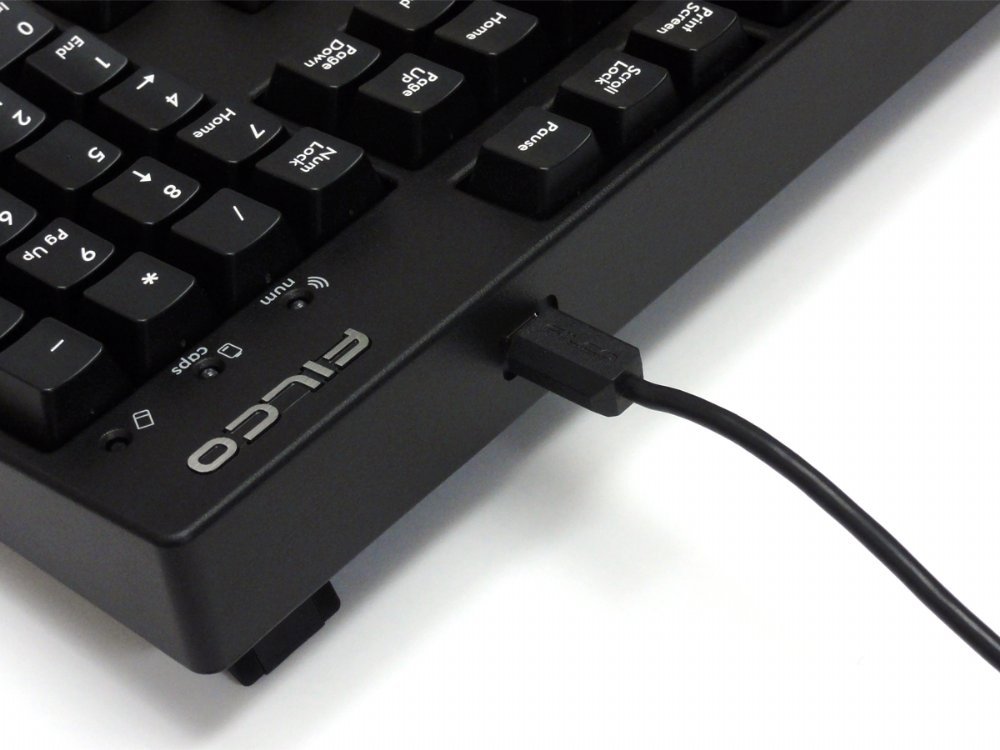
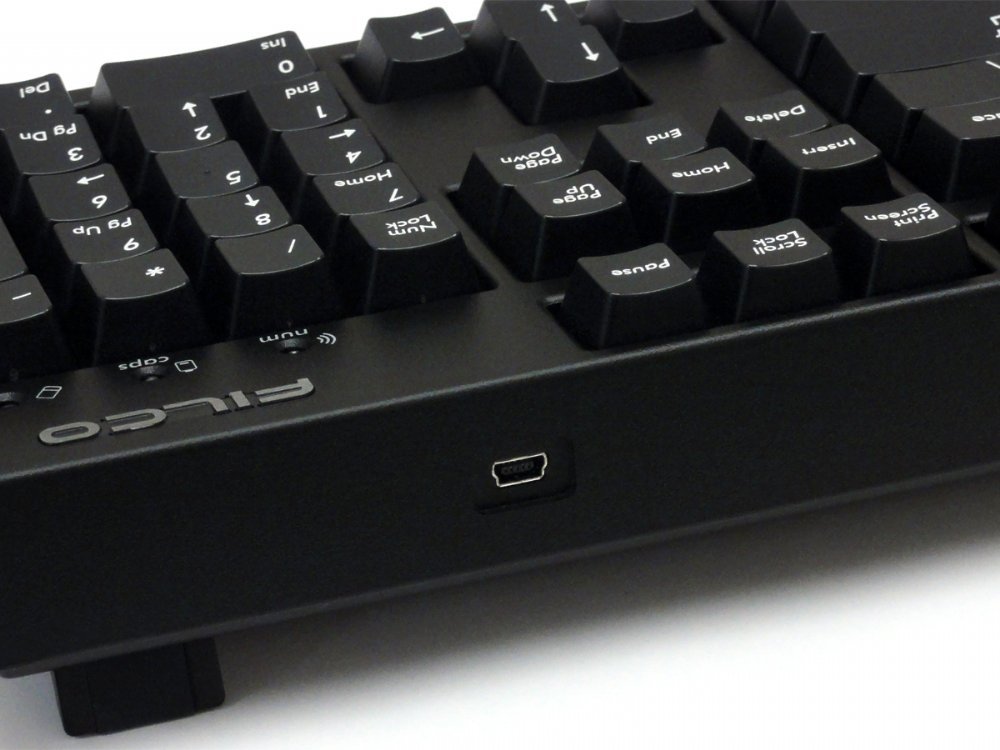
    The only error I’ve found with the keyboard is that a very few times on wireless connection a key will get stuck, and will type itself a few times in a row very fast. So a word suddenly as 4-5 of one letter. It’s annoying, but not a deal breaker for me. But just be aware of it. Oh, and that the usb cable is Mini USB, I believe. Does it matter? Not really, but feels dated.

    I have no problem recommending this keyboard. Maybe in the future if there are more options for wireless mechanical keyboards I will try something else, but as of now I’m happy to have found this device from Filco.

  13. Anonymous –

    Switch Type: CHERRY MX Brown   Layout: German

    This keyboard is really awesome. It has the very best Cherry-Switches and it can connect with 4 Bluetooth devices and with one 1 device vie USB.
    The keyboard is build really tough and it seems undestroyable. It is build very compact and you can choose one of 4 different keyboard layoutssettings.
    AMAZING! Never got such a good keyboard!

  14. Andy Pagin –

    Switch Type: CHERRY MX Blue   Layout: United Kingdom

    Easily the best keyboard I’ve ever owned in thirty five years of programming. Very solid with rubberised feet that stick to a desk like a limpet. Keys are needless to say a joy to use. One really nice little feature is that the caps lock LED is red and the num lock is blue which is really helpful when working in a case sensitive language like c++. If Rolls-Royce made kayboards…

  15. Alex –

    Switch Type: CHERRY MX Brown   Layout: United Kingdom

    GB

    I bought this as my first mechanical keyboard and I’m very satisfied so far. The keyboard itself feels very solid, the MX Brown switches are tactile and comfortable without being too noisy and the flexibility of wireless via Bluetooth with the option to plug in the USB cable as a fallback is great.

    I also bought the corresponding blank keycaps (FKCS105BB) to give the keyboard a sleek, minimalist look.

    There were a couple of small improvements that Filco could look at for a new version:
    1. Include a USB wireless receiver (like the Logitech Unifying receiver) as an alternative to Bluetooth, so you don’t have to plug in the USB cable to use your keyboard before your OS has booted up and started the Bluetooth.
    2. Option to have the Numlock and Capslock lights work in Bluetooth mode (they are disabled, presumably to avoid clashing as the lights are used to indicate Bluetooth connectionpairing).

    However, these are really minor things and overall I have found this keyboard to be excellent.

    Finally, the customer service from The Keyboard Company was great – there was initially an issue with my order but on raising it they were extremely fast to respond and it was fully resolved very promptly. I will certainly be looking here first the next time I need a keyboard.

  16. Anonymous –

    Switch Type: CHERRY MX Silent Red   Layout: USA

    CZ

    I have it only few days, so far, loving it.

    Multiple bluetooth connectivity is, for me, some advanced stuff and the fact that it works flawlessly on the first try is mind boggling.

    The keyboard itself indeed feels very premium, yet nothing so flashy I would have to be embarrassed in front of my colleagues for (Since I bought it for my workplace).

    Another thing that immediately stood up for me was how natural the layout is. I have ducky shine 7 at home and it took me few days to get adjusted to it. Don’t get me wrong I like what I have at home, it just came as a surprise, when I started using Filco’s one at work, it was soo natural, no adjustment time, no miss-clicks, no frustration about laptop layout, very well thought through.

    MX silent red switches, no complains there, no squeaking, they are pretty much as silent as membrane and you know that you are not using membrane.

  17. Derek M –

    Switch Type: CHERRY MX Blue   Layout: United Kingdom

    GB

    Exceptional keyboard. Wonderful switches and build quality. Seamlessly switches between 4 Bluetooth devices and wired USB, hugely convenient. Amazing! 👌👌👌

  18. Kieren Connell –

    Switch Type: CHERRY MX Blue   Layout: USA

    GB

    Sensational clicky keyboard!

    What’s else is there to say about this keyboard?
    It’s brilliant!
    Heavy as a brick, so sits solid on the desk
    Super solid construction
    Key’s are wonderfully clicky!

    The only two things I will say about this keyboard are:
    -If this keyboard came in USB-C with a couple of USB 3 ports on the rear, it would be absolutely perfect.
    Having the BluetoothWired option make it so versatile, but with USB-C and a few USB 3 ports on the rear acting as a dock would make it just that much better

    -MX Blue’s are quite clicky, the bottoming out ‘clack’ is quite loud, if you’re using this in an office environment, I’d recommend getting o-rings to reduce the noise – You still get a wonderful click with each keystroke, but you remove the louder clack sound at the end

  19. Peter –

    Switch Type: CHERRY MX Brown   Layout: United Kingdom

    GB

    To be honest, I went with the recommendation of The Keyboard Company, on the basis of what they suggested would be the optimum choice for my needs. I was not disappointed. I am considering purchasing the Tenkeyless model, for my Surface Pro.
    Support from the team was first class.

  20. Ben –

    Switch Type: CHERRY MX Brown   Layout: United Kingdom

    GB

    The second Filco keyboard I’ve bought, and just as good as the first for typing. I’m really impressed by the Bluetooth connectivity, and the quality is as before. It’s a premium price but these two are definitely the best keyboards I’ve used, and once you’ve used them for a while you’ll be very reluctant to go back and try another.

Only logged in customers who have purchased this product may leave a review.

Overview

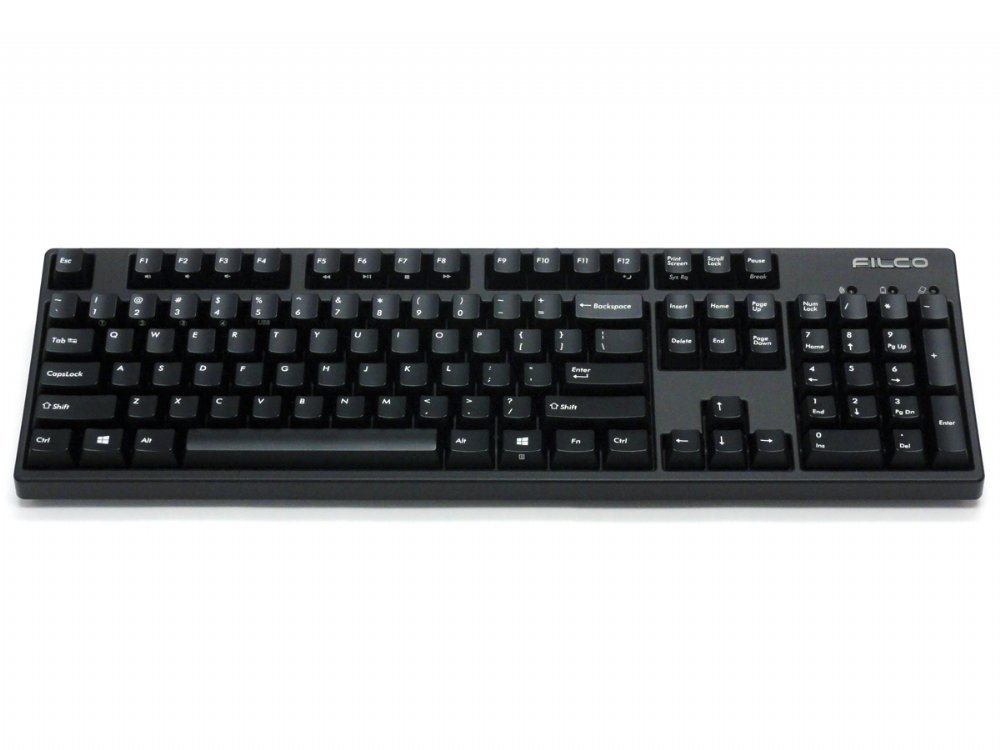
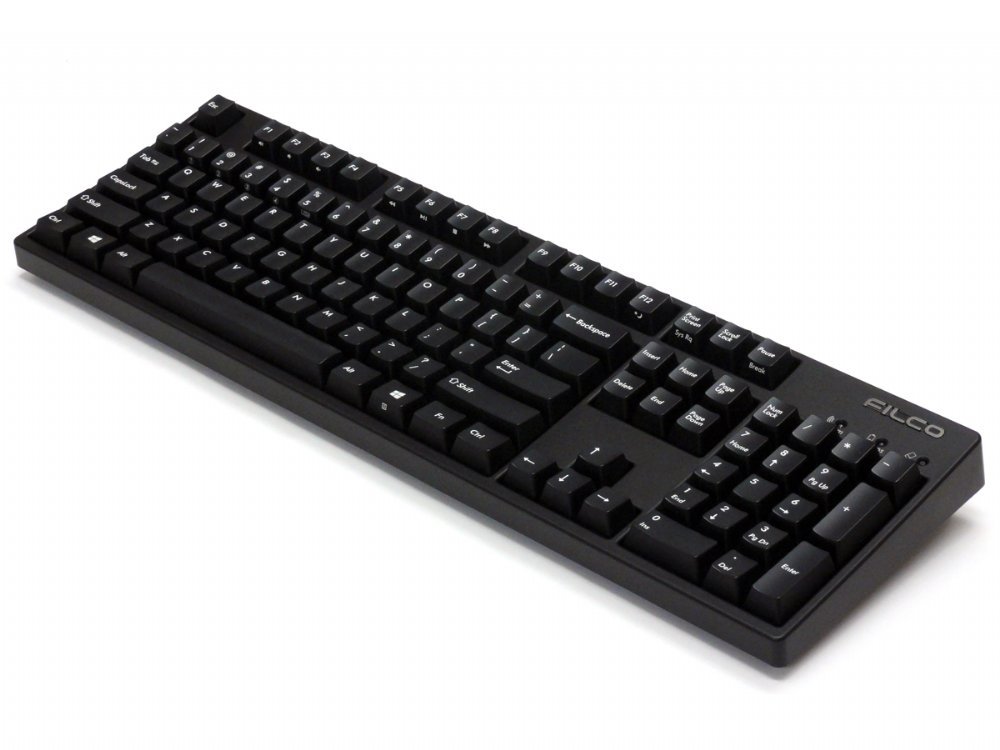
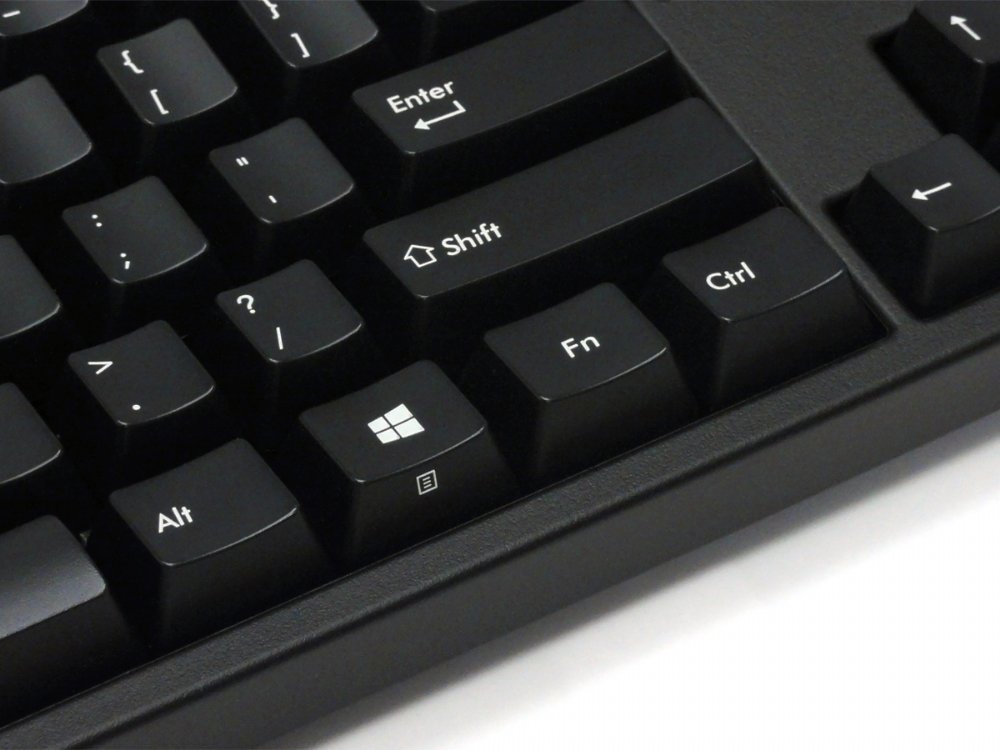
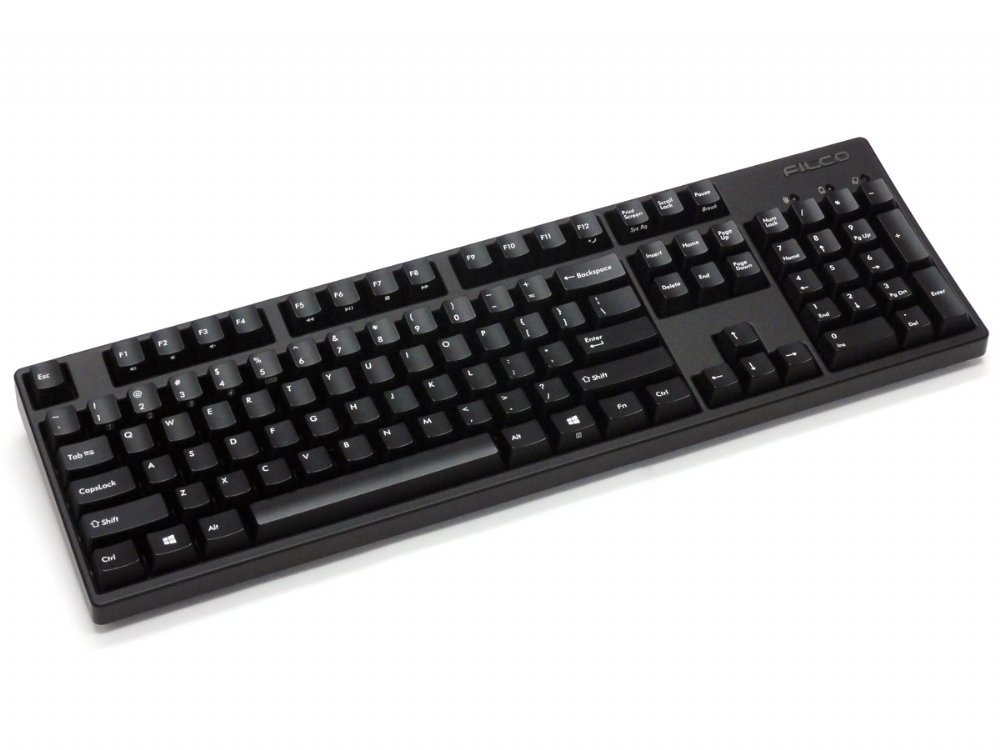
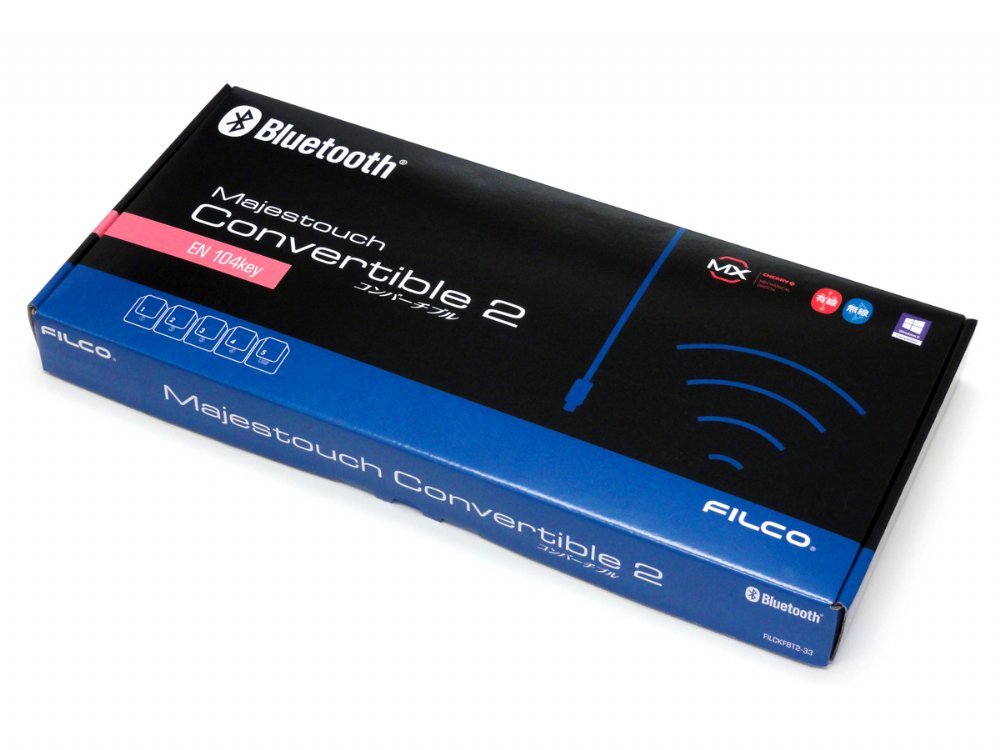
The Convertible 2 keyboard from master keyboard makers – Filco. This keyboard is ‘convertible’ from a USB wired keyboard to a Bluetooth wireless keyboard, and you don’t even need to unplug it from your PC. It combines the high quality typing feel of Cherry MX switches, steel mounted in a rock solid body all put together in a very slick package. These keyboards just make you want to type, now on all of your devices.

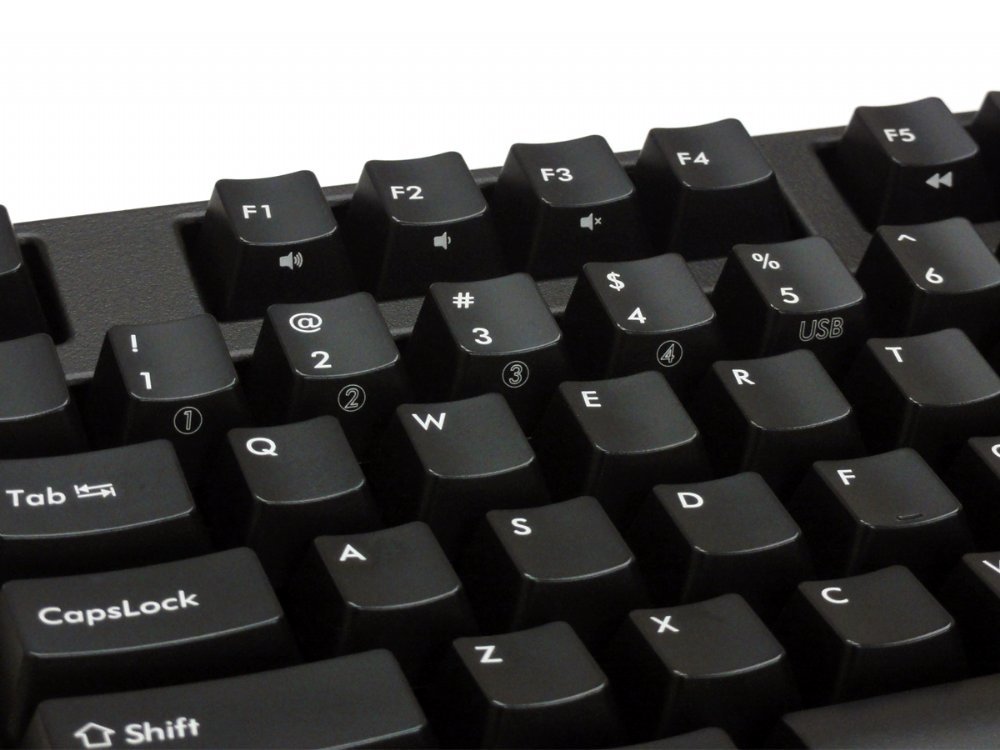
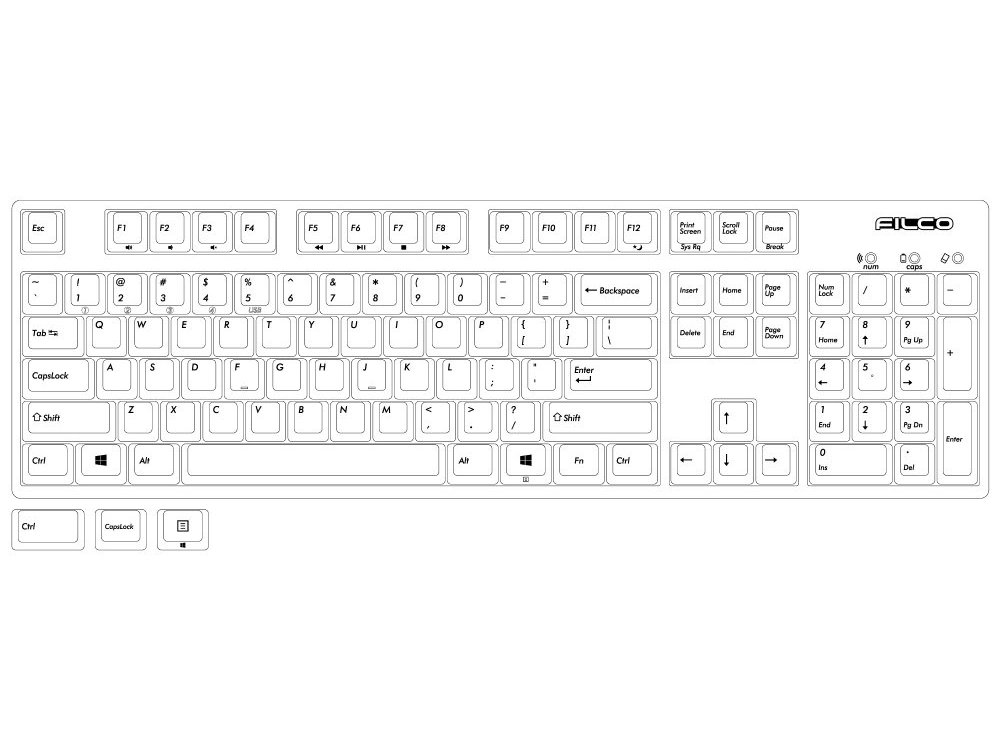
  • Switch between 5 different devices, 4 Bluetooth and 1 USB
  • Tactile feel, ergonomic click action (Brown switch)
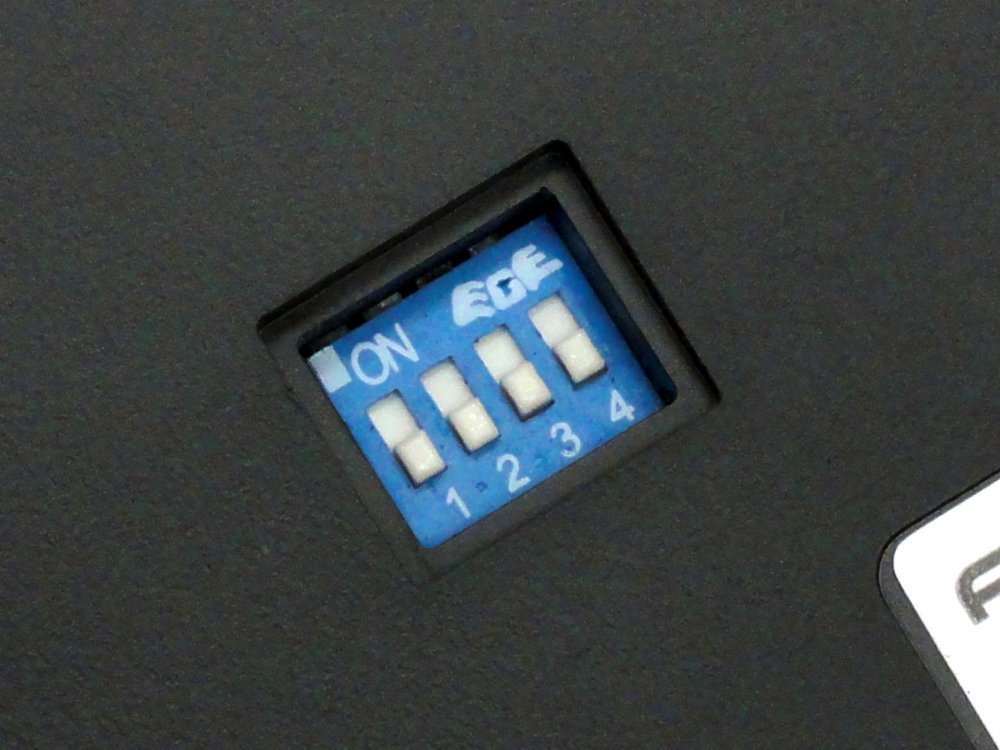
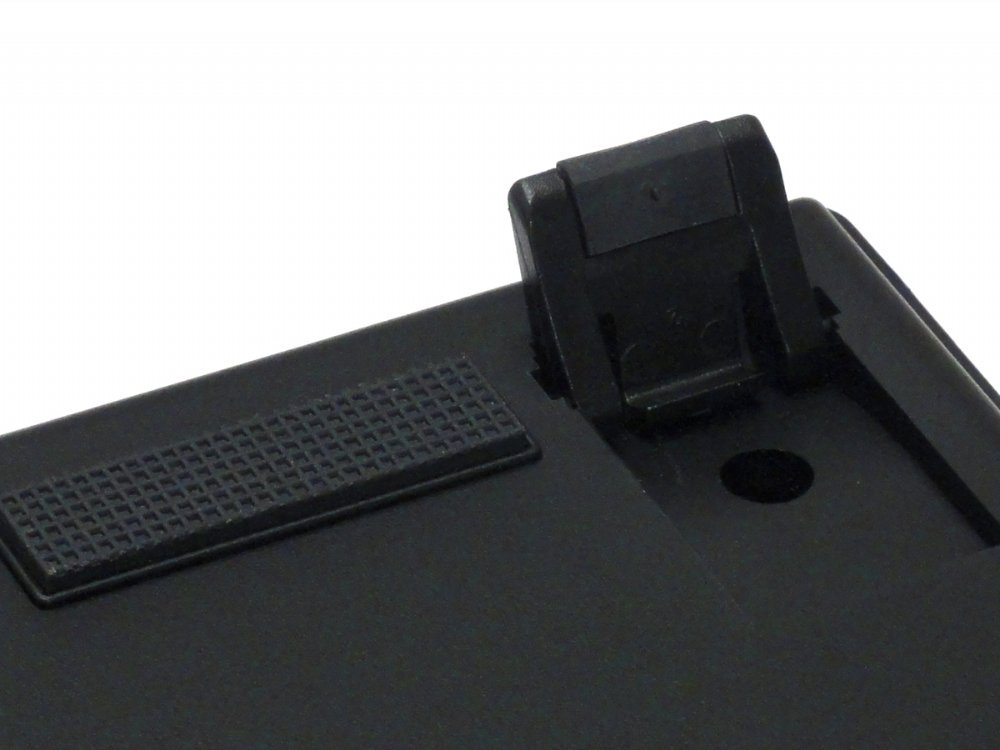
  • Rear mounted DIP switch located at the base of the keyboard
    1. Lock Windows and Application keys
    2. Swap CapsLock and left Ctrl keys
    3. Swap Esc and [` ~] keys
    4. Swaps Fn with Windows/App key
  • Gold contacts
  • 4.0mm travel
  • 2.0mm actuation point
  • 55g ~ 2oz actuating force keyswitch
  • Switches tested to 50 million actuations

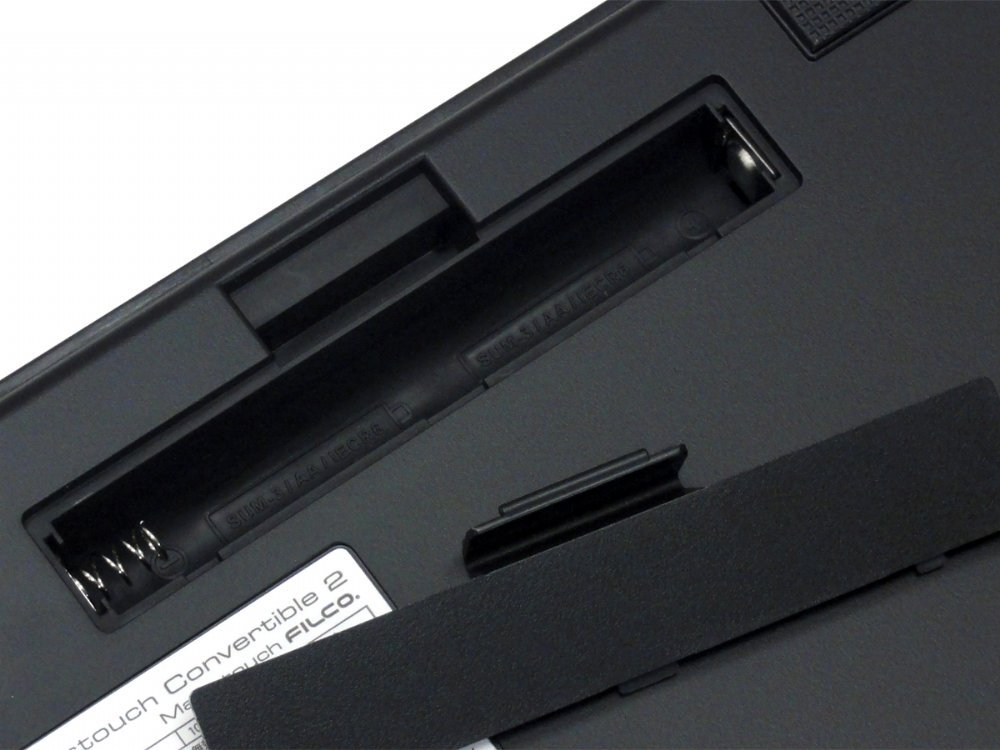
Average battery life is about 6 months based on 5 hours use a day, the keyboard can be used without batteries, powered by a USB charger or PC.

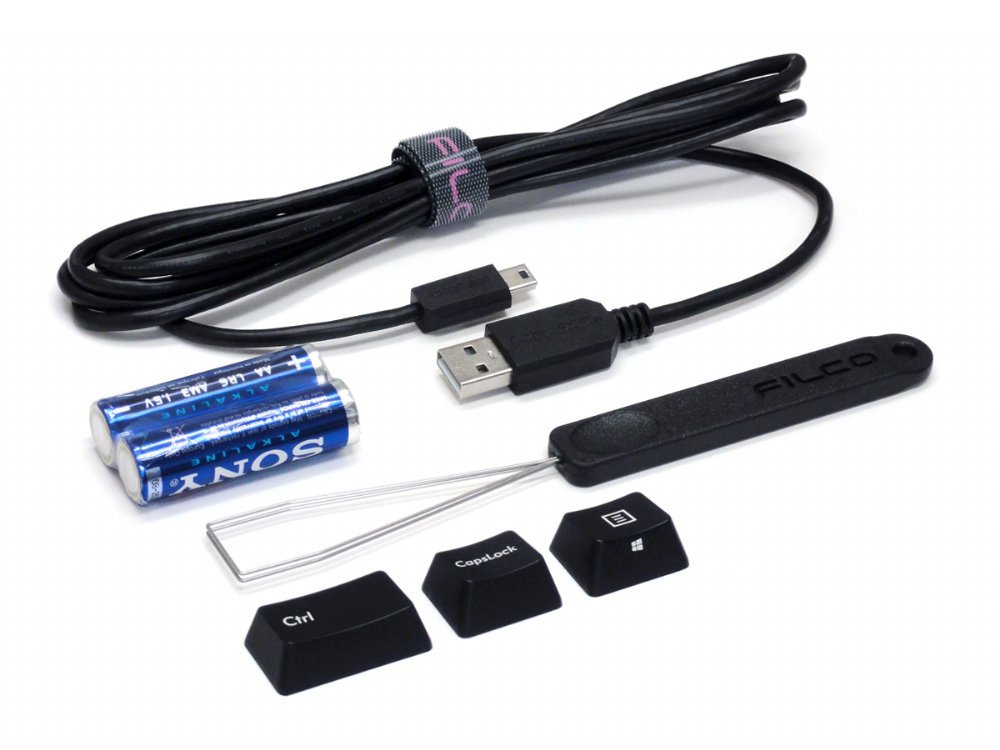
Includes: Keyboard, detachable cable, velcro cable tie, extra keys, keypuller, 2 x AA batteries, dust cover and manual

Bluetooth adaptor NOT included.

Customers also viewed these

Select your currency