
Filco
Majestouch Xacro M10SP Ergonomic Split Programmable MX Switch Keyboards
£149.99 inc. VAT
Majestouch Xacro M10SP Ergonomic Split Programmable MX Switch Keyboards



Overview
Happy Cutomizable Ergonomic Keyboard!
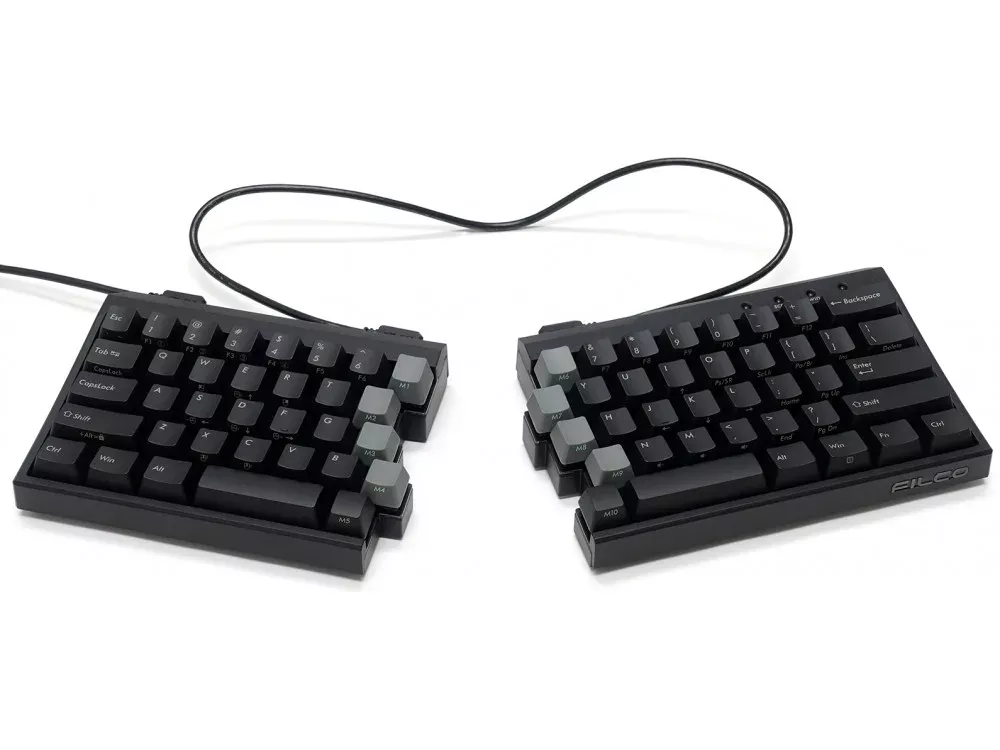
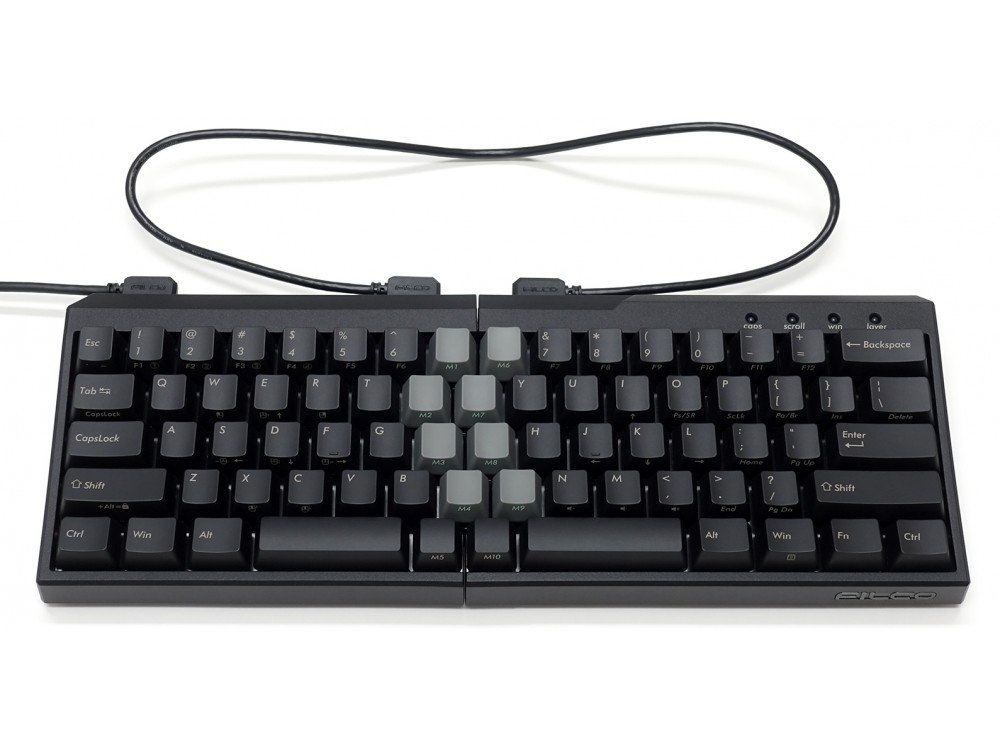
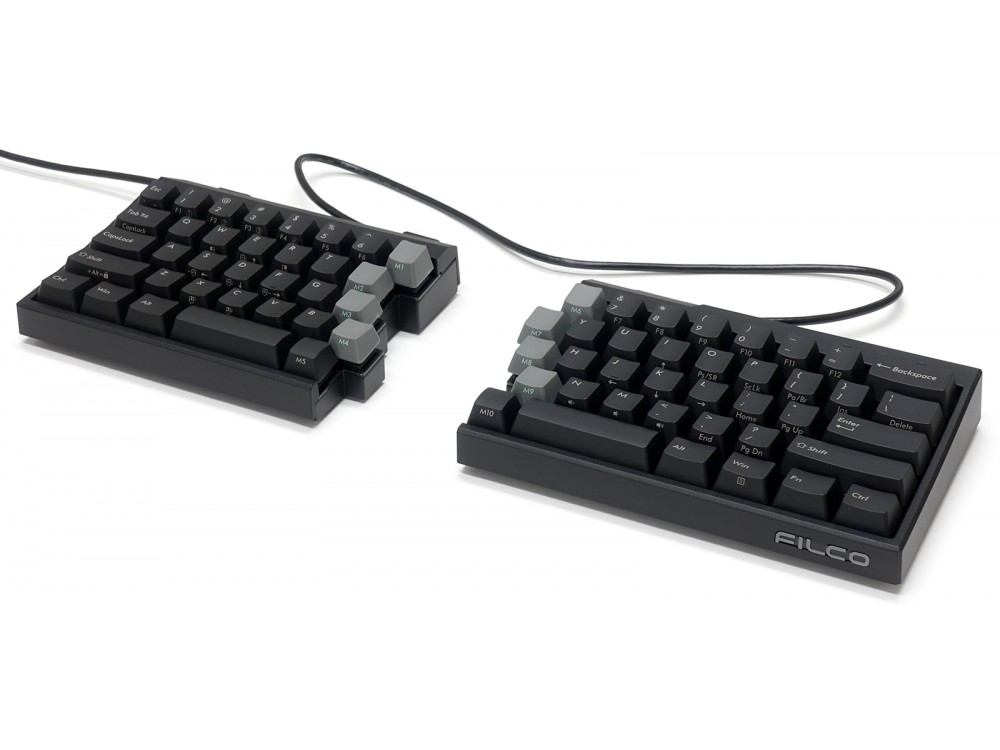
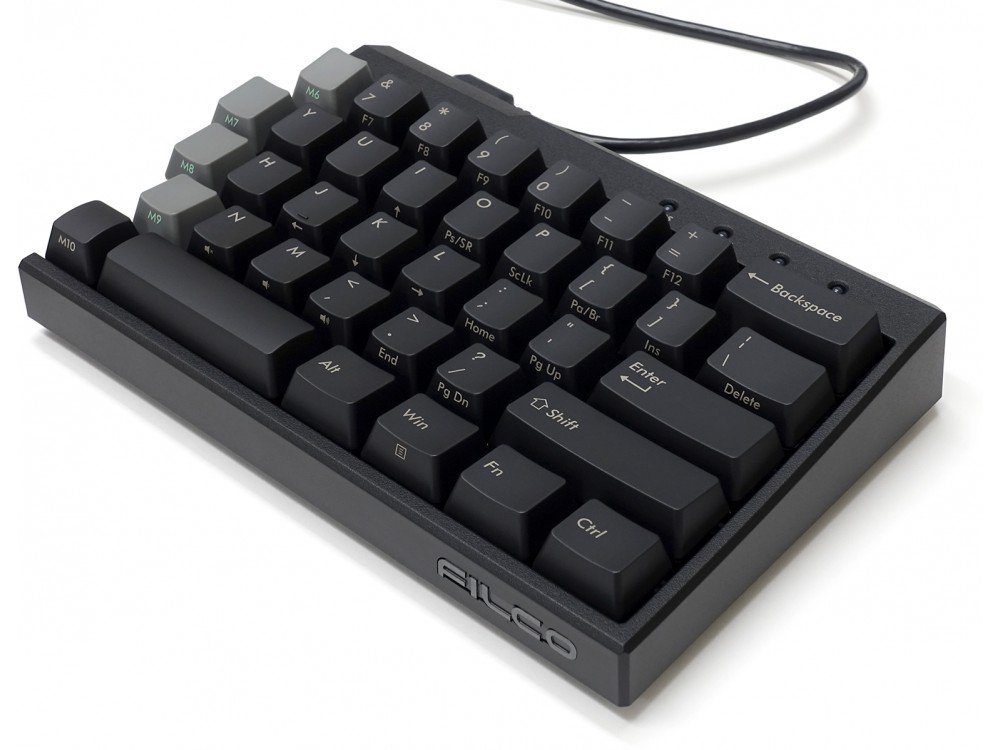
Majestouch Xacro M10SP is a 70% programmable split ergo keyboard.
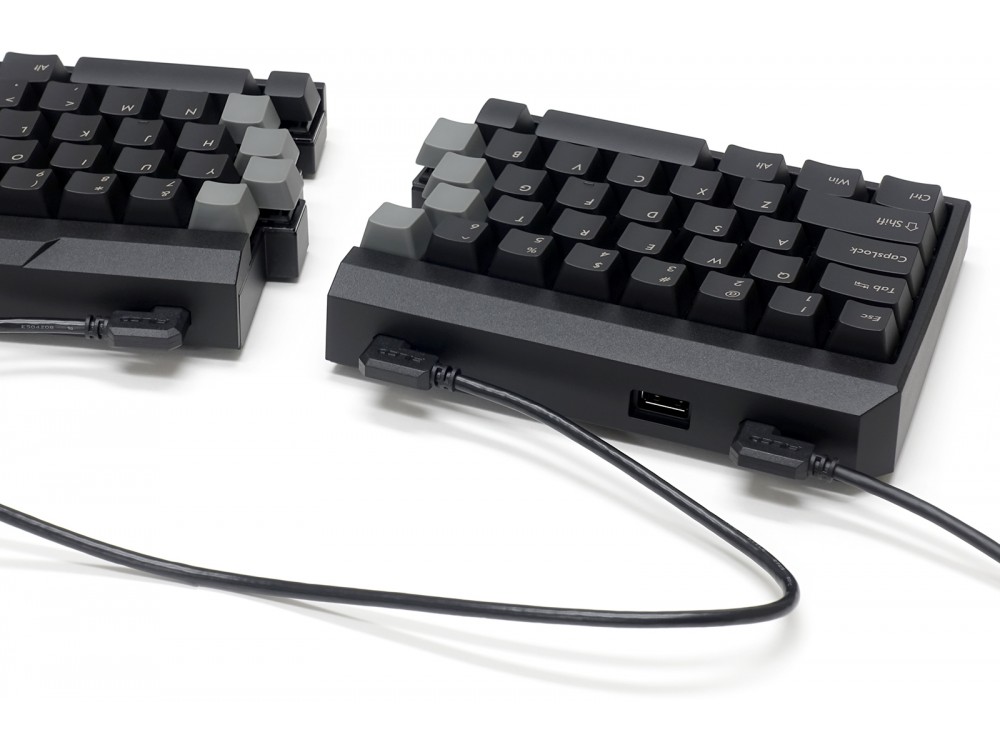
You can type with your shoulders and arms placed widely, narrowly at your preference.
This keyboard supports both hardware and software Macros. The hardware Macro function makes it easy to change key layout and set key programs by simply plugging in a keyboard to PC.
Software Macro, you can setup by using dedicated software called ‘FILCO Assist’. You can create macro, text whatever you like on FILCO Assist and drag & drop what you have created. That’s all you have to do!
On layer function, in addition to the basic keyboard layouts, you can register three of your own created layouts.
This is just a perfect keyboard for those who have interests in macro functions or customizable keyboard but do not have enough confidence to make a start for the first time. You can cuztomize at your preference easily and it brings you a better keyboard experience!
70% programmable split ergo keyboard
Majestouch Xacro M10SP is a 70% programmable split ergo keyboard.You can type with your shoulders and arms placed widely, narrowly at your preference.This is a compact keyboard yet it works just like Full-sized keyboard by using FN key combination.
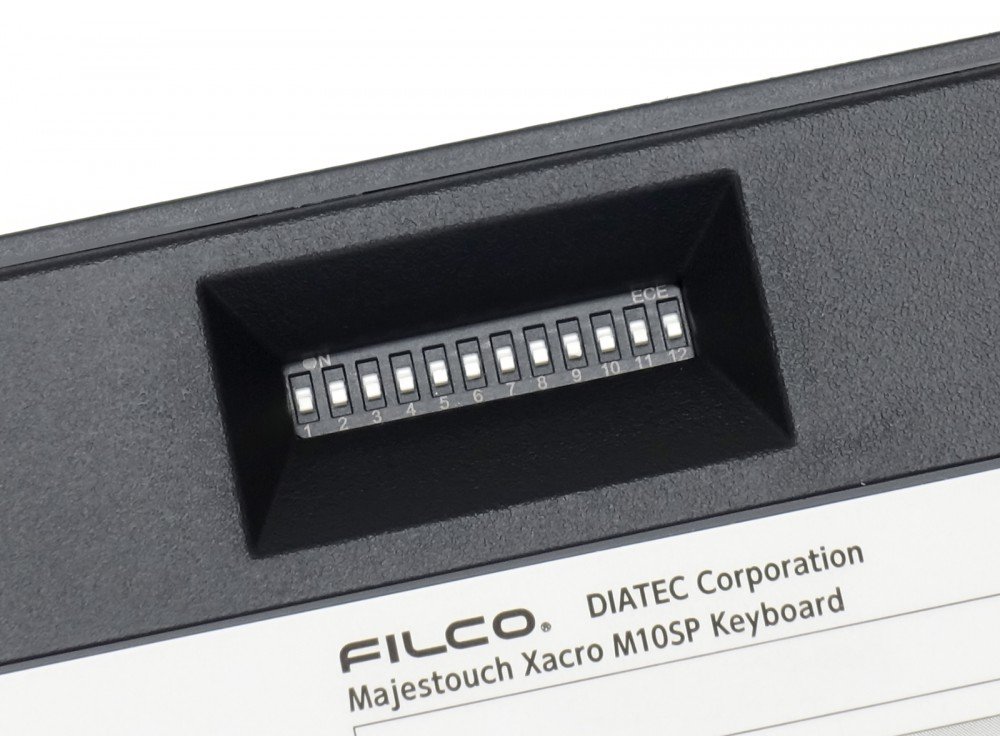
Basic customization is easy with DIP switch operation
DIP switches are used to switch between frequently used “ESC <-> E/J” and “Caps Lock <-> Left Ctrl”, as well as position settings for FN and specialized keys. Using Majestouch Xacro series dedicated software ‘FILCO Assist’, you can check the DIP switch status and layout diagram on the HOME screen.
Supports hardware macro programming
With hardware macro programming, you can easily change key codes and program key input patterns simply by operating the keyboard connected to your PC.
Supports software macro programming
By using the dedicated software ‘FILCO Assist’ for the Majestouch Xacro series, you can create and save macros and texts while viewing the computer monitor. You can easily set just by dragging and dropping the created texts and macros onto the keyboard diagram on the software.* English or Japanese are selectable for ‘FILCO Assist’.* ‘FILCO Assist’ is for Windows only.
FILCO Assist
‘FILCO Assist’ can be downloaded from below. [https://www.diatec.co.jp/filcoassist/]
Easy access to design registered macro dedicated keys
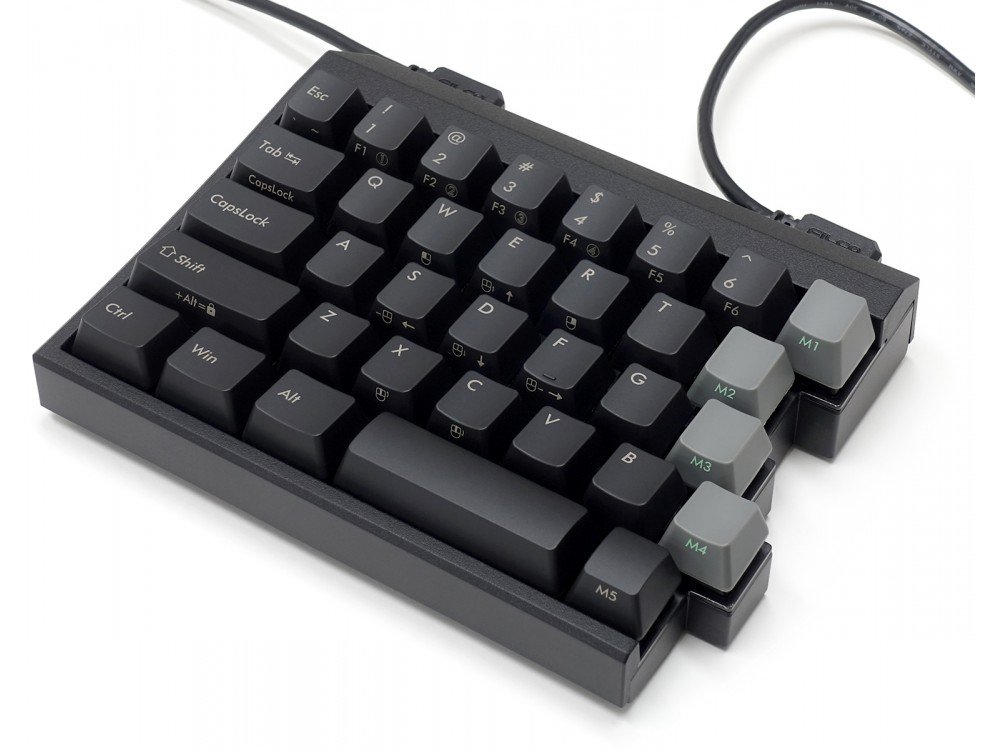
5 each of macro dedicated keys are located along with parting surface. You can easily access with your index finger and thumb. You can setup keycode and macro with hardware setting function and software macro setting function.
Up to 8 profiles can be saved on the software
Up to 8 profiles can be saved on the software. Even if you want to save more than 8 profiles, you can save them to your PC, and you can easily reconfigure them by simply loading them into the software.
High-spec keyboard with 4 roles in 1 by switching layers
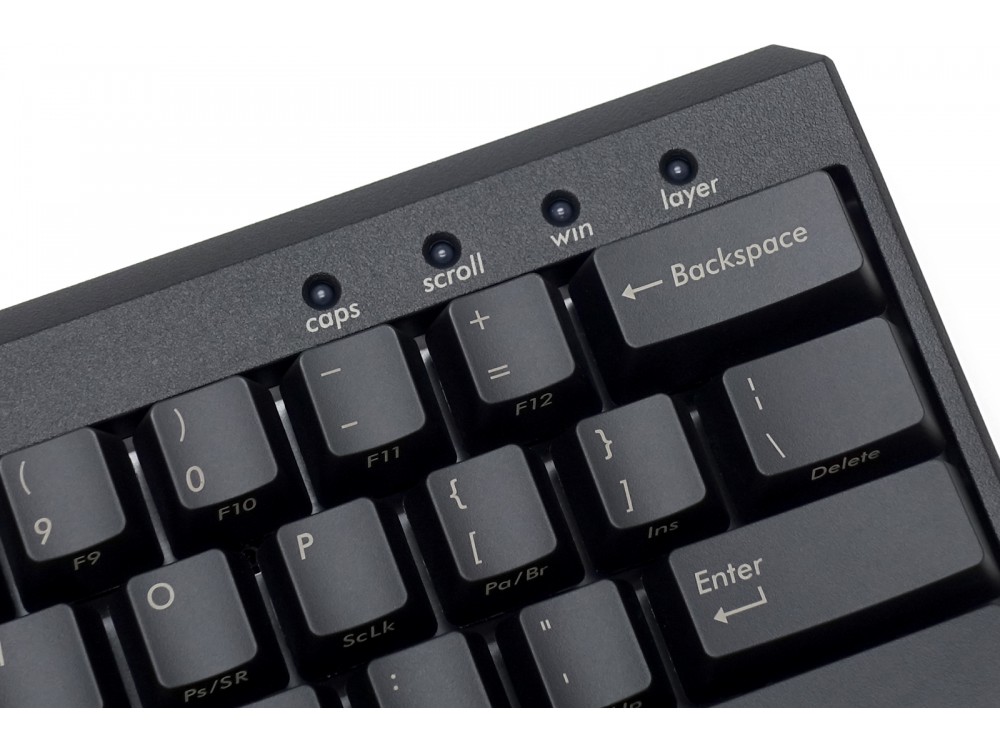
In the layer function, 3 original profiles created by the user can be set for layers 2 to 4. When switching layers, the color of the upper right RGB LED changes, so you can instantly check the layer status.* Layer 1 (basic layer) cannot register key codes or macros for keys other than M1 to M10.
Easy setting of specialized key layout by switching DIP switch!
By operating DIP switches 1 and 2, in addition to the basic QWERTY layout, the Dvorak layout (English layout), Colemak layout (English layout), Workman-style Japanese layout, Colemak-style Japanese layout, and Mac-style layout arranged by our company can be used.* Changing to specialized layout by DIP switch operation is applied to all layers 1 to 4.* Dedicated layout keycaps are planning to be sold at FILCO Direct.
PBT keycaps
PBT (polybutylene terephthalate) resin, which has excellent wear resistance and electrical properties, is used for the keycap material.
The one and only choice that emphasizes reliability! Adopt CHERRY MX switches from CHERRY, Germany
‘Majestouch Xacro M10SP’ uses highly reliable CHERRY MX switches. CHERRY MX switch was developed in Germany in 1983 and is the one and only keyboard switch that has been in production for many years with repeated improvements. In the Majestouch series, the switch terminals are firmly soldered to the through-holes of the FR-4 board, so no need to worry about contact failure of the switch terminals like hot-swap type boards, or damage to the switch or board due to insertion/removal of the switch.
Customers also viewed these
Durgod K230 Fusion Steam Tri-Mode 65% Keyboards
From £99.00 inc. VAT
in stock
Details
Select options
This product has multiple variants. The options may be chosen on the product page
Yi –
Switch Type: CHERRY MX Silent Red Layout: USA
I purchased in total 3 keyboards over the years from the keyboard company, they offer a very wide range of products and the purchase experience has been very smooth, good service good product
Simon –
Switch Type: CHERRY MX Silent Red Layout: USA
I’m giving this a 5 star, but only because I can’t do halves, it’s closer to a 5 than a 4!
I’ve used many split keyboards over the last few years, including a Mistel MD770 and a Dygma Raise. Both of these keyboards were good but when I saw Filco released a split I just had to get it (Filco fanboy here!)
The M10SP is extremely nice to type on, I had the cherry silent reds in my Raise so I knew I’d like these switches.
I’m currently using Glorious Mouse Wrist Rests with the keyboard and these put my hands are a nice comfortable angle.
The Keyboard has that Filco build quality where it just feels solid, the cables it comes with are nice but rather stiff out the box, I’m sure these will loosen over time. If not, I will get a coiled cable similar to the MD770 for the connection.
The Macro Keys being down the middle are perfect, these are the reason I’ve put my other keyboards up for sale! Thumb macro switches are good and they work but having them all down the middle I find so much more comfortable!
The software is alright, it does take a little time to workout the little quirks but you only really have to use it once or twice to get the keyboard set up and it’s all hardware stored. I’ve got a work profile with copy & paste and windows functions on the macros and then a gaming profile which puts F1-10 down the middle.
In short, this is a well built split keyboard, if you have used a filco before you know what you’re getting (Minila was my favourite keyboard before moving to splits)
The half star loss:
The keycaps are PBT, but the legends are printed (not doubleshot), I get why as they have side printing functions but these will wear over time. That said, the space bars look a normal size to be easily replaceable.
The switches, as far as I am aware, are the older style Cherry MX, it would have been nice to have got MX2A on this board.
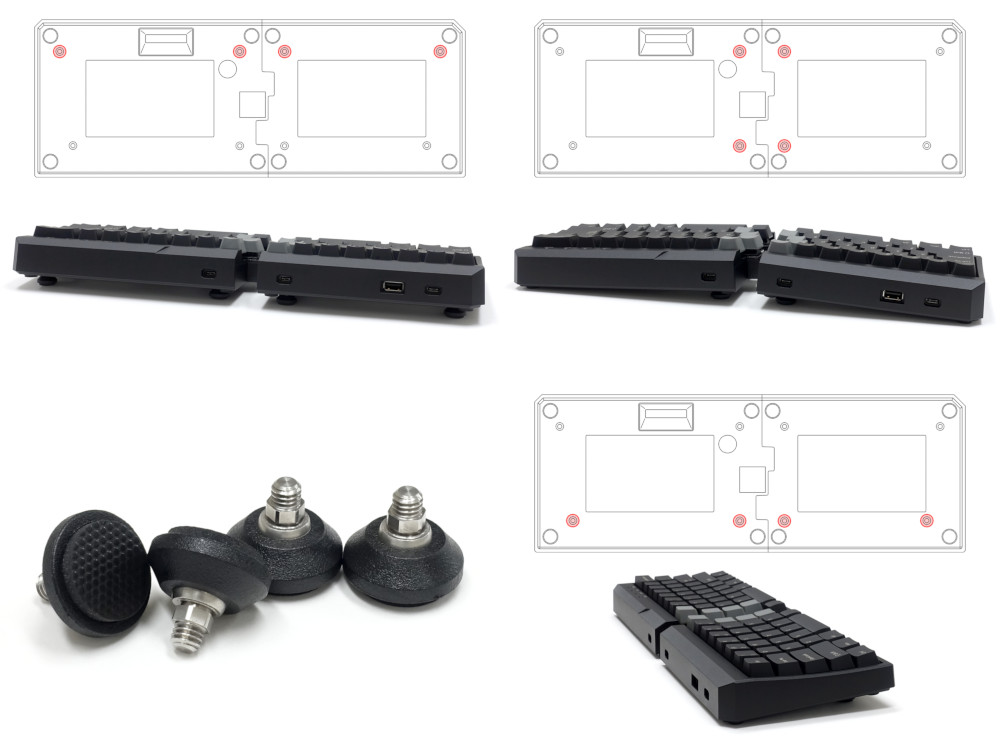
And finally, the tilting feet are a bit short, I’ve seen that filco sell taller ones but it would have been nice to have included the taller feet as well as the short.
I really hope keyboardco eventually sell the taller feet and the official wrist rest from filco as those will be instant buys from me!