
Filco
Filco Convertible 3 Bluetooth Tenkeyless CHERRY MX Keyboards
From £155.00 inc. VAT
Filco Convertible 3 Bluetooth Tenkeyless CHERRY MX Keyboards







Overview
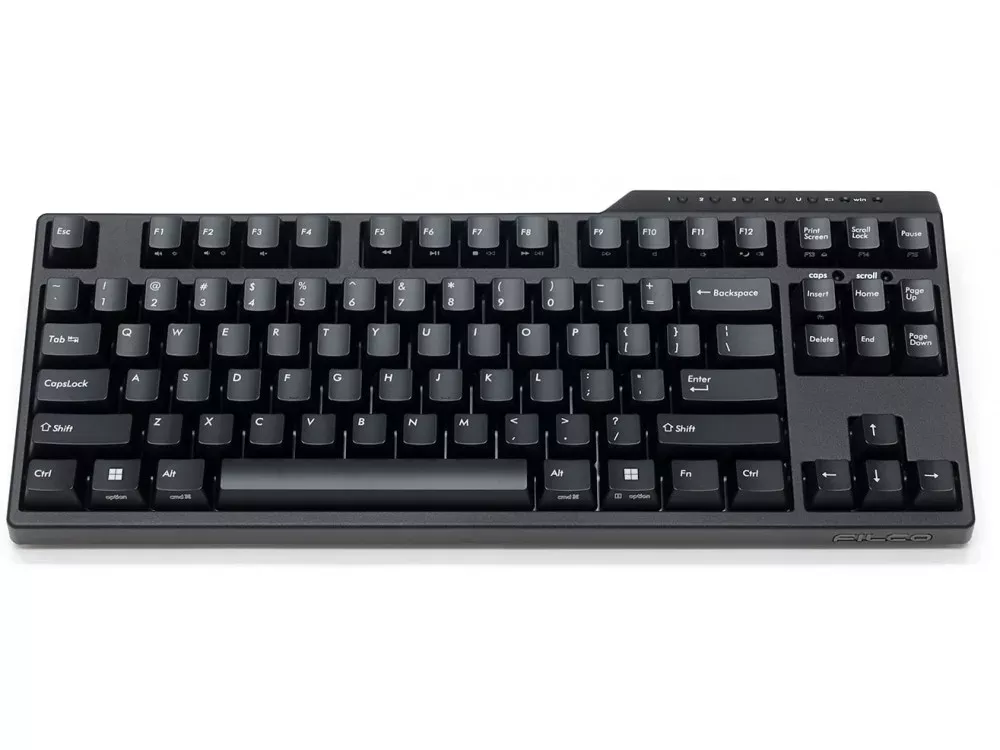
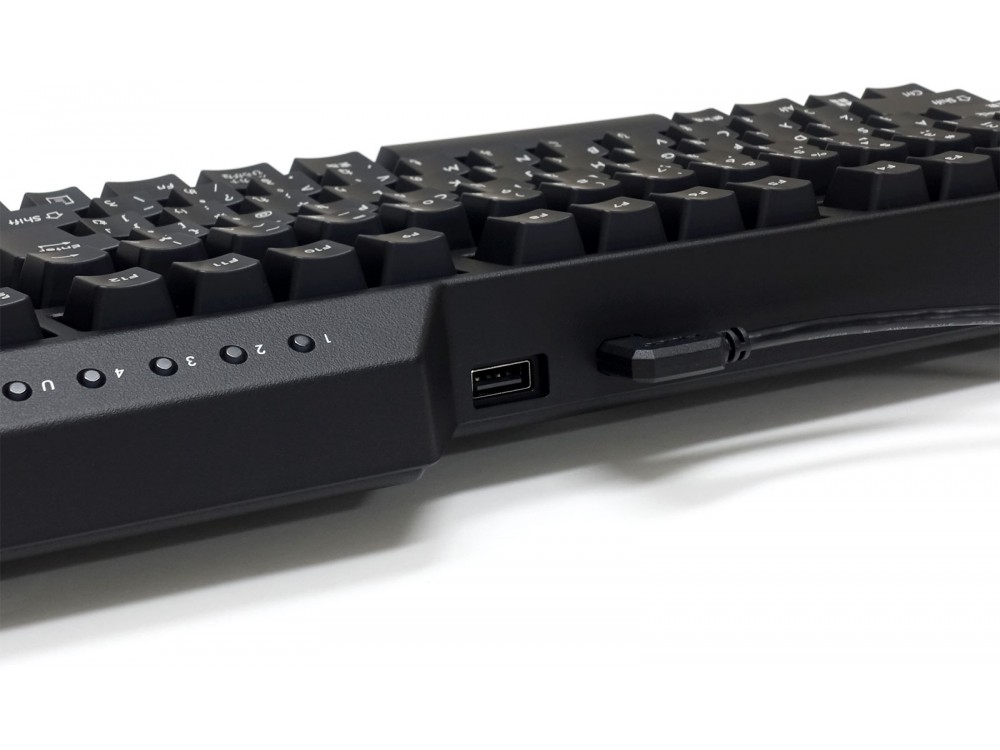
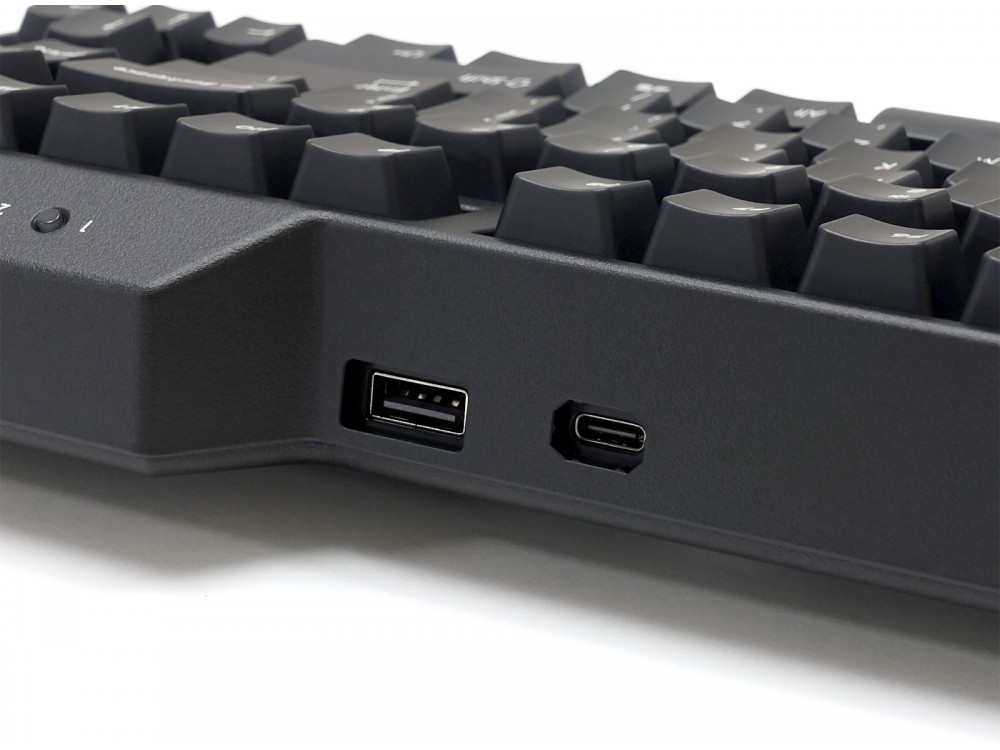
Mechanical keyboard with CHERRY MX switches which supports Bluetooth (version 5.1) and USB connections. Bluetooth version 5.1 has improved communication speed and stability while reducing power consumption. It also has a ‘USB through port (Type-A)’ that can be used when connecting via USB.
The keyboard can be used via Bluetoth and powered by the USB-C port.
Bluetooth(ver 5.1) 4ch + USB(Type-A to Type-C)
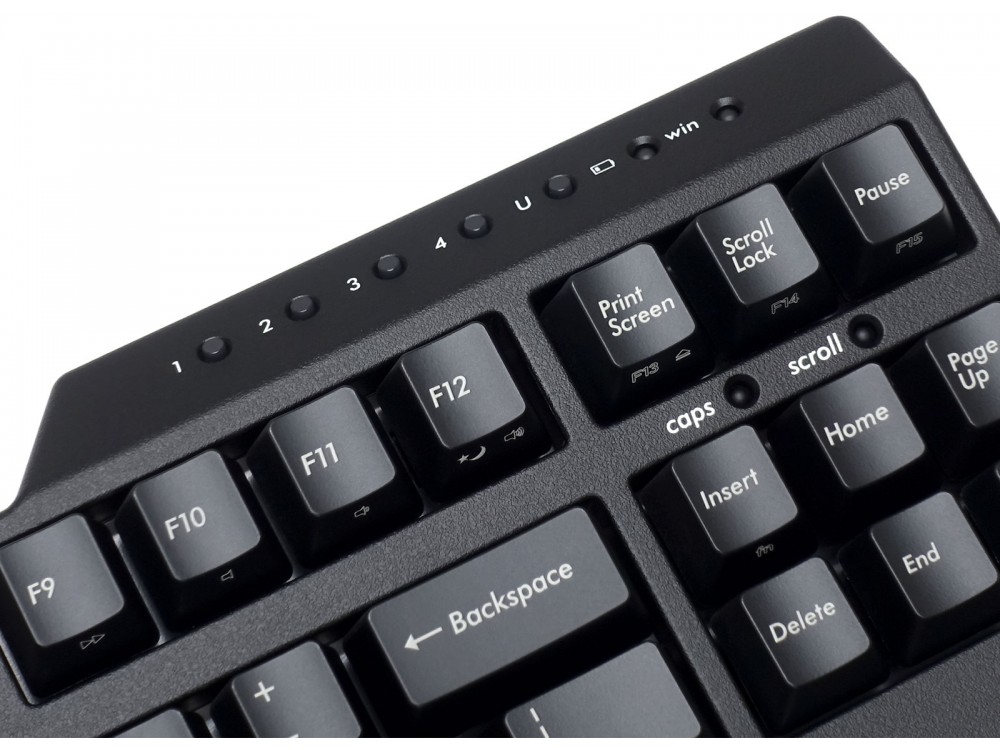
With Bluetooth (version 5.1) connection, not only PCs but also various devices such as smartphones and tablets up to 4 devices can be registered, and can switch between them with one touch. Including the USB connection, you can freely use up to 5 devices.
‘Passed down unwavering belief’ German CHERRY MX switch adopted
Majestouch Convertible series, same as Majestouch series, is a mechanical keyboard equipped with genuine CHERRY MX switches for each key.
Ultimate evolution in pursuit of usability
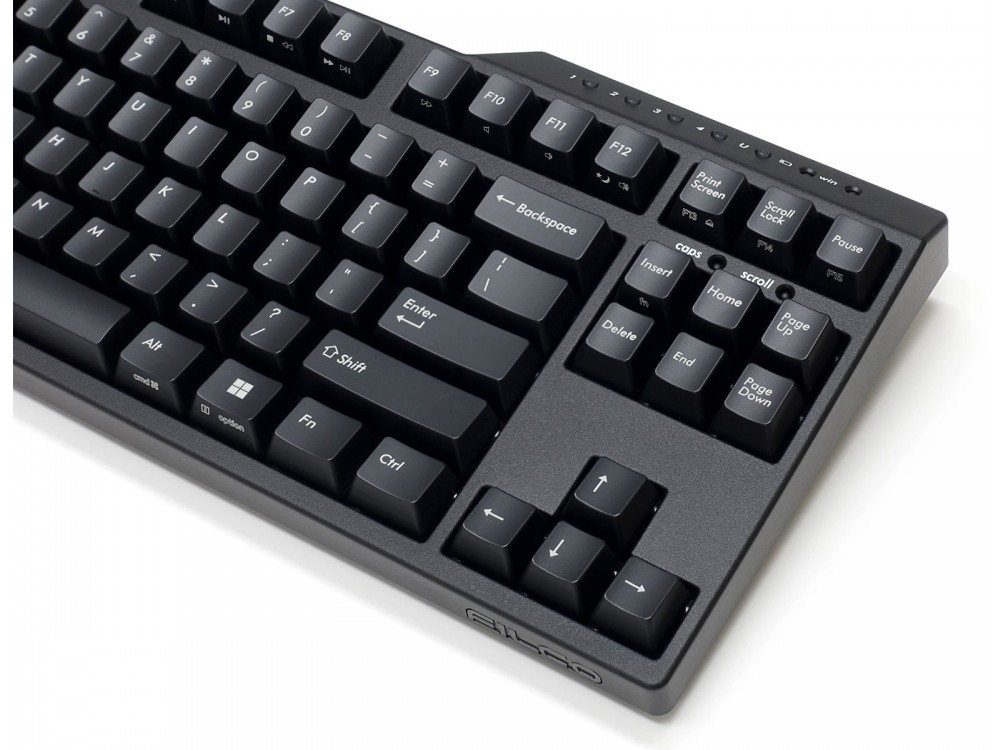
In the old model, it was necessary to press the recessed switch with the tip of the pen or press multiple keys to perform pairing and switching devices, but Convertible 3 allows you to make those settings with a single touch by consolidating them into dedicated Bluetooth buttons. In addition, to prevent accidental button presses, we have adopted a highly usable frame design considering placement and installation location.
Added variation of key function switching
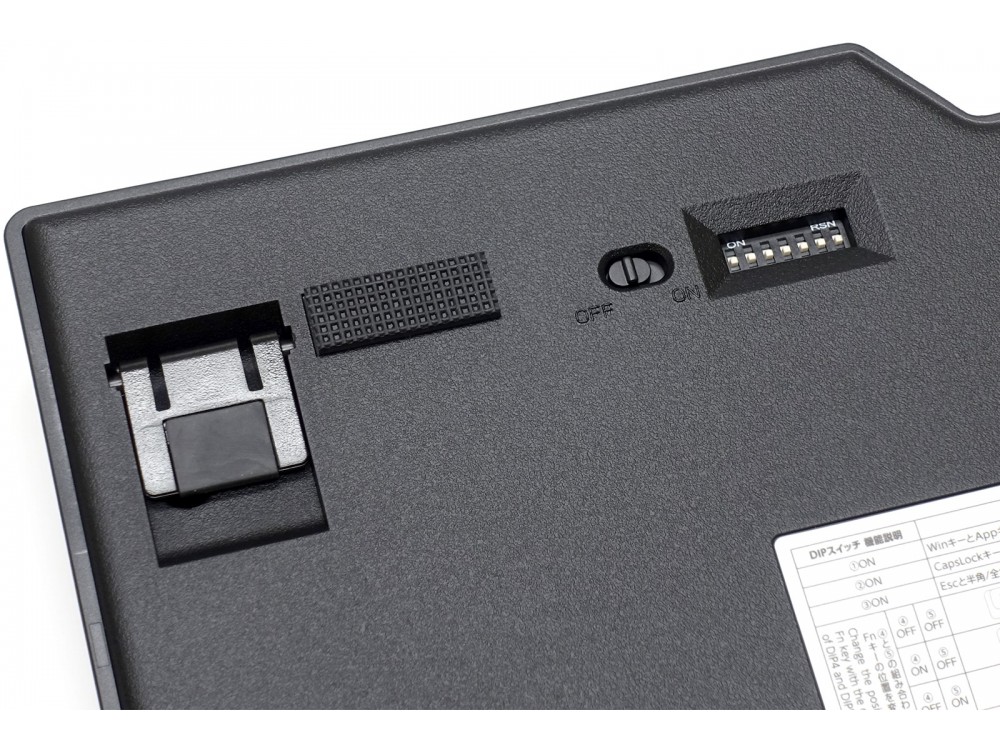
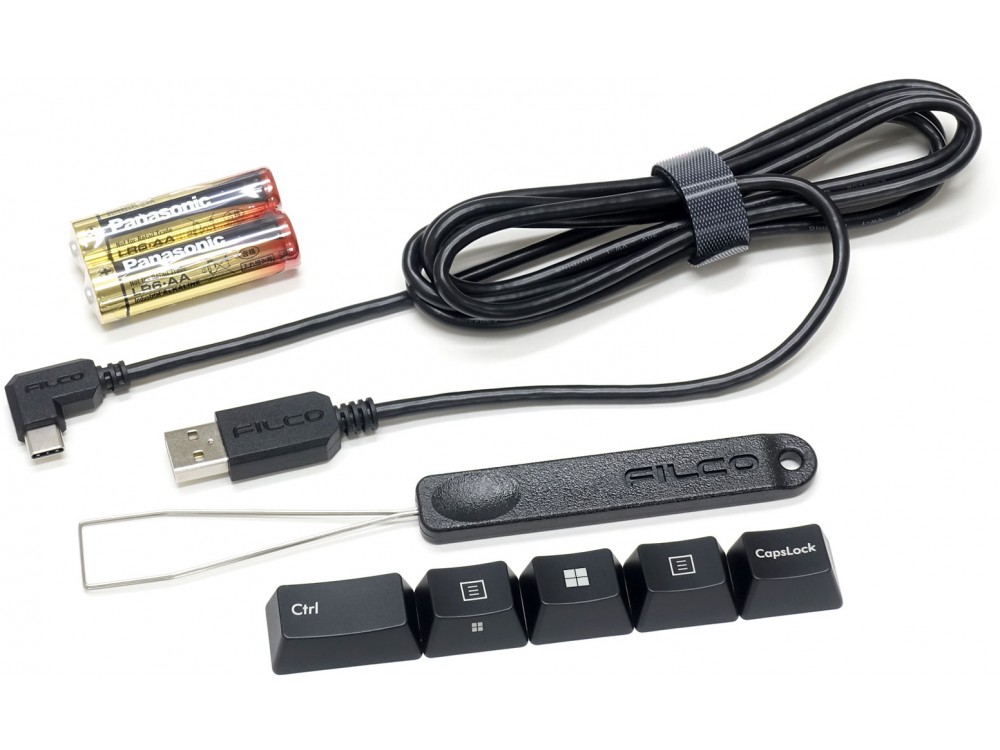
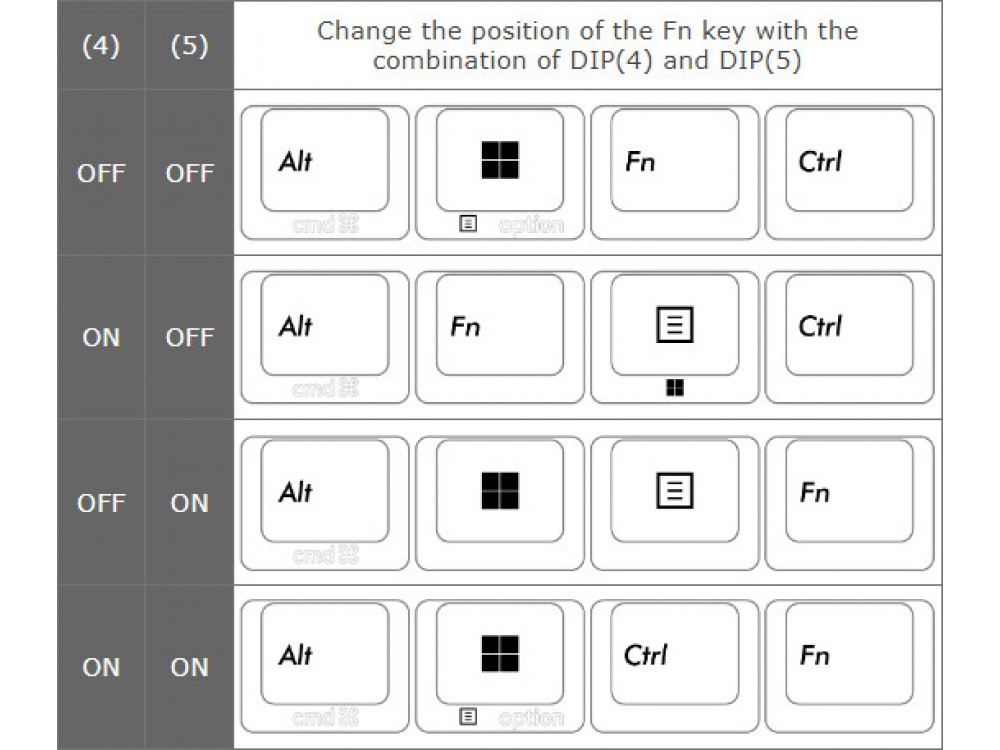
Convertible 3 can change the key code by operating the DIP switch on the back of the main unit. In addition to changing the common functions of switches (dip switches 1, 2 and 3) for Convertible series, you can now choose from 4 patterns for the Fn key layout by using dip switches 4 and 5. In addition, a simple Mac mode function has been added with dip switch 6, and a power saving mode disable function has been added to dip switch 7. Replacement key cap and key puller are included for use when changing the key code.
Dip switch settings
- 1 – Windows key and Applications (App) key, are locked and cannot be used
- 2 – Changes CapsLock key and left Ctrl key
- 3 – Changes Esc key and [` ~] key
- 4 & 5 – Changes the position of the keys to the right of space
- 6 – Mac-specific mode
- 7 – Power saving mode ON/OFF
Mac-specific mode
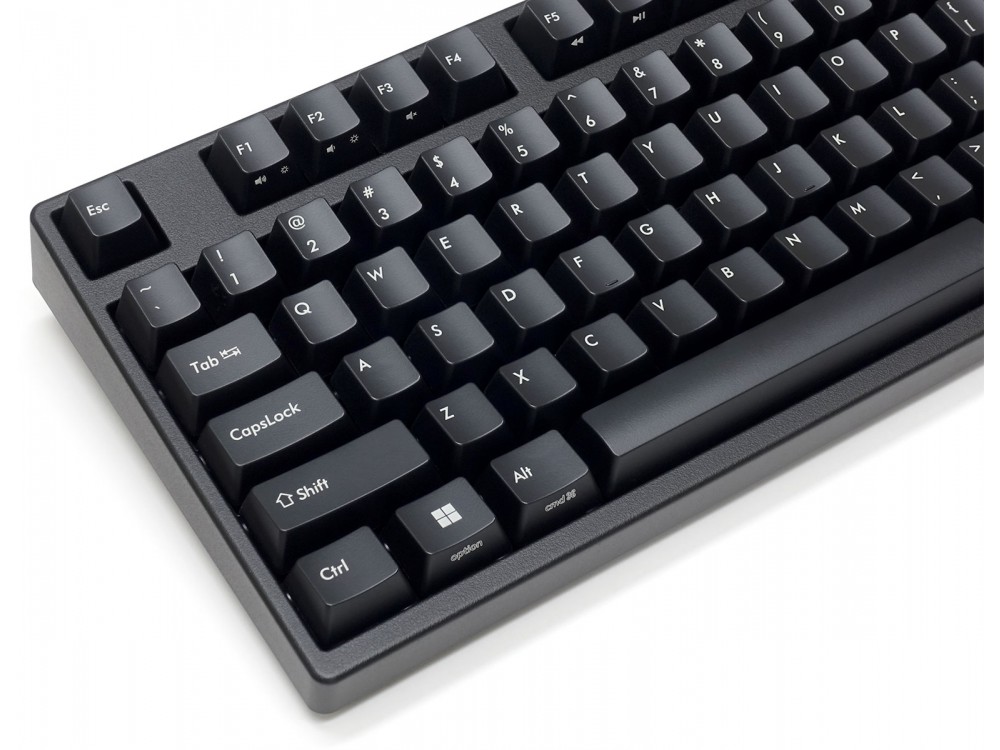
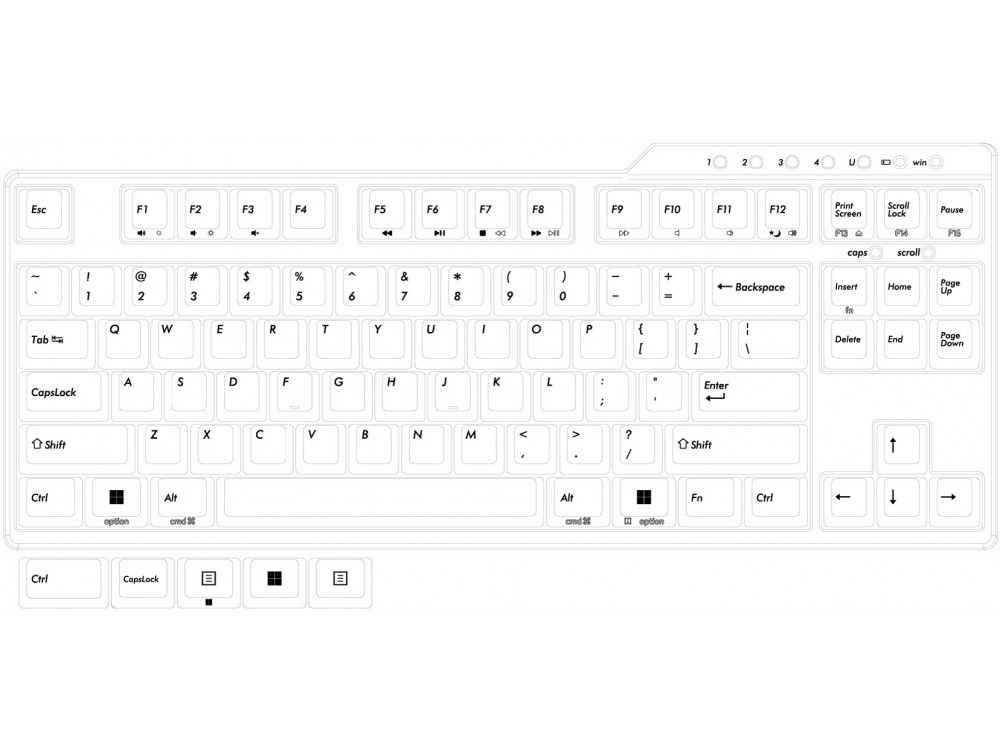
Function making closer to the layout and key operations of the macOS standard keyboard. When switch (6) is turned ON, the target key will be replaced with a Mac-specific function. The simple Mac mode function is pre-engraved on the front face of the keycaps.
Includes: Keyboard, Detachable USB Cable(1.8m USB-C to USB A), 2 x AA batteries, FILCO key puller, Extra Keycap, User Manual
Customers also viewed these
UK VA109M V2 CMYK PBT Backlit Keyboards
From £150.00 inc. VAT
in stock
Details
Select options
This product has multiple variants. The options may be chosen on the product page
Matias Wireless BT Aluminum Backlit Mac Keyboards Space Gray
£129.98 inc. VAT
in stock
Details
Select options
This product has multiple variants. The options may be chosen on the product page
Matias Mini Quiet Pro PC Keyboards
£118.80 inc. VAT
in stock
Details
Select options
This product has multiple variants. The options may be chosen on the product page
CHERRY MX2A RGB Plate Mount Lubed Switch Sets 90
From £42.50 inc. VAT
in stock
Details
Select options
This product has multiple variants. The options may be chosen on the product page
Sam –
Switch Type: CHERRY MX Blue Layout: USA
I bought this keyboard to replace my longsuffering full-size Majestouch 2, which I’d used nearly daily for more than a decade. I wanted to save a little desk space over that board, I wanted media keys, and I wanted to future-proof with USB-C and wireless connectivity. I had, in fact, been eyeballing this board for several years before the sad news of Filco’s demise pushed me to make the purchase.
The board is, of course, perfect to type on. Filco boards are so heavyweight, they provide unparalleled typing stability. (Don’t buy this board if you’re looking for something portable!) I have a fairly heavy keystroke, and I find this chassis rings a tad more than did my Majestouch 3, but it’s barely noticeable, and not annoying; part of the board’s character, if anything.
Where the board suffers is in its configurability, or rather, the lack thereof. To support media key input, Filco had to stuff in an Fn key somewhere. You can select whether it replaces the right menu key (the default), the right meta key, or the right control key, with the supplanted key winding up as Fn functionality of a neighbour. These options are fine, but they mostly leave me hungry for more. Why is there no Fn lock? (Yes, I’m a weirdo, but I’d rather have faster access to media keys, and chorded access to the numeric F-keys.) Why is vol+ on F1, vol- on F2, and mute on F3 why not strictly ascending or descending order? When you start to add any amount of configurability, people are only ever going to want more. I really wish Filco had embraced this problem by offering full key remappability. I.e., I wish Filco had just shipped a board running QMK.
On the whole, I’m very happy with my purchase (although I slightly wish I’d bought the ninja keycap variant). It is monumentally well-built, and I love typing on it. The robust, no-frills design (and the absence of RGB) looks great on my desk. I have every expectation that I will still be using this board a decade from now. Filco will be missed.
EDIT May 2026: We are still able to supply Filco keyboards, they are not discontinued – Keyboard Company
E –
Switch Type: CHERRY MX Brown Layout: USA
Beautiful keyboard. Simple look. Straightforward Bluetooth pairing. I got the one with brown switches. I used brown switches before but this one feels better, maybe due to the key caps. Enjoy every key press, backspace and enter and space have their own personalities. Joy to use.
Lawrence D’Anna –
Switch Type: CHERRY MX Blue Layout: USA
I love this keyboard. This is I think the fourth Majestouch I’ve bought, and it’s a improvement over the Majestouch 3. The bluetooth is more reliable. The new bluetooth profile select buttons are great. USB-C is a good upgrade. It’s perfect.
David J –
Switch Type: CHERRY MX Brown Layout: USA
I’ve been using a Filco Convertible 2 for 3 years now and love it, but I found that it was a bit too clicky to use on my many daily Zoom calls. I therefore decided to buy a Filco Convertible 3 Brown so I get the great typing feel without the noise. Both Filcos are very well built and a pleasure to use so I have no hesitation in recommending them. Now I have a new keyboard I was able to take time to remove all the keys from my old one and give it a good clean. It now looks like new and I am sure both will offer me many, many years more service. Money well spent for a daily keyboard user.