













Overview
Majestouch 3
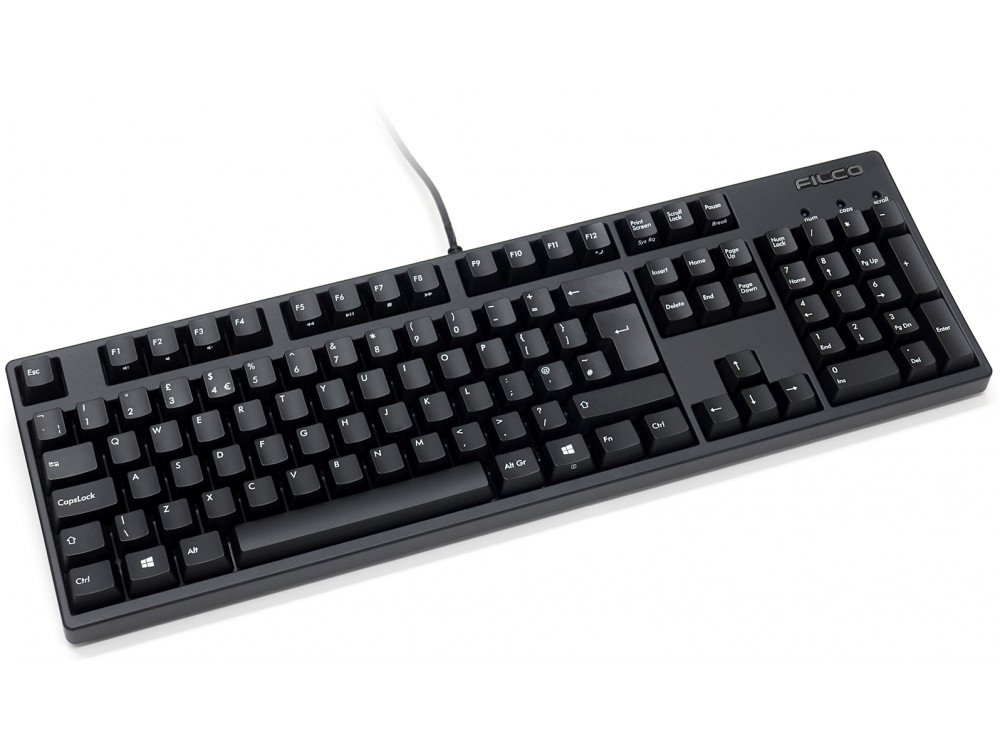
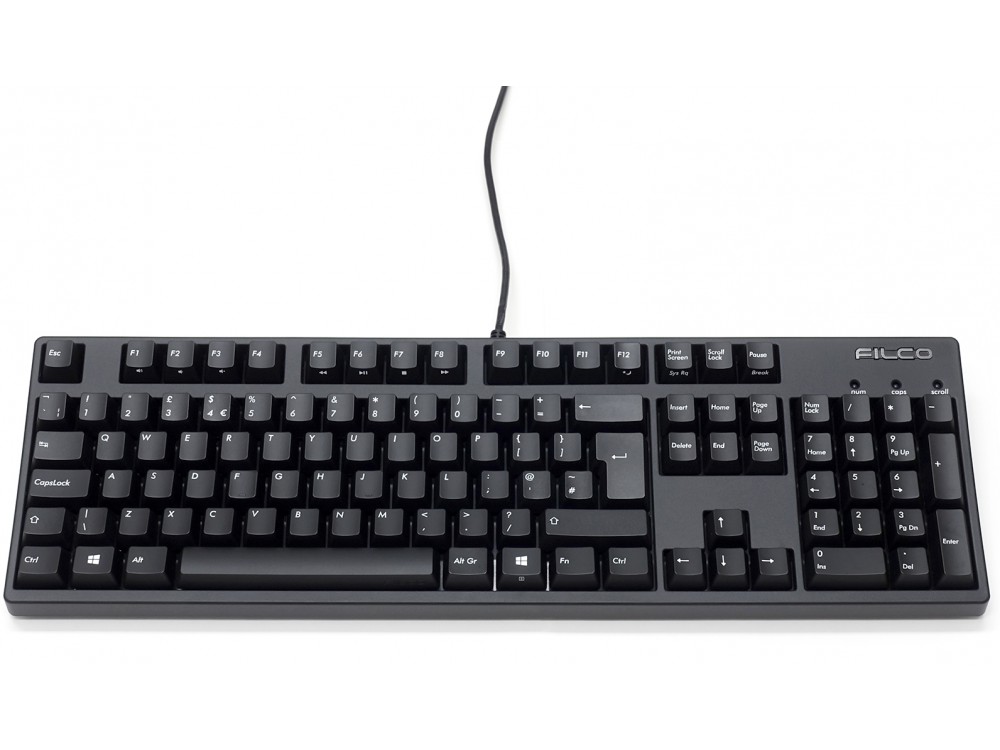
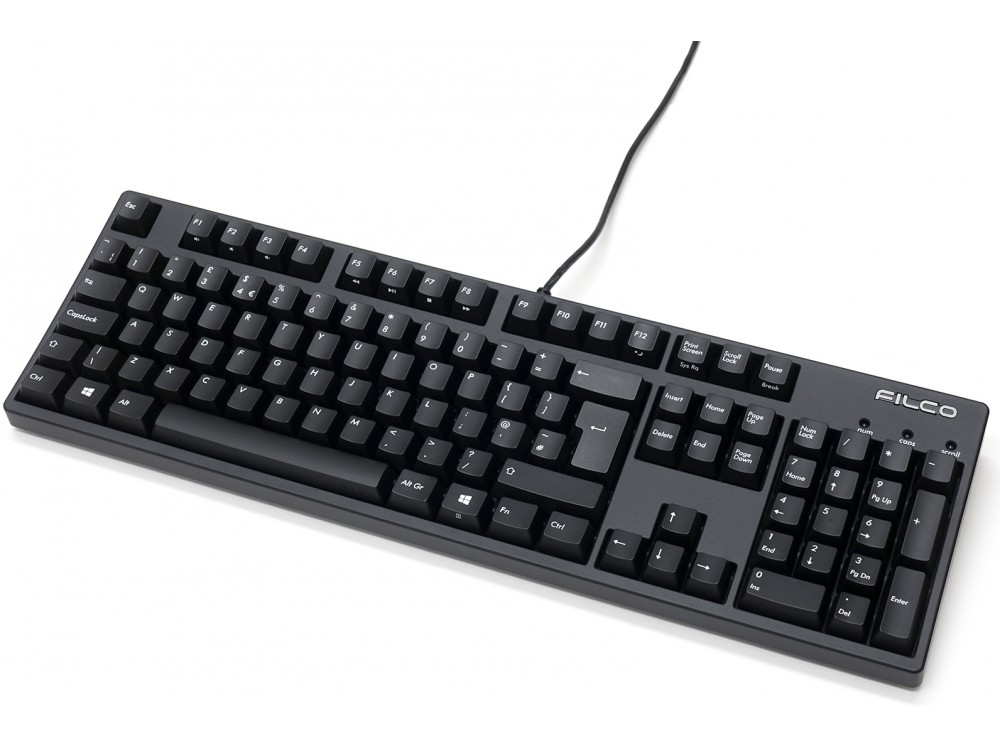
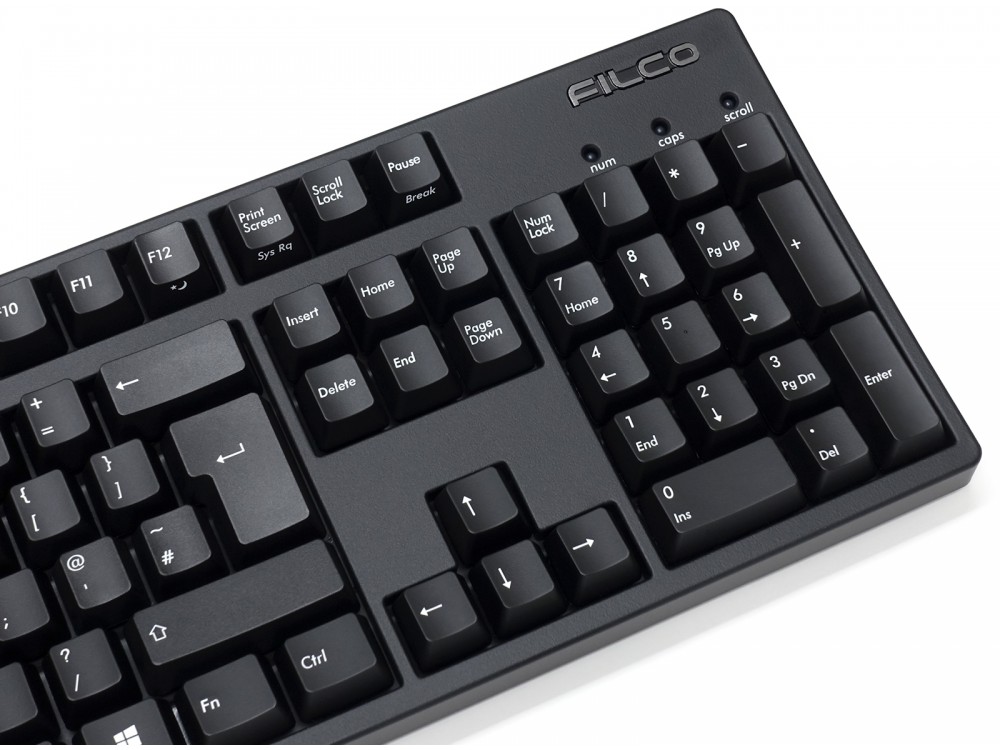
The design remains the same, but the contents are fully remodeled!While maintaining the case design of the original Filco Majestouch keyboard released in 2004, the board and microprocessor have been renewed, and it has been reborn as the latest spec keyboard that supports USB 2.0 / full N key rollover.
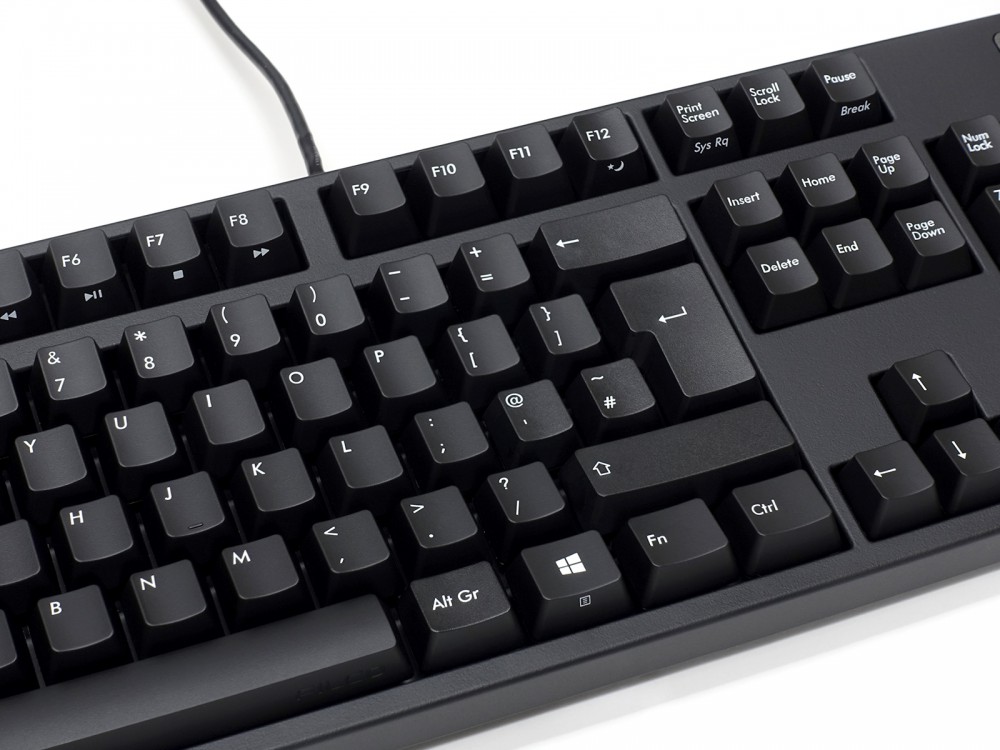
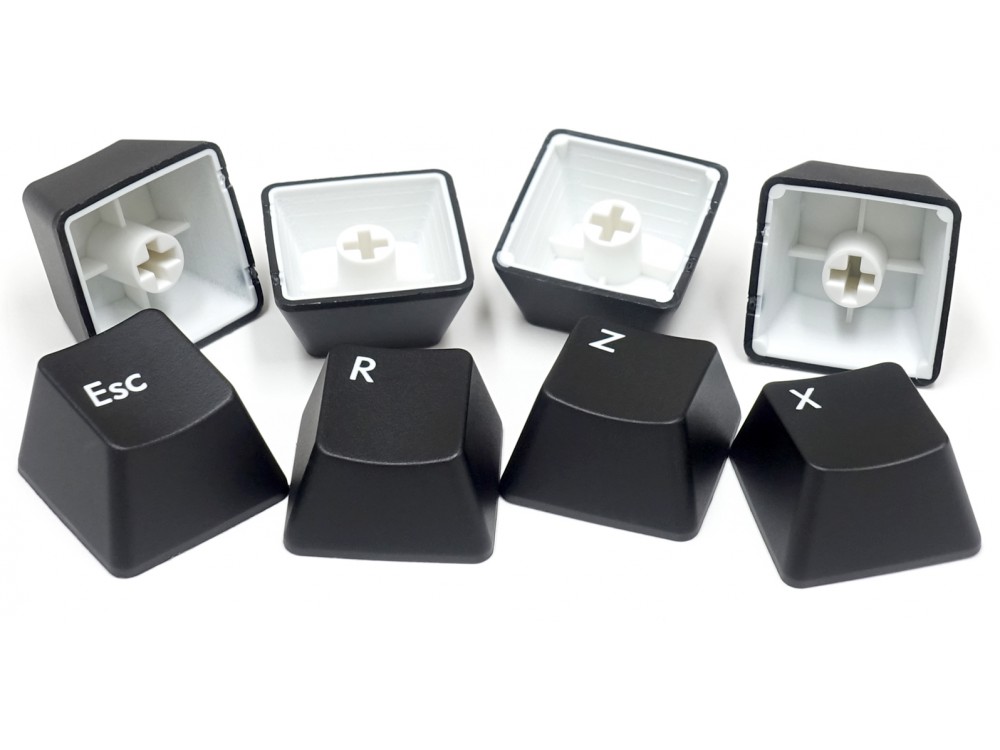
Renewed double-shot PBT keycaps
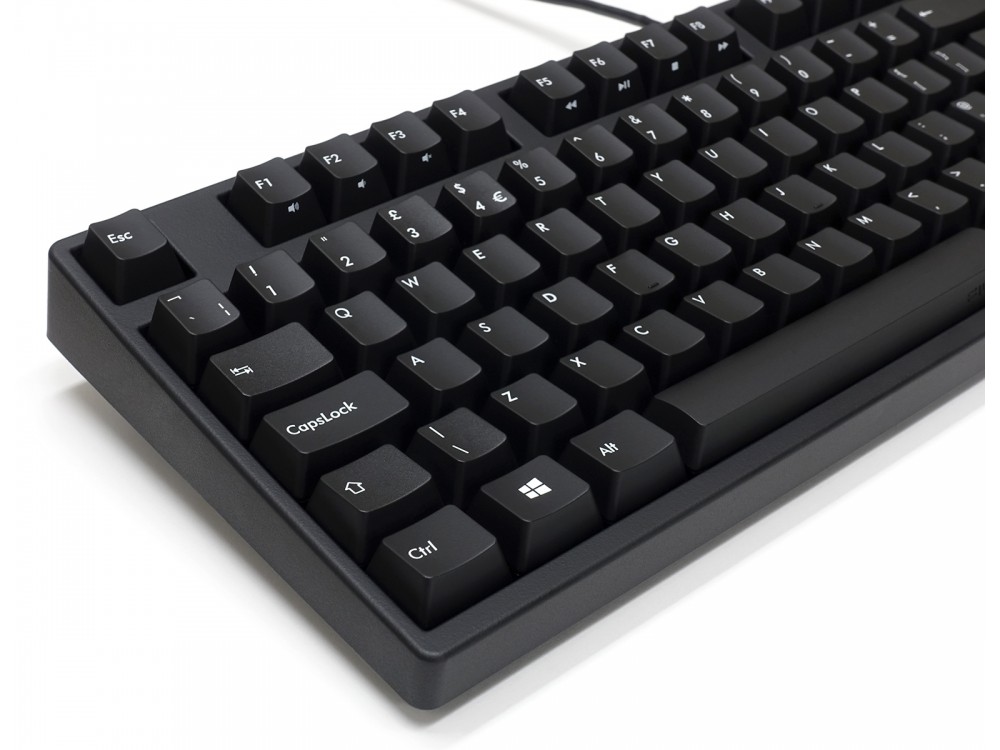
The keycaps are 2 different colours of double shot PBT, a double shot keycap instead of having its legend lasered or printed on to it, actually has the legend running through it like a stick of rock so it will never wear away, and PBT is more durable than the ABS. Majestouch 3 is a keyboard that will last a long time.
Media Functions
It is equipped with media keys that work when pressed with the FN key. Without taking your hands off the keyboard, you can adjust the volume, mute, and more.
Special case color
The black upper case of the standard model has a matte black coating. The calm appearance of the keyboard makes the desk more chic.
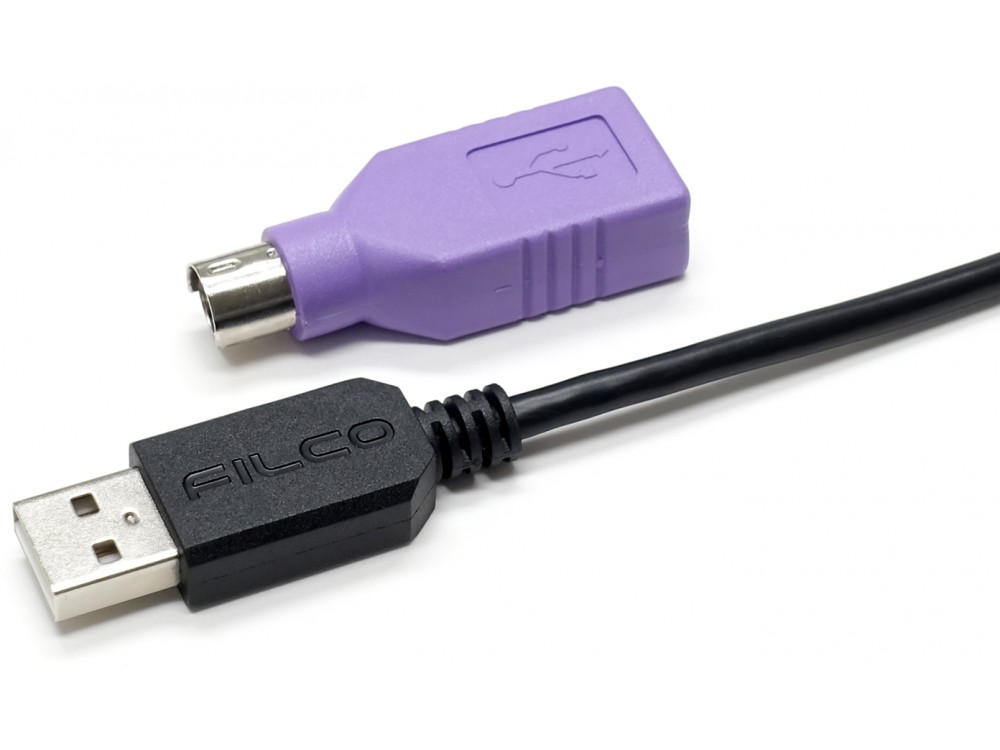
USB cable
We have adopted a high-quality original cable with the FILCO logo.
Customers also viewed these
Das MacTigr Low-Profile Keyboards
£169.00 inc. VAT
in stock
Details
Select options
This product has multiple variants. The options may be chosen on the product page
Durgod K230 Fusion Steam Tri-Mode 65% Keyboards
From £99.00 inc. VAT
in stock
Details
Select options
This product has multiple variants. The options may be chosen on the product page
Filco Convertible 2 Bluetooth Keyboards
£145.00 inc. VAT
in stock
Details
Select options
This product has multiple variants. The options may be chosen on the product page
chris_debian –
Switch Type: CHERRY MX Silent Red Layout: United Kingdom
Really good quality keyboard, my first purchase of this brand. Feels like it’s built to last.
Sean –
Switch Type: CHERRY MX Blue Layout: United Kingdom
I set out looking for basically the polar opposite of my dying Logitech G910: heavier switches with a longer travel and more tactility, minimal fancy features I never use, and switches that won’t start failing after a year; while still wanting a full-size UK layout.
So far the Majestouch 3 is just that. It is very unassuming and basically its only feature is the media combo keys. I went with the MX Blues for their slightly higher force and tactility over the Browns, and find them very nice to type on. Unsurprisingly it’s a loud board, both from the click of the Blues, the bottoming out of the keycaps, and the slight Filco ping, but I like the sound, even if it makes typing always sound like I’m pounding out an angry letter.
It’s also decent for a bit of gaming, though it takes a bit of getting used to, especially if you notice you can reset and actuate the key just before the tactile bump on the way back up. A wrist rest would be a good buy if you rest on WASD a lot.
It also definitely seems well built, it’s a heavy board and feels solid. Filco seem to have a reputation for reliability: only time can confirm that, but it certainly feels it will last a long while. The keycaps are a tiny bit wobbly, but you don’t notice it in actual use; they are double-shot PBT though and should last basically forever, unless you sweat pure acid or something.
Overall, I am enjoying the keyboard a lot, and hopefully will do so for a long time. It is a bit pricey, but it certainly feels the money has gone into making a quality keyboard. There is little in the box other than the keyboard itself, a bit of documentation, a cable tie, and PS2 adapter (which is unnecessary for NKRO as that works over USB.) The Keyboard Company did send some little bonuses, including a cute little weepul, who I love dearly and has since taken up residence on the Filco logo.
Anonymous –
Switch Type: CHERRY MX Brown Layout: United Kingdom
Great keyboard. I was after something with solid build quality that looked simple, without all the flashy lights etc. The build quality is like nothing I’ve used before, it feels super premium.
Keyswitches are really smooth, and zero rattle on the spacebar or enter key, perfect straight out of the box.
Customer service were great and really quick delivery, can’t recommend enough.
Anonymous –
Switch Type: CHERRY MX Brown Layout: United Kingdom
My first ever mechanical keyboard was a Cherry PS2 with blue switches – not that I knew what that meant at the time – and it lasted for over 20 years. I replaced it with an entry-level Cherry with red switches a few years ago and took the leap to Filco more recently. As to the build quality of the Filco, it is the most solid keyboard I have ever used – certainly the heaviest. Depending on your seating position and eyesight you may find that the three blue lights above the keypad are concealed by the top row of keys; and they are on the dim side. Turning to the brown switches – and having tried blue and red over many years – I think these are the best, certainly for my way of typing. They are like red (no resistance at all) with a touch of added blue (unobtrusive ‘clickiness’). There is some impact noise as the keys reach the bottom of travel, but it’s the sort of satisfying clunk you get when the door of a high-end car closes. Overall, quieter than blues (this may be either the Filco build quality or the nature of brown switches). Overall, you don’t have to pay this much for a mechanical keyboard and you may well be happy if that’s the route you take; but if you value solid build quality, and want to identify all the keytop characters as the keys become worn, then you can’t go wrong.
Anonymous –
Switch Type: CHERRY MX Brown Layout: United Kingdom
I used a Mk2 with brown switches for about ten years and now got an Mk3 with brown switches because no other keyboard does it for me.
rodw –
Switch Type: CHERRY MX Brown Layout: United Kingdom
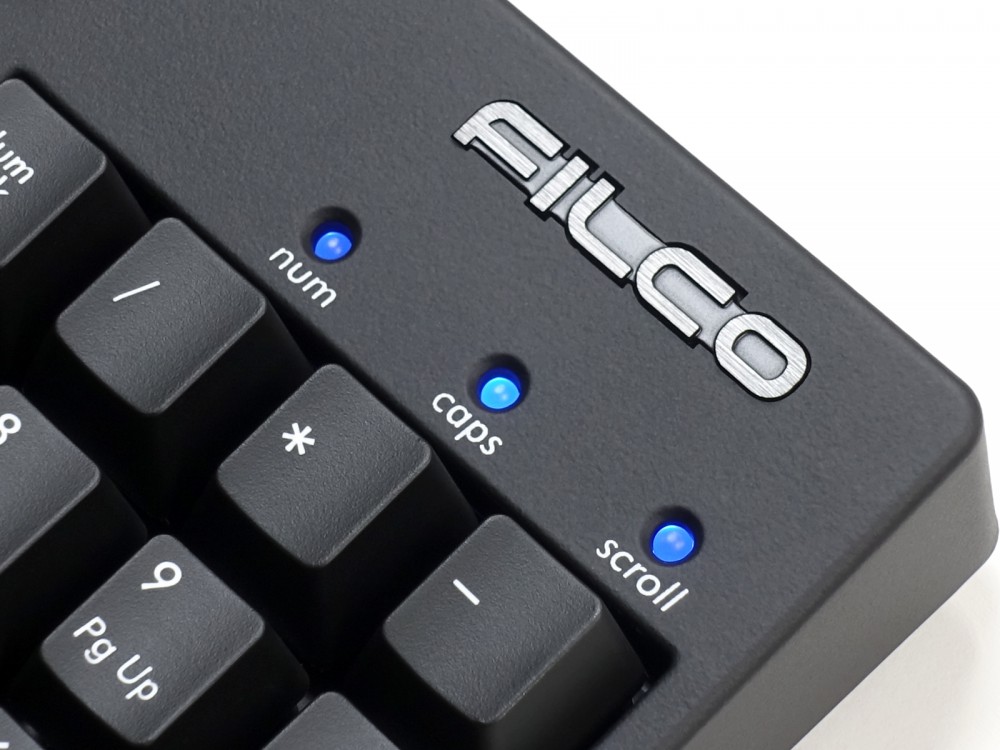
This keyboard is really excellent, a delight to use and worth the relatively high cost. The key characters are clearly legible, the touch just right and the three blue LED’s indicating num, caps & scroll are low in brightness which is ideal. Thank you, the Keyboard Company!
Chau –
Switch Type: CHERRY MX Brown Layout: United Kingdom
This is a great quality keyboard and it is very satisfying to type. Super glad that I bought it!
Ben –
Switch Type: CHERRY MX Brown Layout: United Kingdom
Excellent advice from Helen at the keyboard company. I could not be more pleased with this solidly built keyboard that is a joy to use. Quite an investment but I believe it will last me years. Many thanks.
Gavin Davenport –
Switch Type: CHERRY MX Silent Red Layout: United Kingdom
Excellent keyboard as expected. Nice texture, inoffensive amount of noise
Sean –
Switch Type: CHERRY MX Brown Layout: United Kingdom
This is a solid, well built, high quality keyboard. Buy quality, pay once. It is a joy to use.
David –
Switch Type: CHERRY MX Blue Layout: United Kingdom
In my opinion, Filco offer the best serious minded, high-quality, no nonsense keyboards on the market.
I have tried competing brands. In my view, you cannot do better than Filco if you want an excellent unmodified typing experience, out of the box, backed-up by great build quality.
Prior to this keyboard, I ran a Filco Majestouch 2 (with Cherry MX Blue switches), as my daily professional work from home keyboard.
I have moved over to this new Filco Majestouch 3 (again, with Cherry MX Blue switches) to continue with my professional work.
It is *every bit as capable* as the excellent Filco Majestouch 2, replicates the same build quality, *but this time*, and most notably, provides superior PBT key caps, which will last longer (and wear better) than the ABS key caps on the Filco Majestouch 2.
I highly recommend this keyboard for working people who type *a lot*, every day, and who do not want to fiddle about with modifying their keyboards. Typing on it is a pleasure, and my keystrokes feel quick and accurate.
Final word: Filco is where it is at for an excellent out of the box experience, with zero need for modifications. I strongly recommend this keyboard as a daily driver.
Jon Relf –
Switch Type: CHERRY MX Brown Layout: United Kingdom
My order arrived promptly, on the date I was given & was well packaged. I bought the Majestouch 3, my first time purchasing a mechanical keyboard coming from a lifetime of using cheaper rubber domed keys. I am very pleased with the product, Everything about it looks and feels high quality. It is a joy to type on. I highly recommend it.
Sebastian –
Switch Type: CHERRY MX Brown Layout: USA
This is my third Filco Majestouch MX Brown Tactile (Tenkeyless) keyboard I bought from `keyboardco`. I use these keybaords in work (I’m a software engineer) and what I value the most is quality of the build (super sturdy and reliable, ehavy keyboard) with world class Cherry MX (brown) keys.
One of my Filco keyboards will be soon 8 years old. It stayed with me for all these years and never dissapoint. There is a minimal wear and tear on keys (absolutelly minimal) and I, I really do use it 8-10 hours a day.
Best buy for any professional who types for living.
Martin T –
Switch Type: CHERRY MX Silent Red Layout: United Kingdom
Summary: it’s a Filco so it’s well made and doesn’t have loads of gimmicks (other than multimedia keys) and it has PBT keycaps so they shouldn’t wear. If you like that sort of thing, buy it!
More detail:
One fault with Filco’s Majestouch 2 keyboard is that the keycaps wear rather quickly. Having tried various aftermarket PBT keycaps and been disappointed with the quality, legibility or just that they weren’t the right heights, I was pleased to see Filco come out with standard PBT keycaps of their own. If they sold them separately I might have purchased a set to upgrade my Majestouch 2 but no, you have to buy the keycaps with the keyboard attached!
There are two things I’m not particularly keen on. One is Filco’s decision to put Volume Up on F1 and Volume Down on F2 … every other keyboard I’ve seen puts Up to the right of Left. That being said, Up, Down and Mute are on one block of function keys, and Previous, PlayPause, Stop and Next are on the adjoining block … unlike Varmilo where in trying to keep all of the functions together you have Next, Down, Up and Mute on F9-F12, and Back and PlayPause on F7 and F8.
Also, given Filco’s reputation for rock solid build quality and Japanese attention to detail, the vertical alignment of the multimedia icons on the front faces of the keys is a bit irregular.
Time will tell how well the keycaps last, I haven’t determined whether the (rather nicely Filco-branded) spacebar is ABS or PBT but that will become evident in a few months, I’m sure. The keycaps look and feel as you would except new PBT ones too. Switch action feels slightly stiffer than other Silent Reds that I own but how much of that is just learning a new keyboard I’m not absolutely sure. Certainly not objectionable and I could easily be convinced that it’s just running in.
Whether it’s any quieter than the ABS-keycapped Majestouch 2 I couldn’t say, but the sound is deeper. Some keys have a slight ping to them on the rebound which I don’t remember from the 2.
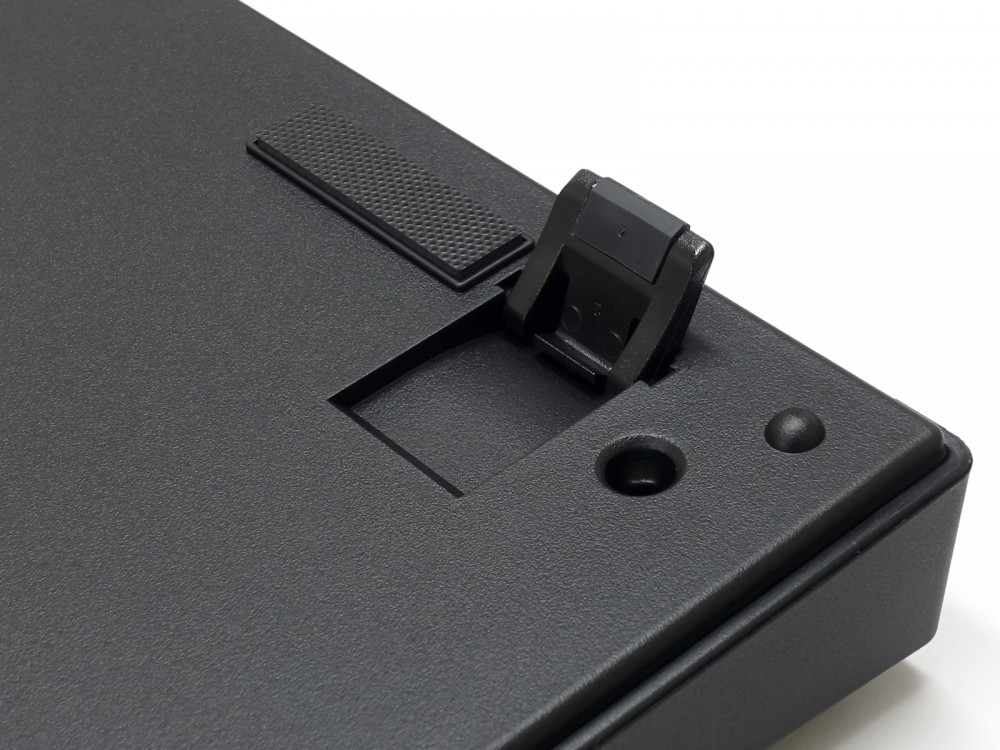
One thing that Filco definitely got right (and which Varmilo don’t, in my opinion) is the size and location of the status LEDs. I don’t use the legs at the back of the keyboard but the LEDs are sufficiently far away from the keypad keys that they are still visible. With Varmilos I find that the LEDs are blocked by the keycaps.
I can’t dock half a star for the odd multimedia key ordering so having thought about it a bit, I’m not going to dock any stars at all. I don’t anticipate looking for new keycaps, or fitting dampers or anything like that. For people who want a good, reliable keyboard that doesn’t require a load of fiddling about, you won’t go wrong with one of these.
Adam –
Switch Type: CHERRY MX Brown Layout: United Kingdom
I previously bought a Ten Key Less Mk2 version of the Majestouch keyboard and now I’ve more desk space I decided to buy a full size keyboard. As the Mk3 had been released I delayed until The Keyboard Company had them in stock and bought the Mk3 version rather than the Mk2 version.
For both my Mk2 and my Mk3, I have Cherry MX Brown keys and so they two keyboard feel and sound very similar.The Mk3 has PBS keycaps which are double shot and will never wear out, while the Mk2 has the cheaper ABS ones which very quickly go shiny and look ugly. The keys on my MK2 never wore out and the shine which arrived after only a few weeks never made the keys unreadable, but it was annoying. After the same amount of time the keycaps on the Mk3 still look brand new.
The Mk3 does sounds slightly different to the Mk2, it’s a little bit more muted and dull. It is not silent and compared to a cheap laptop keyboard you will hear it even if you are a light typer. I love how it feels and the typing noise while audible is not annoying – but no ideal in a shared office. Cherry make a more silent key which this keyboard comes with.
The keyboard is rather neat and compact, not taking up much more space than the keys it contains and the overall build is solid, the keyboard doesn’t flex or make an annoying noise, and the rubber feet anchor it to the desk perfectly. It is heavy, so you don’t want to be moving it about – but then again isn’t not really designed to be portable like that anyway. The case appears to be very similar if not the same as the Mk2 but looks more of a matt finish and so far isn’t looking dirty.
The USB cable is fixed a plain plastic cable, though not braided or detachable, is of a superior quality. A USB to PS2 adaptor is provideded in the box. Unlike the Mk2I keyboards, the Mk3 provides full roll-over on both the PS2 and USB interfaces.
The keyboard is not backlit, nor does it have extra keys or a programmable macro engine. As such it’s a keyboard designed for people who type a lot rather than people seeking a showy toy., or for fancy games playing. There are some extra markings on the function keys should you want to use them for media playing.
There are cheaper and there are more expensive keyboards than this, but I think if you want a computer keyboard that just works, then I highly recommend this one.
Having had both the Mk2 and the Mk3 I would say that the keycap change is nice and I do prefer the new keycaps over the old one. However I must confess that I prefer the ergonomics of the TKL keyboard over the full sized one now, as I don’t use the numeric keypad that much and with a TKL keyboard I can position my trackball (or mouse) closer to my hand and have more deskspace too.
Summary, if you want a keyboard for typing on, then this is an excellent choice. If you don’t work with numbers that much, then consider the TKL version, especially if you are right handed as your mouse will be closer and you’ll have more deskspace. Finally while you shouldn’t eat over your keyboard and you should wash your hands regularly during the day, but so far the PBS keycaps on this keyboard so far are still looking brand new!
Don’t buy this keyboard if you want some, light weight, light show with a zillion extra features – this is not that kind of keyboard.
William –
Switch Type: CHERRY MX Silent Red Layout: USA
Understated excellent build quality.
The switch was quieter than expected, which was what I’m going for as my personal office keyboard.