Ergonomic Design for Optimal Comfort
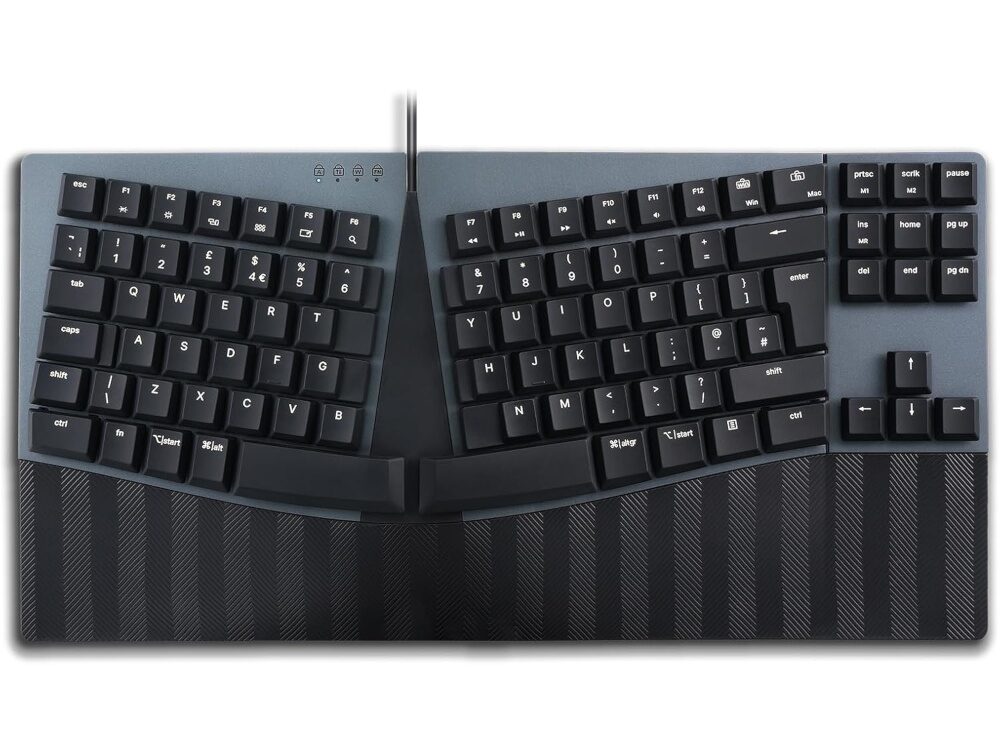
Our mechanical keyboard features a split keyframe and curved design, promoting a healthier posture by encouraging the natural positioning of your wrists and arms while typing.
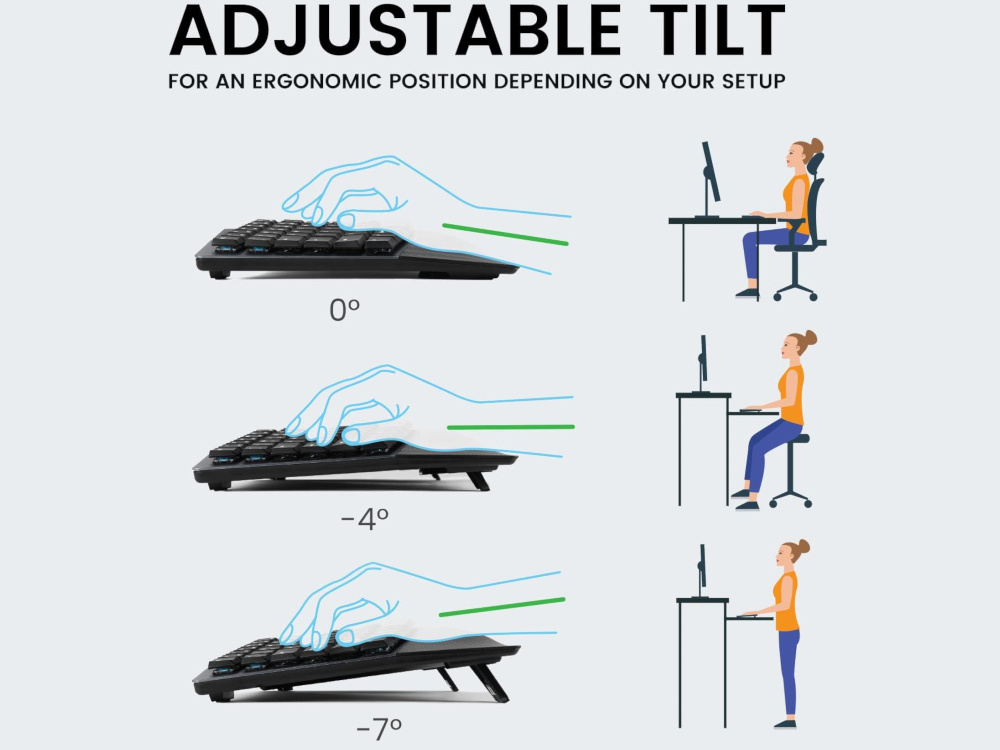
Customizable Reverse Tilt
Tailor the keyboard’s angles to suit your workspace setup, ensuring a neutral wrist posture and enhanced typing comfort. The integrated palm rest supports the palm and wrist while correcting the wrist pronation while typing to prevent unwanted pressure and muscle strains.
Programmable Keys for Personalized Workflow
Utilize our user-friendly software to reconfigure keys, assign custom actions, and create macros, streamlining specific tasks and optimizing your work efficiency.
Broad System Compatibility
Our ergonomic mechanical keyboard is compatible with Windows OS, Linux OS, and macOS. While the downloadable software is exclusive to Windows OS, the keys remain programmable through an on-the-fly macro key setup for other operating systems. Experience improved comfort and productivity with this versatile keyboard.
Low-Profile Mechanical Clicky Blue Switches
The ERGO Mechanical Keyboard employs Kailh’s low-profile mechanical switches. These switches align perfectly with the keyboard’s minimalist design philosophy, enabling the creation of a slim ergonomic keyboard. They’re the perfect option for mechanical keyboard fans who love clicky typing and audible feedback.
Switch Mac/Windows Layout
Perixx Ergonomic Mechanical Series is compatible with Mac* and Windows. Press the Fn+Win for Windows and Fn+Mac for Mac.
*This keyboard has a UK Windows layout with a few dual legend Windows and Mac keycaps, however a UK Mac layout has additional differences not referenced on all the keycaps.
Factory Reset
How to Factory Reset Keyboards of Perixx Ergonomic Mechanical Series
Turn off keyboard, press and hold Fn+d+g while you switch the keyboard on, all the LED’s should light up.

Reviews
There are no reviews yet.