
Filco
Filco Majestouch MINILA Air Bluetooth Mechanical Keyboards
£120.00 inc. VAT
Filco Majestouch MINILA Air Bluetooth Mechanical Keyboards












Overview
The world’s first double function key Bluetooth keyboard!
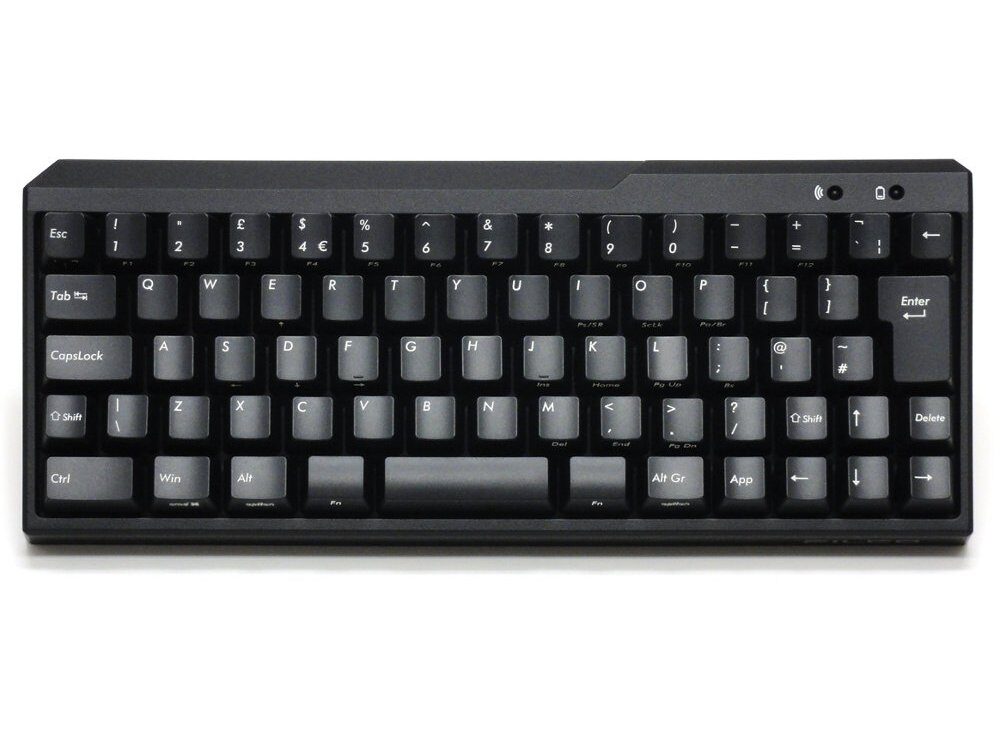
Majestouch MINILA Air is the MINI LAyout version of Majestouch and we’ve made it as compact as possible by sharing Function keys with other keys, it’s most striking feature is the “double function keys” located on each side of the spacebar.
It has the same key pitch and Cherry MX key switching as our famous Majestouch keyboards.
We focused on the least frequently used digits, the thumbs, and let them work with the Function keys.
Just keep your thumbs busy and you’ll get a lot of work done much easier than on a normal keyboard!
You can use whichever thumb you want.
This keyboard can work well for anybody!
Professionals, intermediate or even beginner class!
Once you get used to typing on MINILA Air, you will not want to go back typing on a normal keyboard!
[Design rights pending]
You can use MINILA Air even more conveniently with FN keys
You can type cursor keys with a combination of FN key.
Pressing FN key and E/S/D/F simultaneously corresponds to up/left/down/right respectively.
With this solution, you can keep your home position and still type arrows very easily.
Pressing FN key plus the [:;] key simultaneously functions as backspace.
This will allow you to command backspace without changing your home position.
These combinations will offer you a faster typing environment.
More configurable
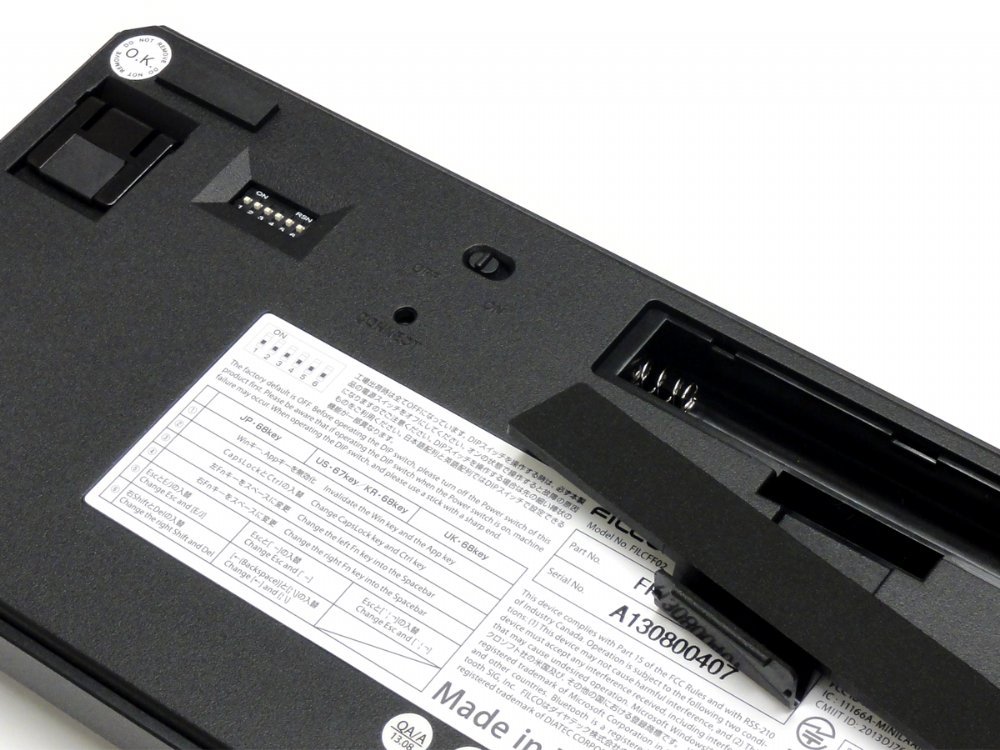
- 5 dip switch settings:-
- Switch off Windows and App keys
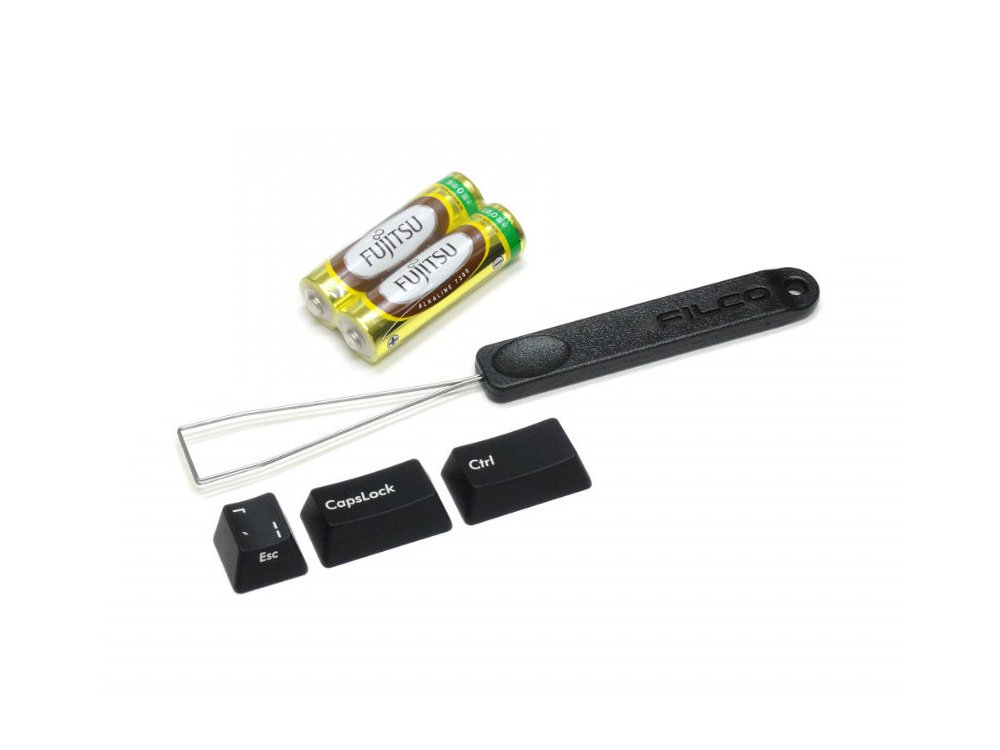
- Swap left CTRL and CapsLock (key caps included)
- Change left FN key into space
- Change right FN key into space
- Swap ESC / [`ᆭᆲ] function (key cap included)
- Filco key puller
- Adjustable rear legs with non-slip feet
- Tactile feel, ergonomic click action (Brown switch)
- Gold contacts
- 4.0mm travel
- 2.0mm actuation point
- 55g ~ 2oz actuating force keyswitch
- Switches tested to 50 million actuations
- Batteries included (2 x AA)
- Bluetooth receiver NOT included
Customers also viewed these
CHERRY MX RGB Plate Mount Switch Sets 110
From £47.00 inc. VAT
in stock
Details
Select options
This product has multiple variants. The options may be chosen on the product page
Keychron Q8 65% Ergo QMK RGB Aluminium Mac/PC Carbon Black Custom Keyboars…
From £132.00 inc. VAT
in stock
Details
Select options
This product has multiple variants. The options may be chosen on the product page
Maurice –
Switch Type: CHERRY MX Blue Layout: United Kingdom
Let me preface this by saying I love this keyboard, and after getting used to the the new layout, I don’t particularly want to use anything else.
However, I’ve had some minor issues with double bounce, this was after my initial purchase, and basically factory standard. Managed to resolve the issue using some bottled air, but was an annoying issue to have to start with.
Secondly, after about 6 months of use, I have started to notice wear on frequently used key caps. Of course this was always going to happen, but it would have been really nice if the keys were double shot.
Thirdly having this keyboard connected to multiple devices via bluetooth can be a pain, I use this keyboard for my work laptop, personal laptop and steam deck, and with the way the keyboard handles connection order being fairly static, I find it frustrating sometimes getting it to connect to my work laptop if my personal one is on in another room. The keyboard is already smart enough to handle multiple function keys and connections, would be great if there was a simple way to switch between devices, or connect from the device to the keyboard, rather than the keyboard being the manager of the connections.
All that said, its an incredible keyboard, the design and layout is inspired, everything feels very well built and easy to use, it did take a bit of getting used to have a 1 size right shift key, but its worth it for the amount of utility the keyboard provides.
Daniel –
Switch Type: CHERRY MX Brown Layout: Swedish/Finnish
Great keyboard. Heavy (good) and solid feel. Had it since 2019 and type a lot – works well for me. Not too loud for my office (brown keys).
Nikos –
Switch Type: CHERRY MX Blue Layout: United Kingdom
It’s an excellent keyboard with very well thought out functionality. The space bar is the size all space bars should be and the space gained is utilised for function and additional keys. If it says anything I bought my first one in 2015 which is still working fine with daily use and a few days ago I bought my second one since I couldn’t find anything better after considerable research. Credit should be given to keyboardco.com, even when not buying it’s a pleasure to browse the shop with all the exciting and specialised keyboards.
Yon –
Switch Type: CHERRY MX Blue Layout: United Kingdom
Fantastic Keyboard, first impresion is rock-solid construction. Compact size and dedicated arrow keys. Great product!!!
John –
Switch Type: CHERRY MX Blue Layout: United Kingdom
I wanted a nice compact and portable keyboard for use in my workshop and this fits the bill perfectly. I have brown switches in our other FILCO keyboards, but these blue ones are ideal for the workshop with a nice positive feel and audible click.
Anonymous –
Switch Type: CHERRY MX Brown Layout: USA
Great keyboard for mobile working. Use it for the iPad with the latest iOS. No problem to get used with the keyboard layout.
Anonymous –
Switch Type: CHERRY MX Brown Layout: USA
Bought a Filco Minila Air and I’ve been really pleased with it this far! Delivery took about 2 weeks to Sweden and everything arrived well packed and fully functional.
Anonymous –
Switch Type: CHERRY MX Red Layout: United Kingdom
Meets expectations. Cant really think of any negative after a week.
Jeremy –
Switch Type: CHERRY MX Blue Layout: United Kingdom
Love this keyboard. The blue switches have a nice feel – better I think than the larger keyboards. Fabulous build quality and excellent layout. Have tried 40% boards, which I think are just to much of a compromise. Filco got it just about perfect with this 60% board. She might have been out for a few years now, but for a now at least, she remains my favourite. Oh, and Iove she takes simple AA batteries that last 6 months or so, rather than Li-ion batteries that require regular charging.
Anonymous –
Switch Type: CHERRY MX Brown Layout: USA
This is the second Filco Minila that I have bought (I already own the wired version). The layout is a bit of an acquired taste, but I love the thumb operated function keys. The smaller than standard right shift and delete keys do take a little getting used to admittedly.
It has the sturdy build quality that you expect from Filco. The bluetooth connectivity seems great- no lag that I’ve been able to detect and I’ve had no issues with it pairing or reconnecting with devices. I have not had it long enough to be able to comment on the battery life.
It would be nice if had a USB port (like wired version does), but this is a minor quibble.
Sam –
Switch Type: CHERRY MX Brown Layout: United Kingdom
An excellent portable keyboard, purchased to replace my HHKB Lite 2 for work. I found the MINILA practical in comparison, and the ability to swap caps lock and control in the same manner as the keyboard it was replacing was a godsend.
Overall build quality is great, and MX Browns are well suited.
The only negatives so far are that the backspace key on the UK layout model is very small. This is something I am sure I will get used to in time however. Secondly, there is no way to connect the keyboard with a usb cable in the event that the non rechargeable batteries die.
Overall this is an excellent portable mech board with some clever customisation features, which feels like it will last a long time. At a reasonable price for the type of product, and small form factor, the shortcomings listed above seem insignificant.
Rob –
Switch Type: CHERRY MX Brown Layout: United Kingdom
I’ve had the full-size Filco Majestouch 2 as my main keyboard for several years, but I was starting to experience tendon issue in my elbow as a result of having to move my right arm quite a long way over to reach the mouse. The MINILA met all my needs – a full-size Enter key and physical arrow keys, a function layer for everything else, and a full-size keyboard for the letters and numbers. The function keys being able to be remapped to Space is very helpful, as is the switch of Caps Lock and Ctrl. Typing’s now much more comfortable!
It took me a couple of days to get used to the smaller Backspace key, but not long at all. I had an issue with my Mac not recognising the left and right CmdOpt keys, but switching it to PC layout in Settings fixed that.
Great pre-sales service as well – I asked a couple of questions, and got a very thorough reply (with pictures!) that helped me choose.