








Overview
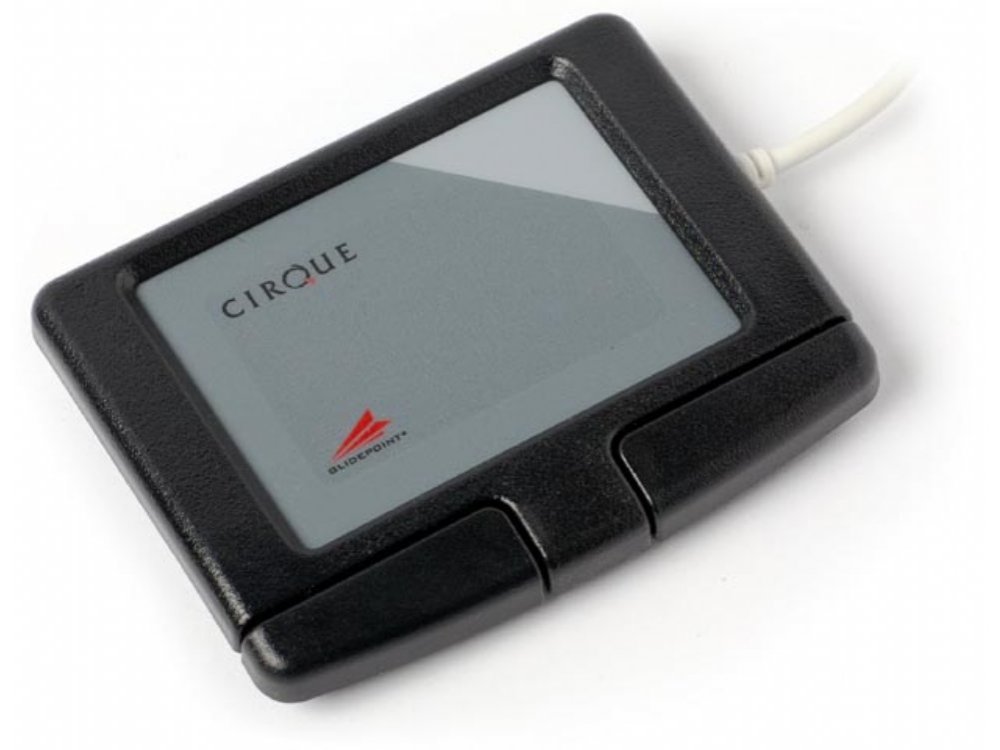
The black, USB, Cirque Easy Cat® touchpad makes it easier and more comfortable than ever to control your computer. To perform basic mouse functions, simply glide your finger over the smooth surface of the Cirque Easy Cat® to point, then tap on the pad or press on the buttons to click. Both ‘left’ and ‘right’ click functions can be activated by tapping on designated areas of the pad. It’s easy to detect the ‘right’ click area of the pad thanks to the subtle change of pad texture and color. Double-tap and hold your finger on the pad, or hold the left button as your finger glides, to grab, drag and highlight any item on-screen. Activate vertical scroll by simply gliding a finger along the right edge of the touchpad. The GlideExtend® edge extending feature makes it easy to keep moving the cursor after you’ve run into the touchpad’s edge. The Cirque Easy Cat® works ‘out of the box’ with all native Microsoft Windows® operating systems; no drivers required.
GP160U-0321
Customers also viewed these
Das X50Q Smart RGB Mechanical Gaming PC Keyboards
£72.00 inc. VAT
in stock
Details
Select options
This product has multiple variants. The options may be chosen on the product page
Keychron K8 V2 BT RGB QMK Hot-Swap Aluminium Mac/PC Keyboards
£109.00 inc. VAT
in stock
Details
Select options
This product has multiple variants. The options may be chosen on the product page
Glidepoint –
Brilliant product as a disabled person big help
Andy –
A nifty trackpad I keep close to my keyboard sitting on a wrist rest. I got used to the scrolling gesture on the rightend of the pad itself fairly quickly.
Custromer from Hungary –
I had been using a Cirque Wave Keyboard with an in-built Cirque touchpad for 25 years. When a the keyboard finaly gave up, I wanted a touchpad with the same precision and sturdyness. This one is an exact mach. A really great piece of hardware.
Australian Cat user –
I have been using Easy Cats for more than twenty years; can’t really remember. Any other pointing device – and I have tried several – give me RSI. I can’t recommend too strongly. The only moving parts are the buttons and after a few years they begin to be temperamental. I have never had a cable failure.
Anonymous –
I have 3 of these for 3 PCs so I think this means I would not use anything else. In my experience, which is over 15 years of using this product, it is an excellent, and robust mouse alternative: what normally fails is the cable between Touchpad and usb plug after 3 or 4 years. Good value and well engineered.
Ian P –
Robust, withstands spills and muck. Sensitivity is good. Glidepoint control panel allows wide set of configuration options. Expect the lead connecting either the USB plug or the Touchpad to fail after repeated handling, i.e. after a year. Still good value for money.